> ## Documentation Index
> Fetch the complete documentation index at: https://docs.cassidyai.com/llms.txt
> Use this file to discover all available pages before exploring further.
# Configure data retention
> Control how long an Agent's chat history is stored to meet your organization's data governance requirements.
Chat retention settings let you control how long conversation history is stored for an [Agent](/agents/overview). This helps you manage data storage and comply with your organization's data governance policies.
Agent chat retention is an **Enterprise-only** feature. [Contact our sales
team](https://www.cassidyai.com/demo) to learn more about upgrading to
Enterprise access.
## Required privilege
Viewing and editing an Agent's chat retention settings requires the **Manage
Agent Data Retention** admin privilege. Org Admins have this privilege by
default. To grant it to other team members without full Admin access, add it
to a [custom role](/settings/roles-and-groups). Saving changes or deleting
chat history also requires edit access to that specific Agent.
## Set a retention policy
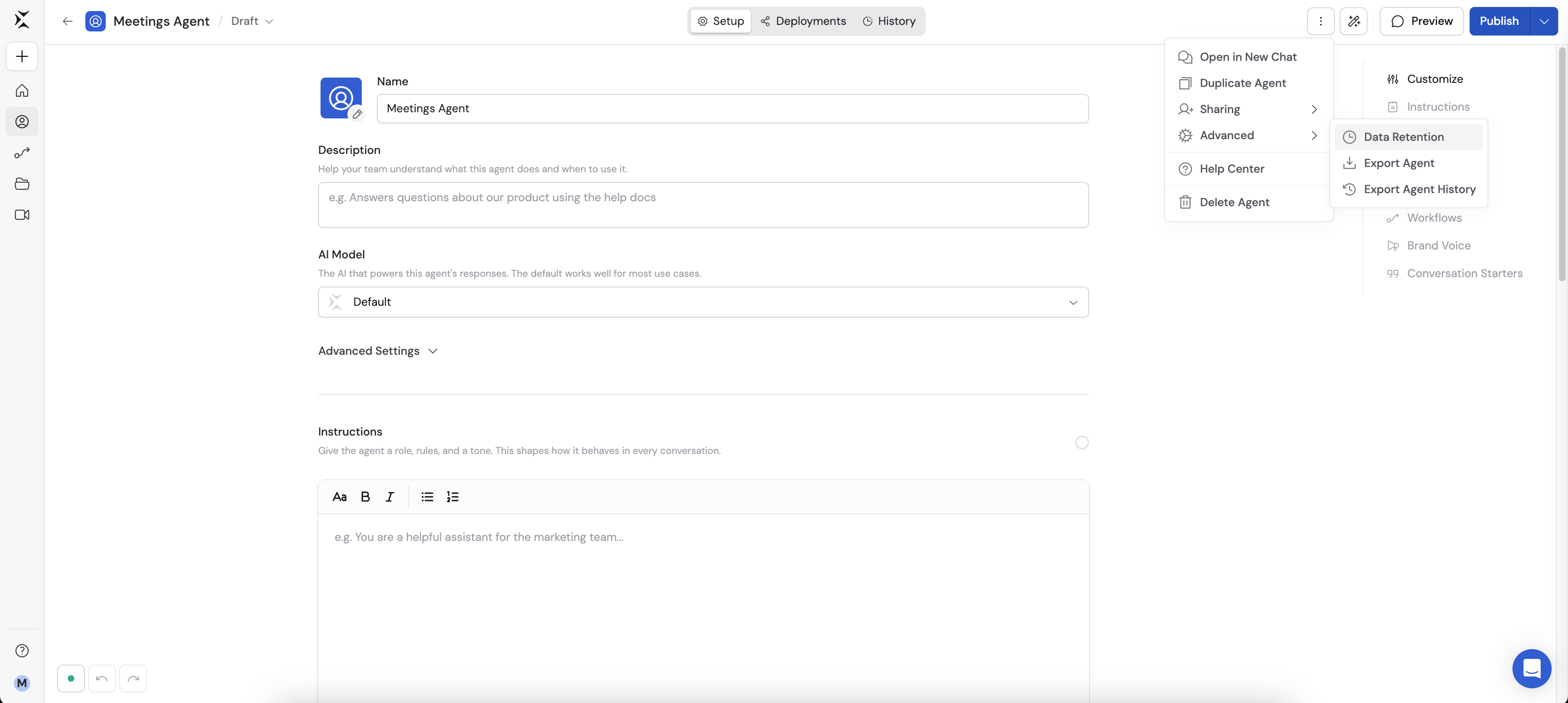
Navigate to the Agent you want to configure and click the **...** menu.
Select **Data Retention**. If you also have Agent export access, you'll find it nested under **Advanced** instead.
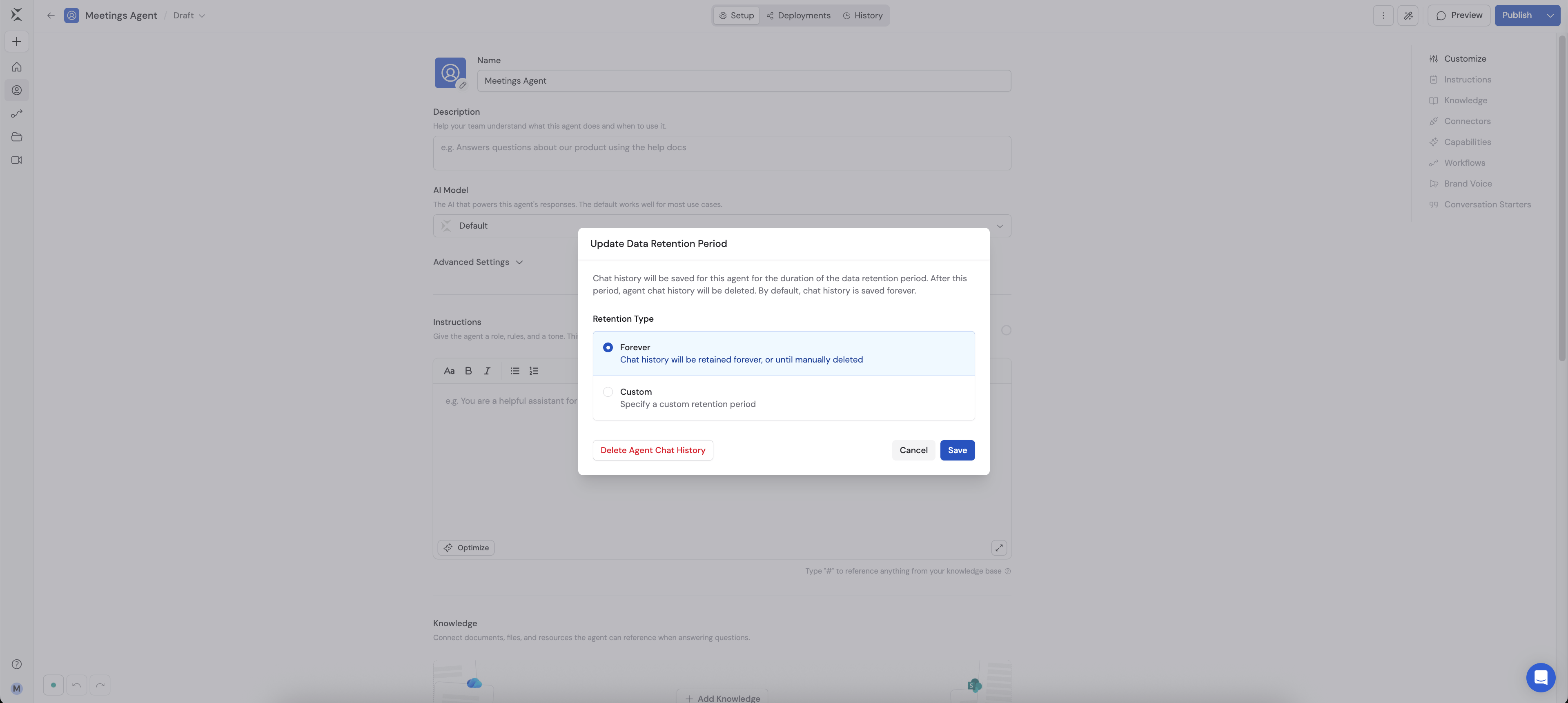
 In the **Update Data Retention Period** dialog, select from the available options:
* **Forever** -- chat history is retained indefinitely, or until you manually delete it. This is the default for every Agent.
* **Custom** -- specify a retention period based on your needs.
In the **Update Data Retention Period** dialog, select from the available options:
* **Forever** -- chat history is retained indefinitely, or until you manually delete it. This is the default for every Agent.
* **Custom** -- specify a retention period based on your needs.
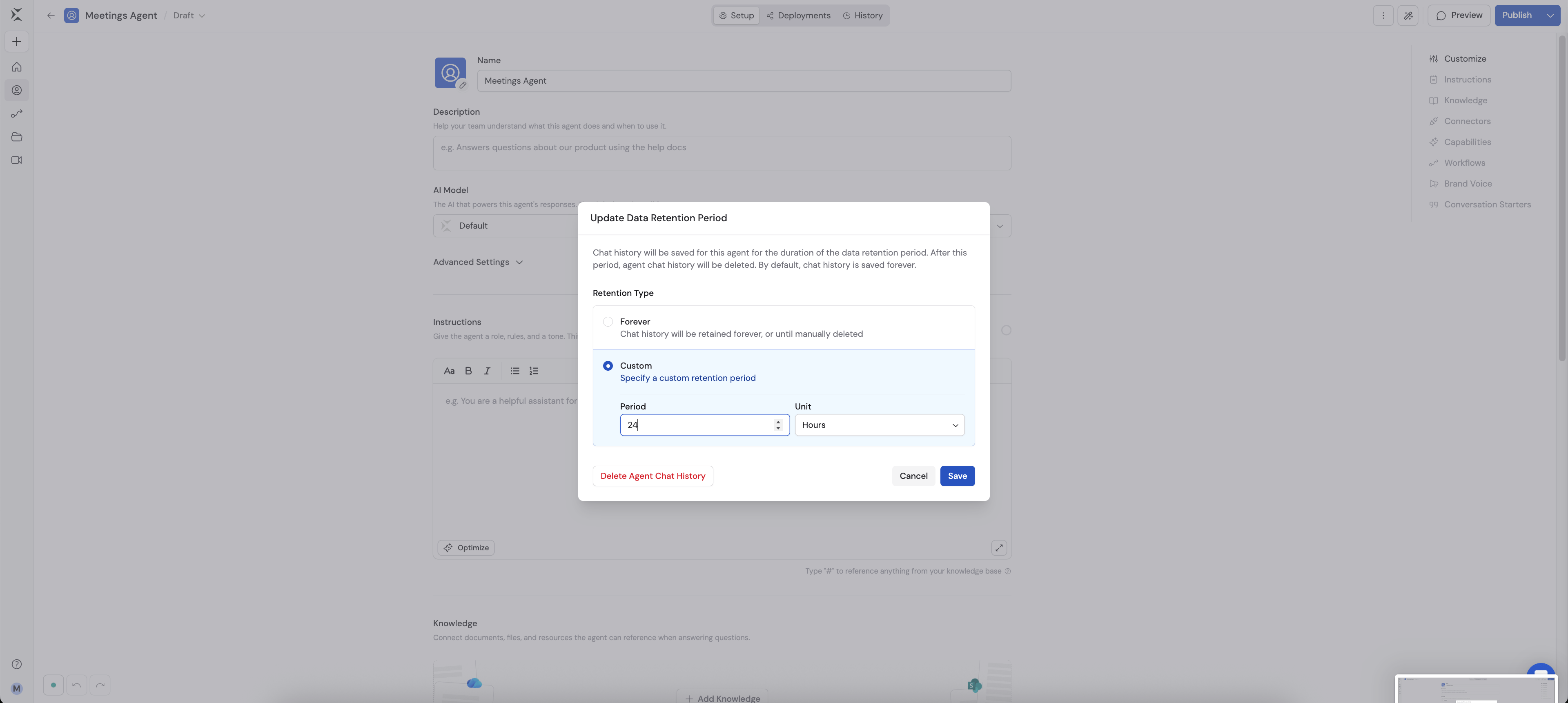
 If you selected **Custom**, enter the retention duration (e.g., `30`) in the **Period** field and select the unit from the dropdown: **Hours**, **Days**, **Weeks**, **Months**, or **Years**. The minimum period is 1 hour.
 Click **Save** to apply the retention settings. Cassidy automatically deletes chat history older than the configured period, for every user who has chatted with this Agent.
## Manually delete chat history
You can delete all existing chat history for an Agent at any time, regardless of the retention setting.
Follow the steps above to navigate to the **Data Retention** settings for your Agent.
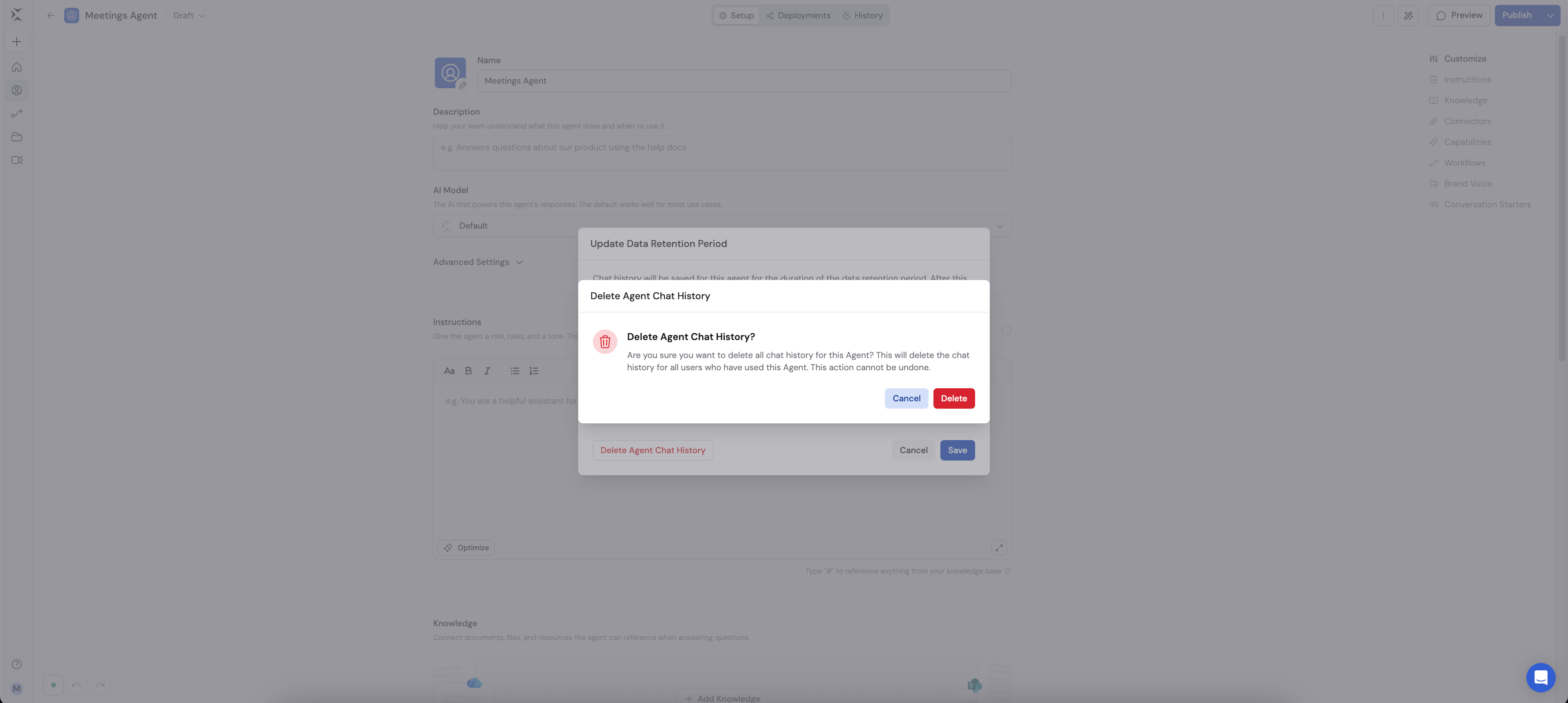
Click **Delete Agent Chat History**, then click **Delete** again to confirm.
Click **Save** to apply the retention settings. Cassidy automatically deletes chat history older than the configured period, for every user who has chatted with this Agent.
## Manually delete chat history
You can delete all existing chat history for an Agent at any time, regardless of the retention setting.
Follow the steps above to navigate to the **Data Retention** settings for your Agent.
Click **Delete Agent Chat History**, then click **Delete** again to confirm.
 Deleting chat history -- whether by retention policy or manual deletion --
removes it for every user who has chatted with the Agent, and it cannot be
recovered. Make sure your settings align with your organization's data
governance requirements before configuring retention.
## Next steps
Grant the Manage Agent Data Retention privilege to a custom role.
Learn about SSO, SAML, RBAC, and other enterprise controls.
Deleting chat history -- whether by retention policy or manual deletion --
removes it for every user who has chatted with the Agent, and it cannot be
recovered. Make sure your settings align with your organization's data
governance requirements before configuring retention.
## Next steps
Grant the Manage Agent Data Retention privilege to a custom role.
Learn about SSO, SAML, RBAC, and other enterprise controls.