> ## Documentation Index
> Fetch the complete documentation index at: https://docs.cassidyai.com/llms.txt
> Use this file to discover all available pages before exploring further.
# Overview of Agents
> Agents are AI teammates that answer questions, complete tasks, and take action across your tools — grounded in your company's knowledge.
Agents are AI teammates that answer questions, complete tasks, and take action across your tools. They're grounded in your company's [Knowledge Base](/knowledge-base/overview), follow your guidelines, and work alongside your team — a sales rep who knows every deal, a support lead who's read every ticket, or an HR specialist who never forgets a policy.
Build Agents in minutes with natural language — no code, no technical skills required. Cassidy puts the power to build AI in the hands of the people who know the work.
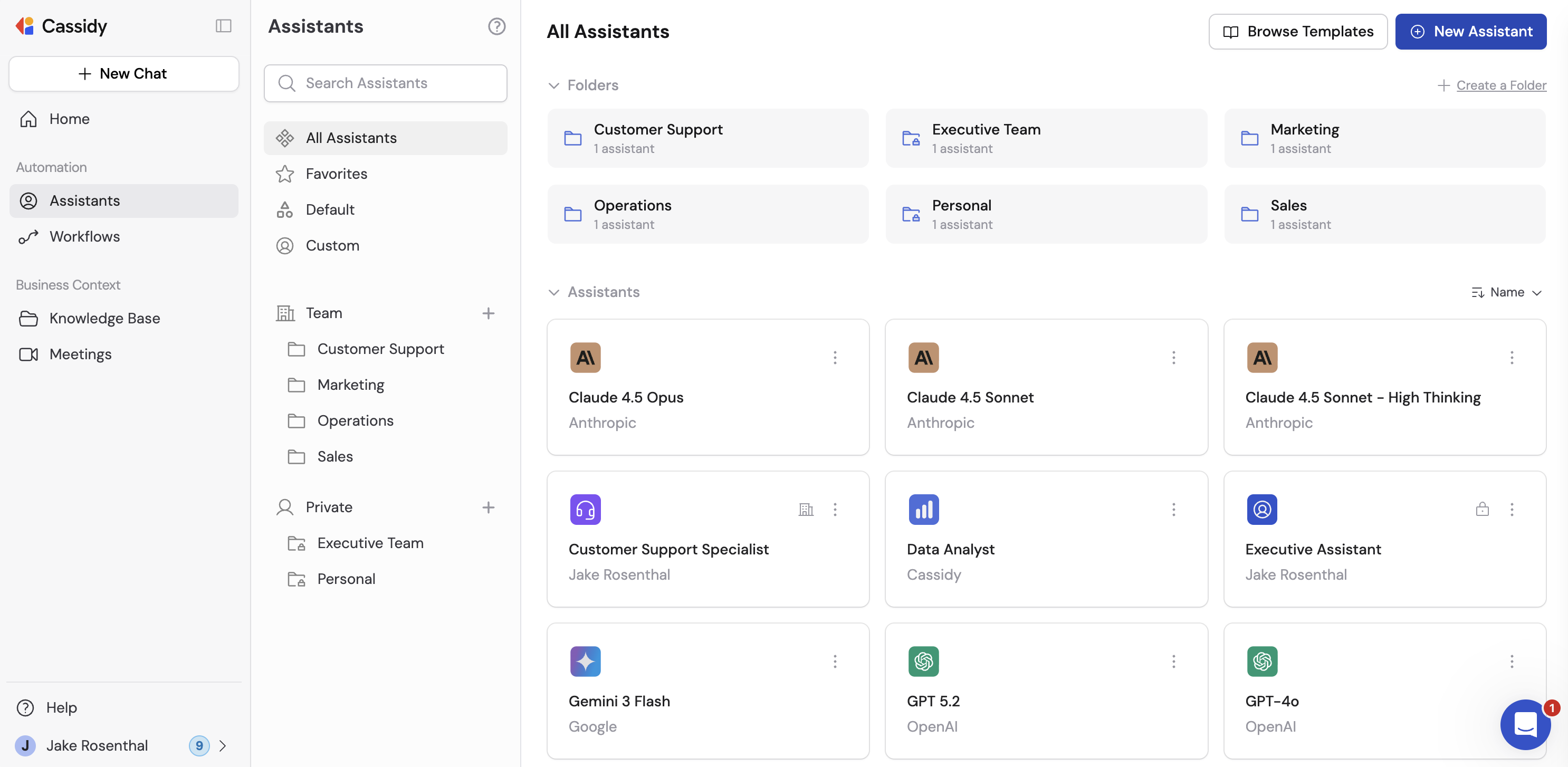 ## What makes an Agent
Every Agent is built from a combination of settings that define how it behaves, what it knows, and what it can do.
* **AI model** — Choose any foundation model as the base, including models from OpenAI, Anthropic, and Google. Switch as better ones arrive. See [Choose the right AI model](/guides/choose-ai-model) for guidance.
* **Instructions and goals** — Describe your Agent's purpose in plain language. Define what it does, who it helps, and what rules to follow.
* **[Knowledge Base](/knowledge-base/overview) search** — Agents pull from the same sources your best people use — documents, wikis, transcripts, and more. Responses cite the exact source so every answer is traceable.
* **[Connectors](/agents/connectors/overview)** — Chat with live data from tools like HubSpot, Salesforce, Airtable, and Snowflake. Connectors query records, pull structured data, and perform actions like updating a contact or creating a ticket.
* **[Capabilities](/agents/capabilities/overview)** — Agents go beyond chat. Give them skills like [web search](/agents/capabilities/web-search), [image generation](/agents/capabilities/image-generation), [artifacts](/agents/capabilities/artifacts), and [browser use](/agents/capabilities/browser-use).
* **[Advanced settings](/agents/advanced/code-execution-file-creation)** — Enable options like Code Execution & File Creation, which lets Agents analyze data, generate files, and handle large results from tools.
* **Brand voice** — Train Agents on your style guides and sample content so every response matches how your company communicates.
* **[Call Workflow](/agents/call-workflow)** — Trigger multi-step [Workflows](/workflows/overview) directly from a conversation to take action across your stack.
* **Deployments** — Deploy to [Slack](/integrations/slack/deploy-agent), [Microsoft Teams](/agents/deploy/microsoft-teams), [Google Chat](/agents/deploy/google-chat), [email](/agents/deploy/email), or [embed on your website](/agents/deploy/embed). Agents live inside the tools your team uses every day.
## Default Agents
Cassidy provides default Agents for each base AI model. These Agents are not trained on your organization's [Knowledge Base](/knowledge-base/overview) but are useful for general tasks that don't require company-specific context.
## How Agents work across Cassidy
Agents power multiple features throughout the platform:
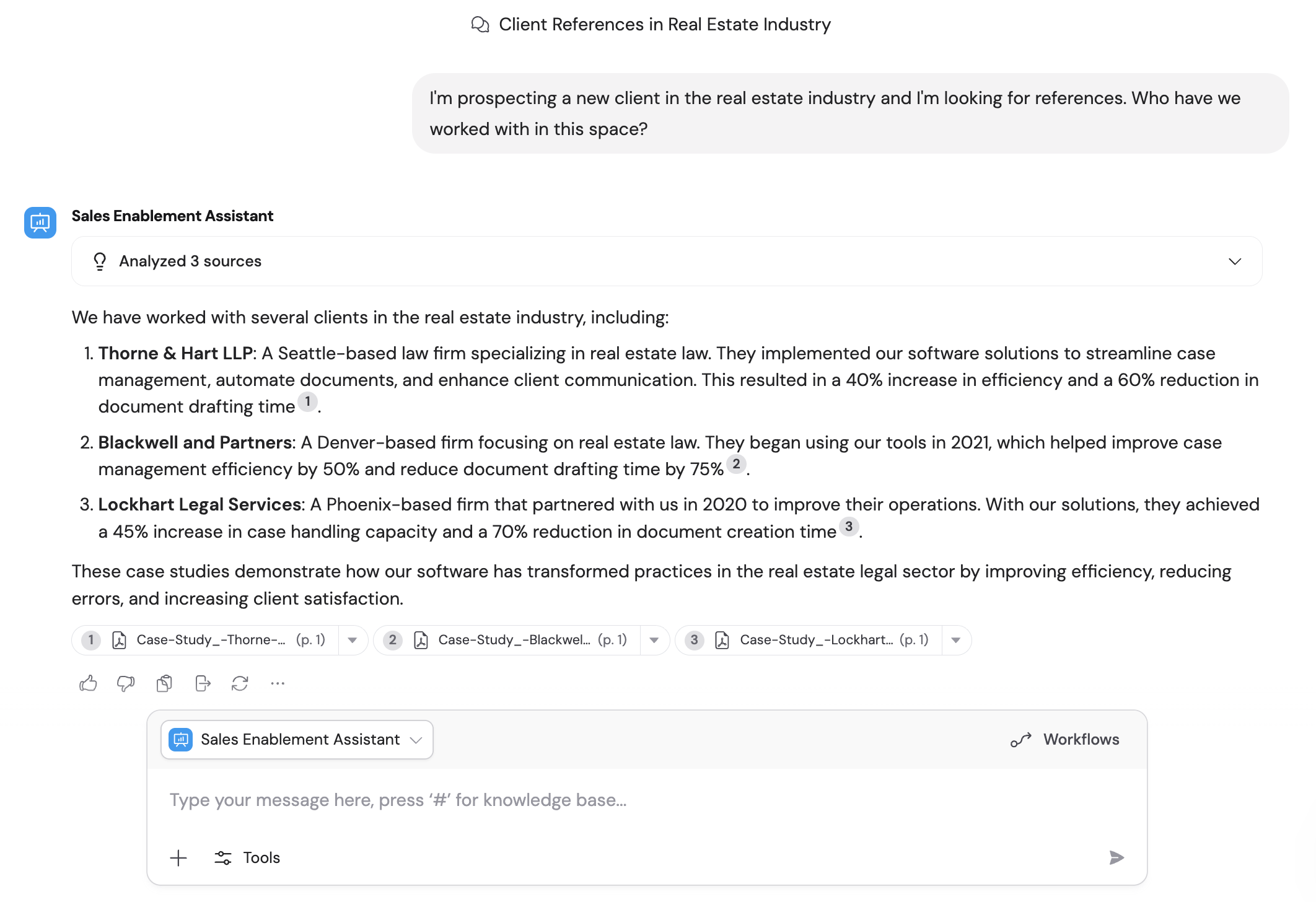
In [Chat](/guides/chatting-with-an-agent), Agents let you quickly switch between different contexts — each Agent brings its own instructions, knowledge, and tools to the conversation.
## What makes an Agent
Every Agent is built from a combination of settings that define how it behaves, what it knows, and what it can do.
* **AI model** — Choose any foundation model as the base, including models from OpenAI, Anthropic, and Google. Switch as better ones arrive. See [Choose the right AI model](/guides/choose-ai-model) for guidance.
* **Instructions and goals** — Describe your Agent's purpose in plain language. Define what it does, who it helps, and what rules to follow.
* **[Knowledge Base](/knowledge-base/overview) search** — Agents pull from the same sources your best people use — documents, wikis, transcripts, and more. Responses cite the exact source so every answer is traceable.
* **[Connectors](/agents/connectors/overview)** — Chat with live data from tools like HubSpot, Salesforce, Airtable, and Snowflake. Connectors query records, pull structured data, and perform actions like updating a contact or creating a ticket.
* **[Capabilities](/agents/capabilities/overview)** — Agents go beyond chat. Give them skills like [web search](/agents/capabilities/web-search), [image generation](/agents/capabilities/image-generation), [artifacts](/agents/capabilities/artifacts), and [browser use](/agents/capabilities/browser-use).
* **[Advanced settings](/agents/advanced/code-execution-file-creation)** — Enable options like Code Execution & File Creation, which lets Agents analyze data, generate files, and handle large results from tools.
* **Brand voice** — Train Agents on your style guides and sample content so every response matches how your company communicates.
* **[Call Workflow](/agents/call-workflow)** — Trigger multi-step [Workflows](/workflows/overview) directly from a conversation to take action across your stack.
* **Deployments** — Deploy to [Slack](/integrations/slack/deploy-agent), [Microsoft Teams](/agents/deploy/microsoft-teams), [Google Chat](/agents/deploy/google-chat), [email](/agents/deploy/email), or [embed on your website](/agents/deploy/embed). Agents live inside the tools your team uses every day.
## Default Agents
Cassidy provides default Agents for each base AI model. These Agents are not trained on your organization's [Knowledge Base](/knowledge-base/overview) but are useful for general tasks that don't require company-specific context.
## How Agents work across Cassidy
Agents power multiple features throughout the platform:
In [Chat](/guides/chatting-with-an-agent), Agents let you quickly switch between different contexts — each Agent brings its own instructions, knowledge, and tools to the conversation.
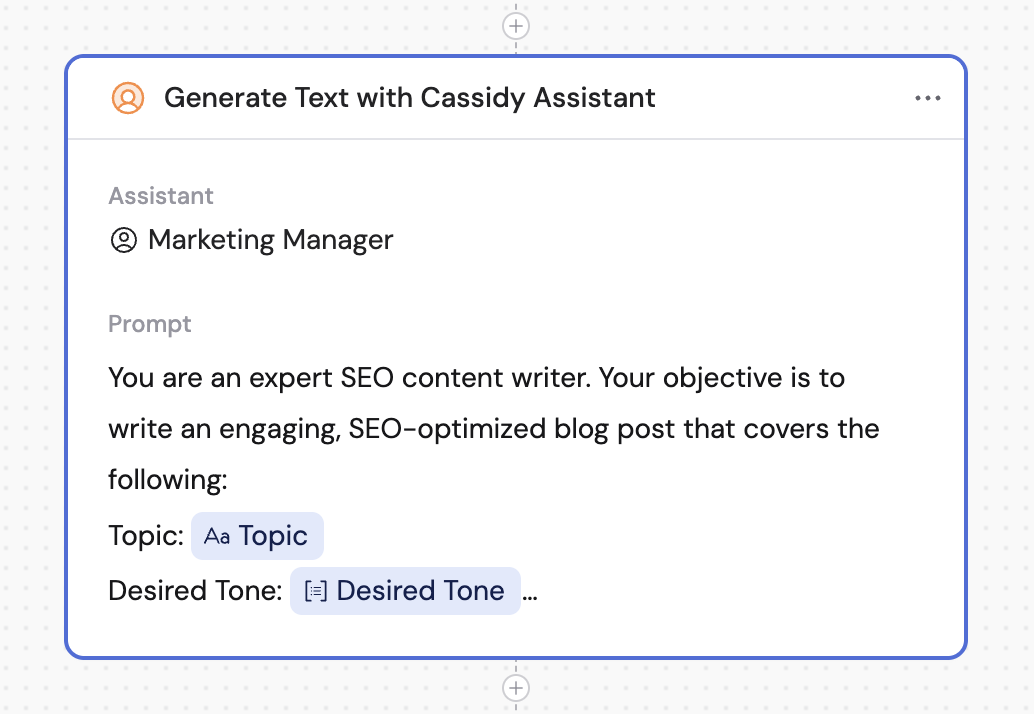
 In [Workflows](/workflows/overview), you can use the [Generate Text with Agent](/reference/actions/generate-text-with-agent) action to apply an Agent's full configuration — instructions, Knowledge Base access, brand voice, and capabilities — to a Workflow step.
 ## Next steps
Create your first Agent from scratch or from a template.
Connect your Agent to your Knowledge Base for accurate, cited answers.
Add web search, image generation, artifacts, and more.
Make your Agent available in Slack, Teams, or on your website.
## Next steps
Create your first Agent from scratch or from a template.
Connect your Agent to your Knowledge Base for accurate, cited answers.
Add web search, image generation, artifacts, and more.
Make your Agent available in Slack, Teams, or on your website.