> ## Documentation Index
> Fetch the complete documentation index at: https://docs.cassidyai.com/llms.txt
> Use this file to discover all available pages before exploring further.
# Verify documents
> Review and verify documents in your Knowledge Base to ensure Agents use accurate information.
Flag outdated documents in your [Knowledge Base](/knowledge-base/overview) and deprecate them so your [Agents](/agents/overview) and [Workflows](/workflows/overview) always reference accurate, up-to-date information.
Document verification is currently available on Enterprise plans.
## Flag a document as potentially outdated
Any team member can flag a document they suspect is outdated. There are three places to flag documents:
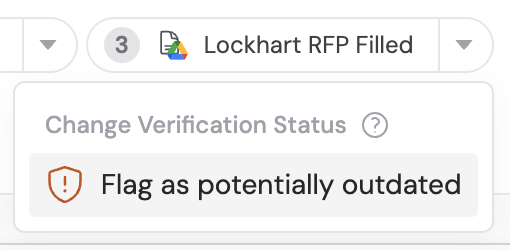
**From chat** — When an Agent cites a source, click the dropdown on the reference and select **Flag as potentially outdated**.
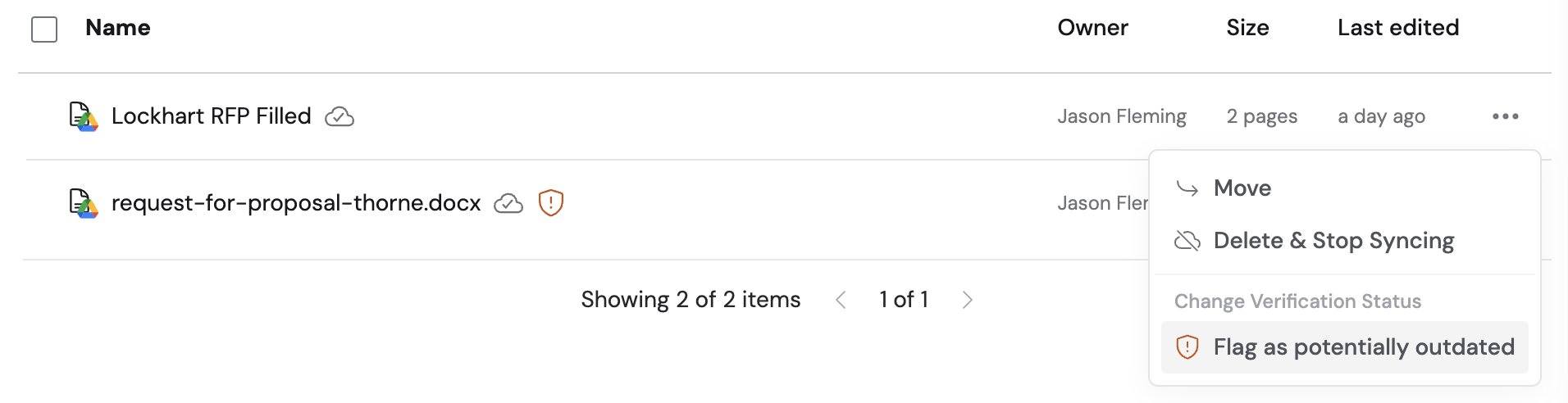
 **From the Knowledge Base list** — Click the ellipsis (three dots) next to a document and select **Flag as potentially outdated**.
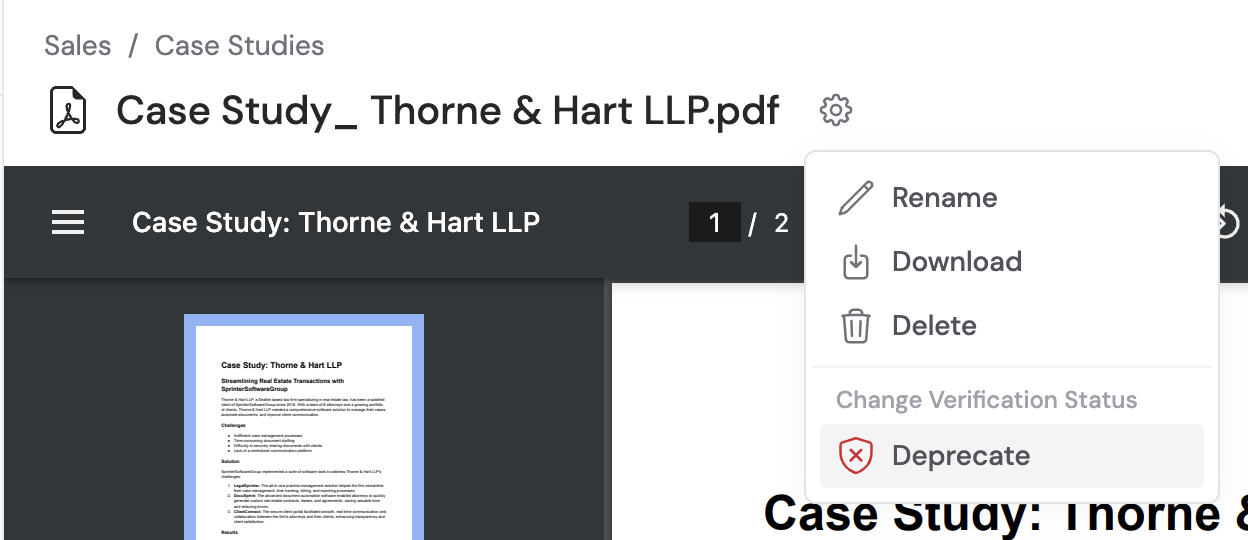
 **From the document viewer** — Open the document, click the settings icon, and select **Flag as potentially outdated**. If you own the collection, you can also **Deprecate** or remove flags directly from this menu.
 You can optionally include a comment explaining why you're flagging the document.
## Review flagged documents
Collection owners can review and resolve flags from the collection homepage.
Open **Knowledge Base** in the sidebar and select the collection.
Click **Documents Flagged for Review** to see all pending flags.
You can optionally include a comment explaining why you're flagging the document.
## Review flagged documents
Collection owners can review and resolve flags from the collection homepage.
Open **Knowledge Base** in the sidebar and select the collection.
Click **Documents Flagged for Review** to see all pending flags.
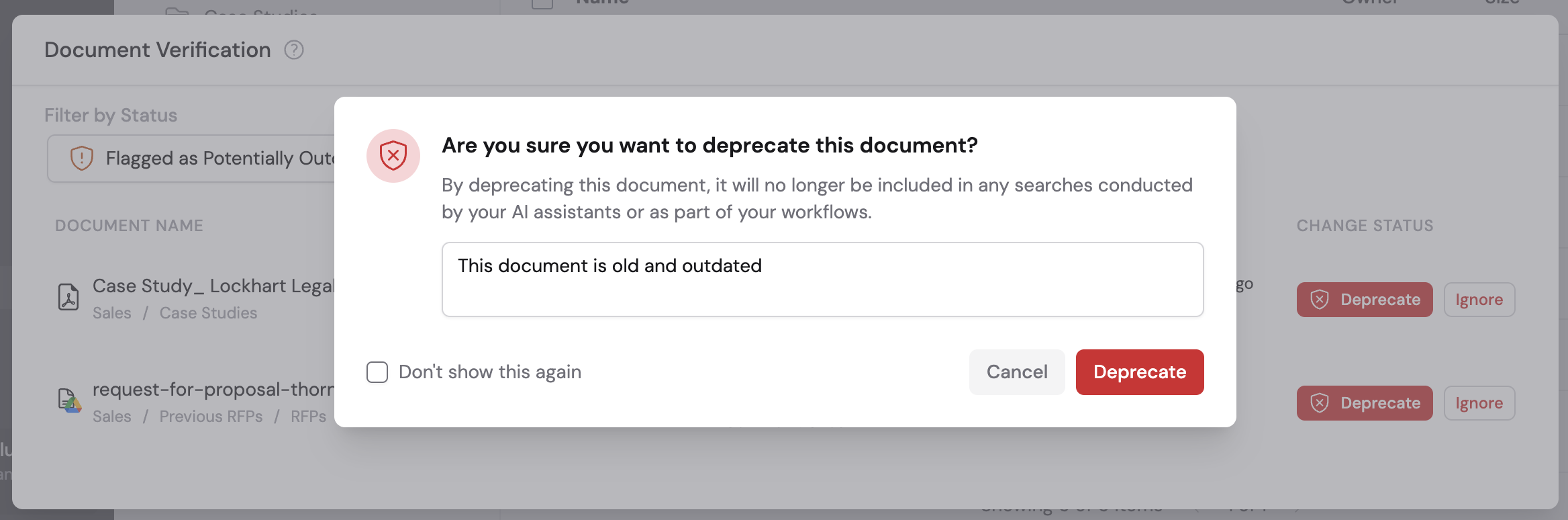
 For each flagged document, choose:
* **Deprecate** — The document is removed from search results and won't be used by Agents or Workflows going forward. You can optionally add a reason.
* **Ignore** — Removes the flag and keeps the document active
For each flagged document, choose:
* **Deprecate** — The document is removed from search results and won't be used by Agents or Workflows going forward. You can optionally add a reason.
* **Ignore** — Removes the flag and keeps the document active
 ## Identify and manage deprecated documents
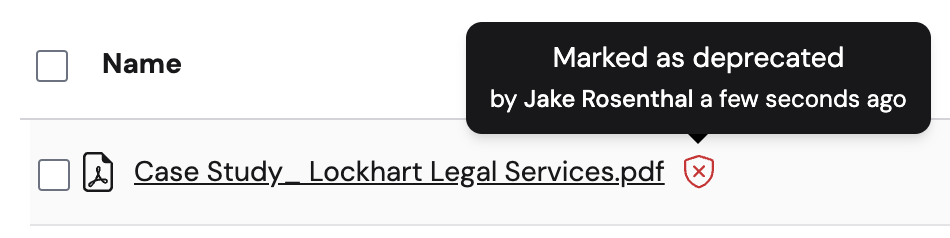
Deprecated documents display a **Deprecated** badge in the Knowledge Base. They are excluded from search results and won't be referenced by [Agents](/agents/overview) or [Workflows](/workflows/overview).
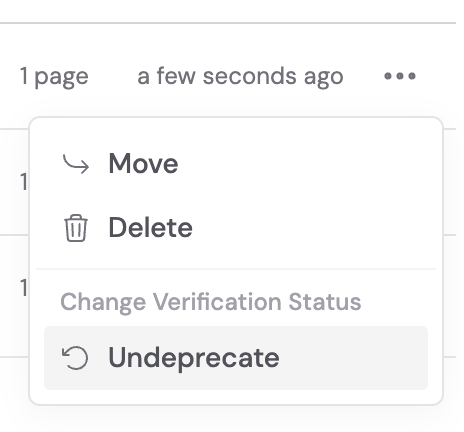
You can undeprecate a document if it becomes relevant again: click the ellipsis next to the document and select **Undeprecate**.
## Identify and manage deprecated documents
Deprecated documents display a **Deprecated** badge in the Knowledge Base. They are excluded from search results and won't be referenced by [Agents](/agents/overview) or [Workflows](/workflows/overview).
You can undeprecate a document if it becomes relevant again: click the ellipsis next to the document and select **Undeprecate**.
 ## Review flagged items as an admin
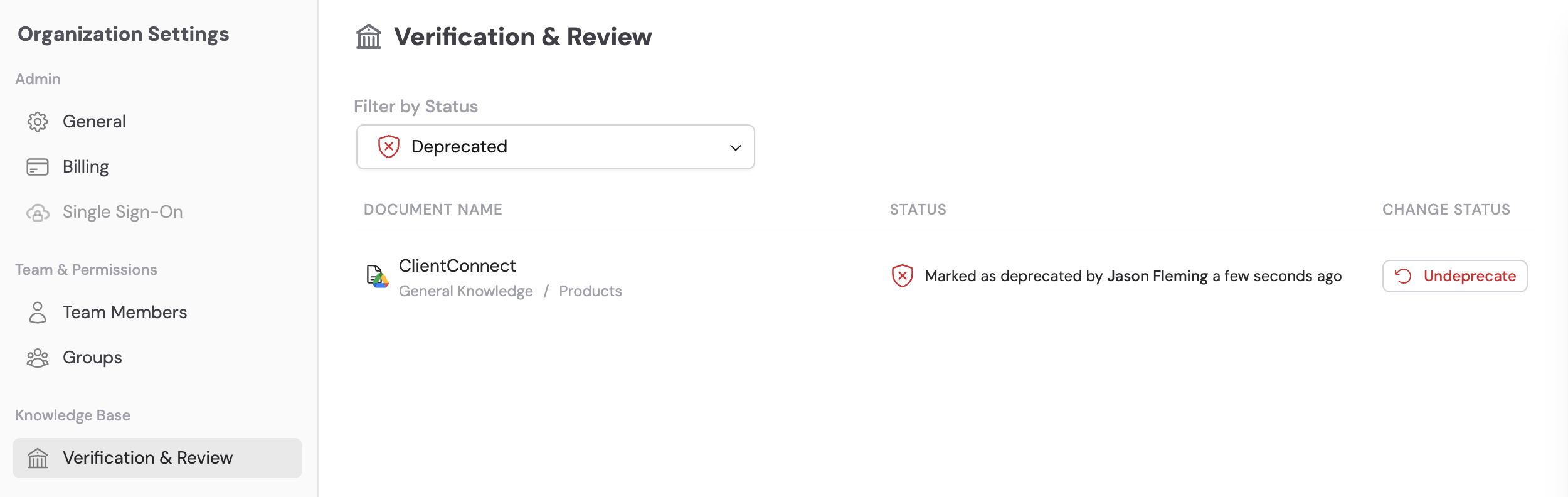
Organization admins can review all flagged items across collections they own from **Settings** → **Verification & Review**.
## Review flagged items as an admin
Organization admins can review all flagged items across collections they own from **Settings** → **Verification & Review**.
 ## Next steps
Upload documents, import websites, and connect integrations.
Structure your content and control who can access it.
## Next steps
Upload documents, import websites, and connect integrations.
Structure your content and control who can access it.