> ## Documentation Index
> Fetch the complete documentation index at: https://docs.cassidyai.com/llms.txt
> Use this file to discover all available pages before exploring further.
# Configure global instructions
> Set organization-wide AI behavior rules that apply to every Agent and Workflow.
Global instructions let admins define AI behavior rules that apply to every [Agent](/agents/overview) across your organization. Use them to enforce brand voice, set compliance guardrails, or provide company context that every Agent should know.
Only admins can configure global instructions.
## Set up global instructions
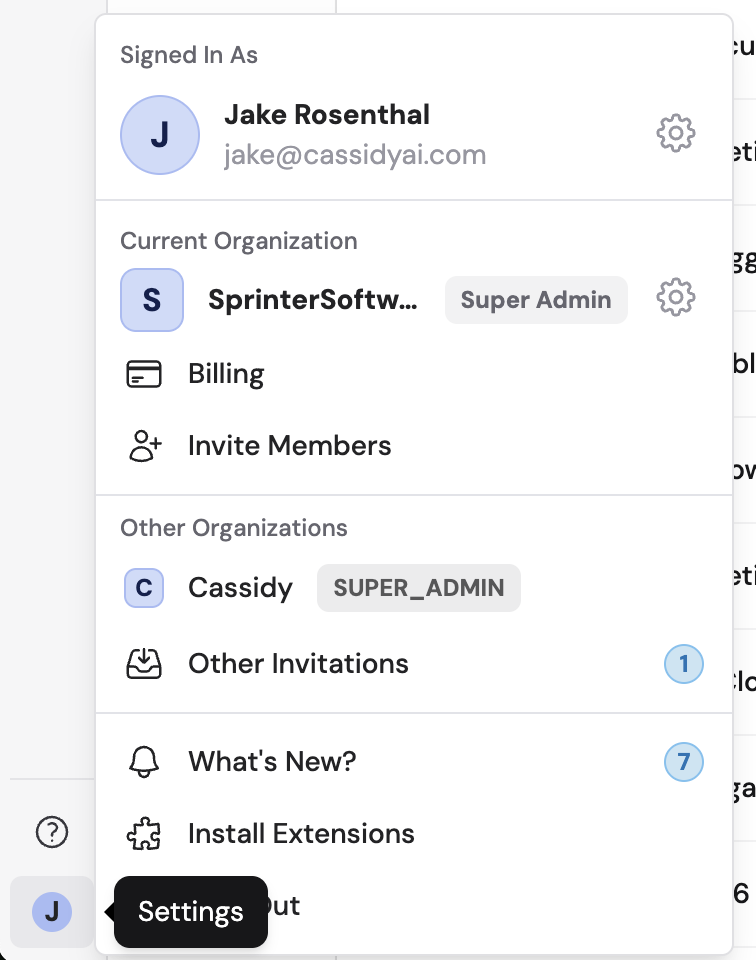
Click your account name at the bottom of the sidebar, then click the gear icon next to your organization name.
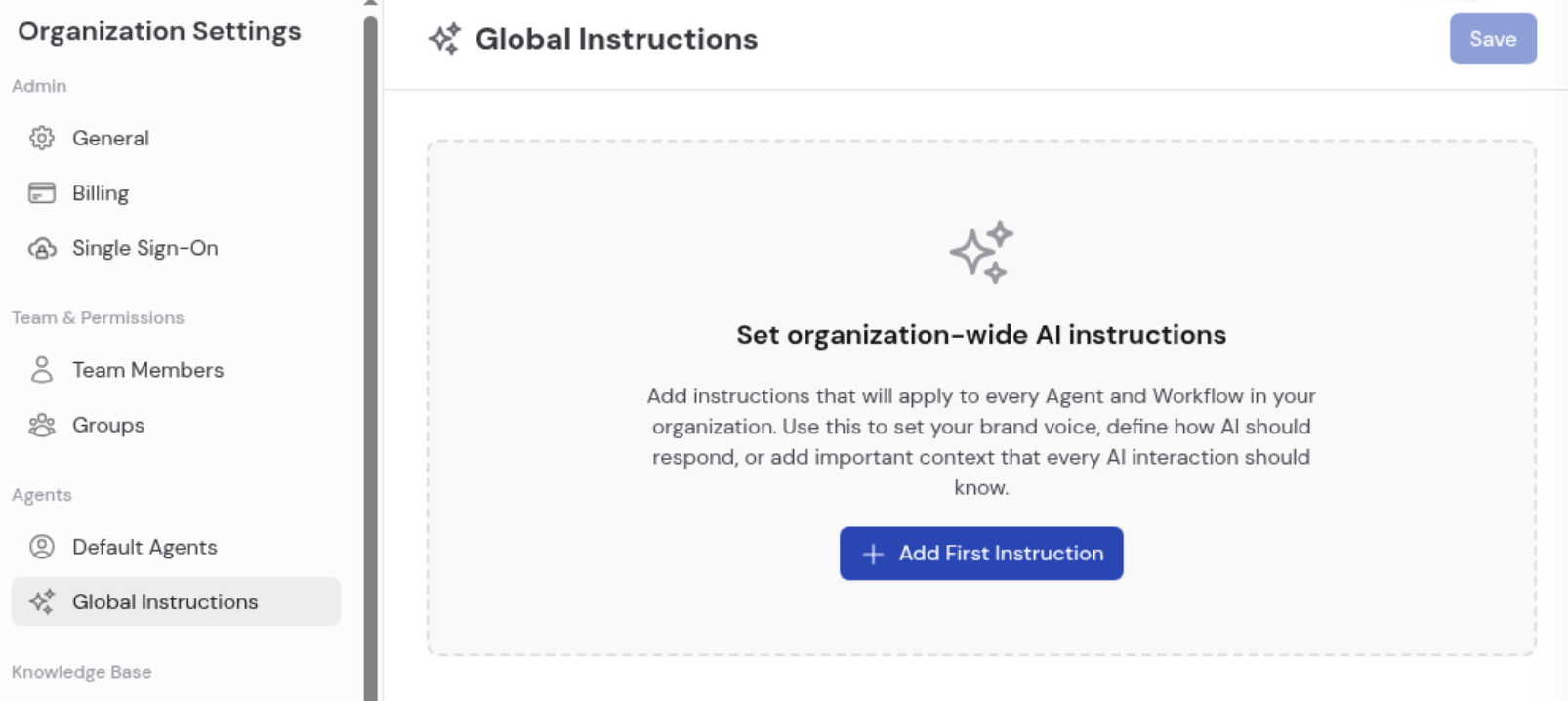
 In **Organization Settings**, click **Global Instructions** under the **Agents** section.
 Click **+ Add First Instruction** to create an instruction card. Each card has:
* A **title** for labeling the instruction (e.g., "Banned Words" or "Company Description").
* A **text body** for the instruction content.
* A **toggle** to enable or disable the instruction without deleting it. Disabled instructions are excluded from the active character count.
* A **drag handle** for reordering instructions.
* A **reset** button to revert to the last saved state.
* A **delete** button to permanently remove the instruction.
Click **+ Add First Instruction** to create an instruction card. Each card has:
* A **title** for labeling the instruction (e.g., "Banned Words" or "Company Description").
* A **text body** for the instruction content.
* A **toggle** to enable or disable the instruction without deleting it. Disabled instructions are excluded from the active character count.
* A **drag handle** for reordering instructions.
* A **reset** button to revert to the last saved state.
* A **delete** button to permanently remove the instruction.
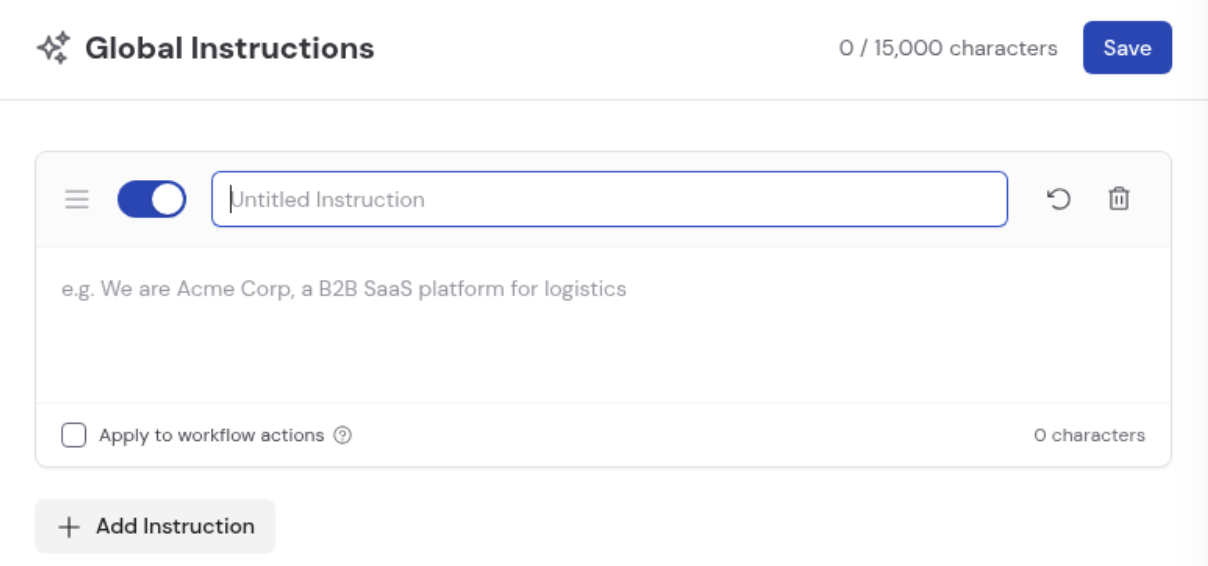 Check **Apply to workflow actions** on any instruction to extend it to all Generate and Generate with Agent actions across your [Workflows](/workflows/overview). This is off by default because it can significantly influence behavior in existing automations.
Click **+ Add Instruction** to create additional cards. The total character counter at the top tracks usage across all active instructions, up to a maximum of **15,000 characters**.
Click **Save** in the top-right corner to apply all changes.
Check **Apply to workflow actions** on any instruction to extend it to all Generate and Generate with Agent actions across your [Workflows](/workflows/overview). This is off by default because it can significantly influence behavior in existing automations.
Click **+ Add Instruction** to create additional cards. The total character counter at the top tracks usage across all active instructions, up to a maximum of **15,000 characters**.
Click **Save** in the top-right corner to apply all changes.
 ## Examples
Here are common ways to use global instructions:
| Use case | Example |
| ------------------------ | ----------------------------------------------------------------------------------------------------------------------------------------- |
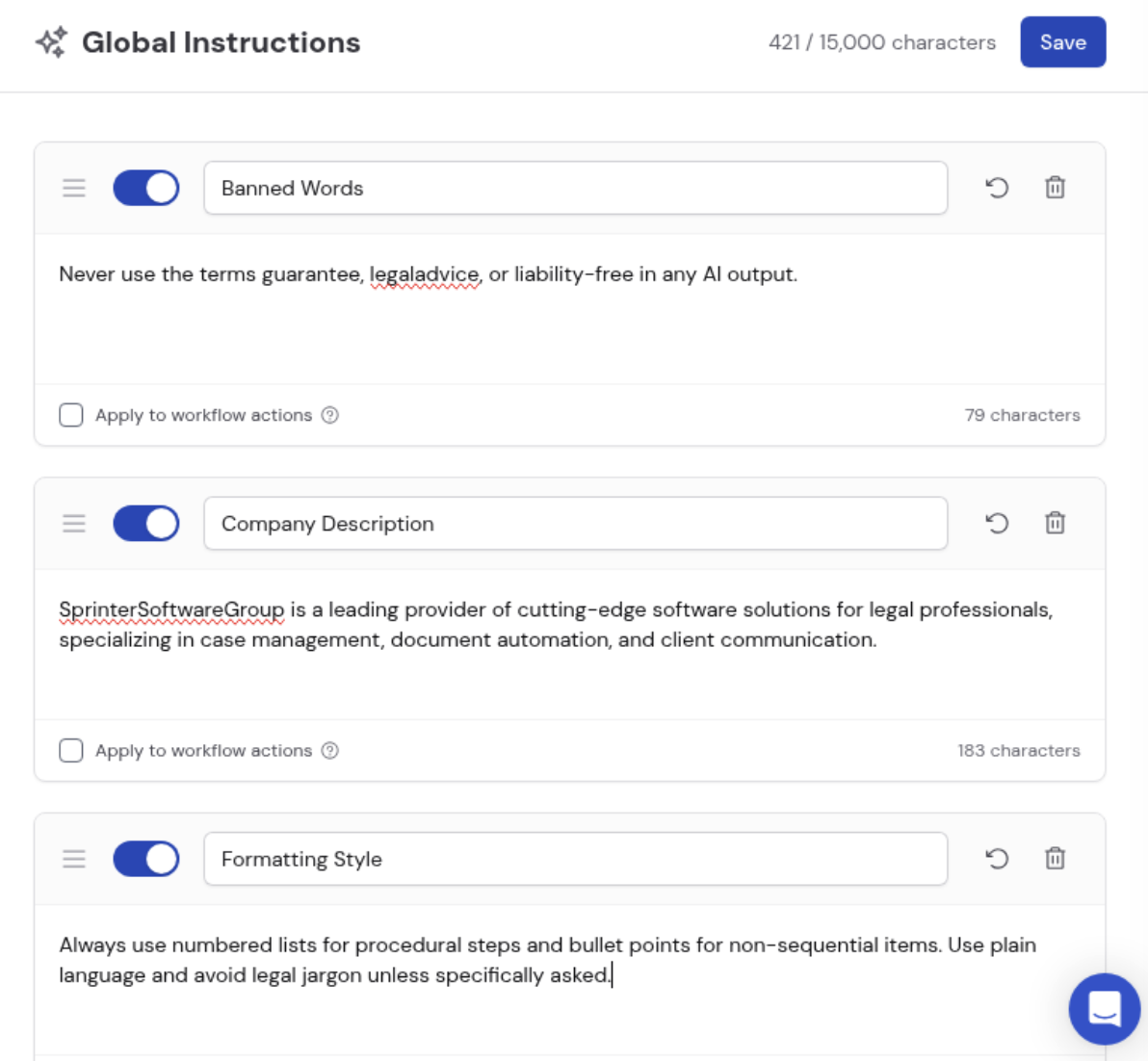
| **Banned words/phrases** | "Never use the terms 'guarantee,' 'legal advice,' or 'liability-free' in any AI output." |
| **Company description** | "Acme Corp is a leading provider of software solutions for legal professionals, specializing in case management and document automation." |
| **Formatting style** | "Always use numbered lists for procedural steps and bullet points for non-sequential items." |
| **Tone** | "Maintain a professional, supportive tone. Address users as professionals and assume familiarity with standard industry workflows." |
| **Compliance** | "Do not generate content that could be construed as legal counsel. Always include a disclaimer when producing legal-adjacent content." |
Global instructions apply to every Agent by default, but they are **not** included in Workflow actions unless you explicitly opt in per instruction via the **Apply to workflow actions** checkbox.
## Related
Write Agent-specific instructions and configure individual behavior.
Write more effective instructions for better AI outputs.
## Examples
Here are common ways to use global instructions:
| Use case | Example |
| ------------------------ | ----------------------------------------------------------------------------------------------------------------------------------------- |
| **Banned words/phrases** | "Never use the terms 'guarantee,' 'legal advice,' or 'liability-free' in any AI output." |
| **Company description** | "Acme Corp is a leading provider of software solutions for legal professionals, specializing in case management and document automation." |
| **Formatting style** | "Always use numbered lists for procedural steps and bullet points for non-sequential items." |
| **Tone** | "Maintain a professional, supportive tone. Address users as professionals and assume familiarity with standard industry workflows." |
| **Compliance** | "Do not generate content that could be construed as legal counsel. Always include a disclaimer when producing legal-adjacent content." |
Global instructions apply to every Agent by default, but they are **not** included in Workflow actions unless you explicitly opt in per instruction via the **Apply to workflow actions** checkbox.
## Related
Write Agent-specific instructions and configure individual behavior.
Write more effective instructions for better AI outputs.