> ## Documentation Index
> Fetch the complete documentation index at: https://docs.cassidyai.com/llms.txt
> Use this file to discover all available pages before exploring further.
# Customer Segment Analysis Tool
> Quickly identify target segments, improving campaign precision and reducing manual analysis time.
 ## How does it work?
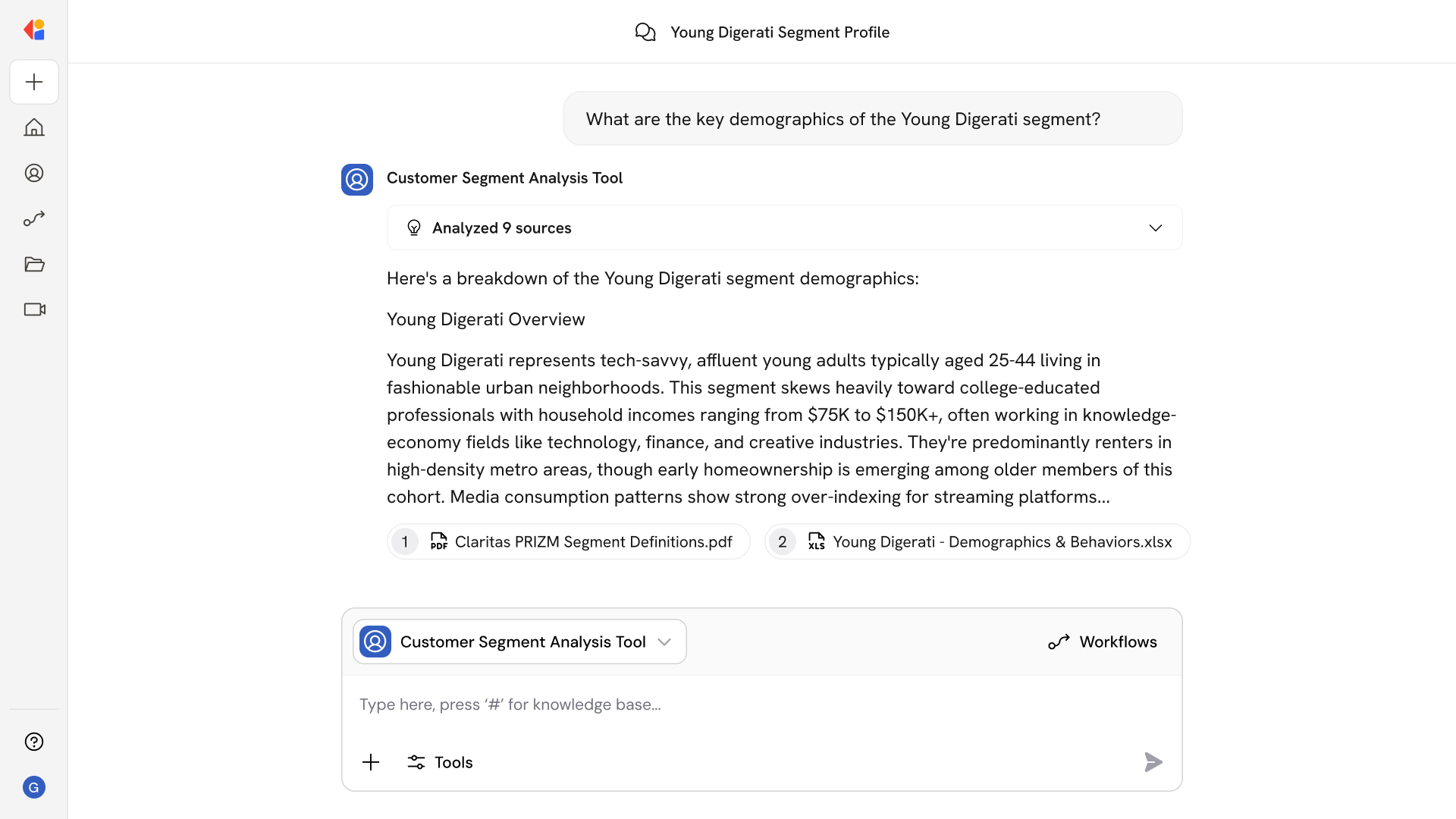
Customer Segment Analysis Tool handles the research that slows marketers down when building targeted campaigns. Ask questions like:
* What are the key demographics of the Young Digerati segment?
* Compare the income levels and media habits of Urban Achievers vs. Suburban Pioneers
* Which segments over-index for streaming video consumption?
* What lifestyle attributes define the Bohemian Mix segment?
* Show me segments with high homeownership rates and household incomes above \$100K
* What are the behavioral differences between these three segments?
* Which segments are most likely to respond to digital advertising?
The Agent pulls from your Claritas documentation to deliver detailed segment attributes and comparison tables—without digging through PDFs or spreadsheets manually.
## Who uses Customer Segment Analysis Tool?
Customer Segment Analysis Tool is built for marketing teams who need to make data-driven targeting decisions:
* Campaign Managers identifying the right segments for upcoming initiatives
* Media Planners comparing audience attributes to optimize ad spend
* Marketing Analysts researching segment demographics and behavioral patterns
* Brand Strategists understanding customer profiles to refine positioning
It's especially valuable when launching new campaigns or entering new markets—so teams can move from research to execution without spending hours combing through documentation.
## How does Customer Segment Analysis Tool use your Knowledge Base?
Customer Segment Analysis Tool searches across your connected Claritas documentation and segment data sources to surface demographic, behavioral, and psychographic attributes in one place.
When you ask about a specific segment or comparison, the Agent:
* Pulls detailed segment profiles including demographics, income levels, and lifestyle indicators
* Generates side-by-side comparison tables highlighting similarities and differences between segments
* References behavioral metrics and media consumption patterns
* Surfaces relevant documentation from Google Drive, SharePoint, or other connected sources where your Claritas data lives
Because the Knowledge Base syncs continuously, you're always working with the latest segment definitions and attributes—no outdated profiles or manual lookups.
## Related
Create a custom Agent with tailored instructions and Knowledge Base access.
Add your company documents so Agents can reference them.
## How does it work?
Customer Segment Analysis Tool handles the research that slows marketers down when building targeted campaigns. Ask questions like:
* What are the key demographics of the Young Digerati segment?
* Compare the income levels and media habits of Urban Achievers vs. Suburban Pioneers
* Which segments over-index for streaming video consumption?
* What lifestyle attributes define the Bohemian Mix segment?
* Show me segments with high homeownership rates and household incomes above \$100K
* What are the behavioral differences between these three segments?
* Which segments are most likely to respond to digital advertising?
The Agent pulls from your Claritas documentation to deliver detailed segment attributes and comparison tables—without digging through PDFs or spreadsheets manually.
## Who uses Customer Segment Analysis Tool?
Customer Segment Analysis Tool is built for marketing teams who need to make data-driven targeting decisions:
* Campaign Managers identifying the right segments for upcoming initiatives
* Media Planners comparing audience attributes to optimize ad spend
* Marketing Analysts researching segment demographics and behavioral patterns
* Brand Strategists understanding customer profiles to refine positioning
It's especially valuable when launching new campaigns or entering new markets—so teams can move from research to execution without spending hours combing through documentation.
## How does Customer Segment Analysis Tool use your Knowledge Base?
Customer Segment Analysis Tool searches across your connected Claritas documentation and segment data sources to surface demographic, behavioral, and psychographic attributes in one place.
When you ask about a specific segment or comparison, the Agent:
* Pulls detailed segment profiles including demographics, income levels, and lifestyle indicators
* Generates side-by-side comparison tables highlighting similarities and differences between segments
* References behavioral metrics and media consumption patterns
* Surfaces relevant documentation from Google Drive, SharePoint, or other connected sources where your Claritas data lives
Because the Knowledge Base syncs continuously, you're always working with the latest segment definitions and attributes—no outdated profiles or manual lookups.
## Related
Create a custom Agent with tailored instructions and Knowledge Base access.
Add your company documents so Agents can reference them.