> ## Documentation Index
> Fetch the complete documentation index at: https://docs.cassidyai.com/llms.txt
> Use this file to discover all available pages before exploring further.
# Bug Insights Extractor
> Automatically transcribes customer calls and extracts bug-related information from support tickets, creating detailed reports.
 ## What does this mean?
Ensures comprehensive documentation of bugs, improving the speed and accuracy of issue resolution and fostering seamless communication between support and product development.
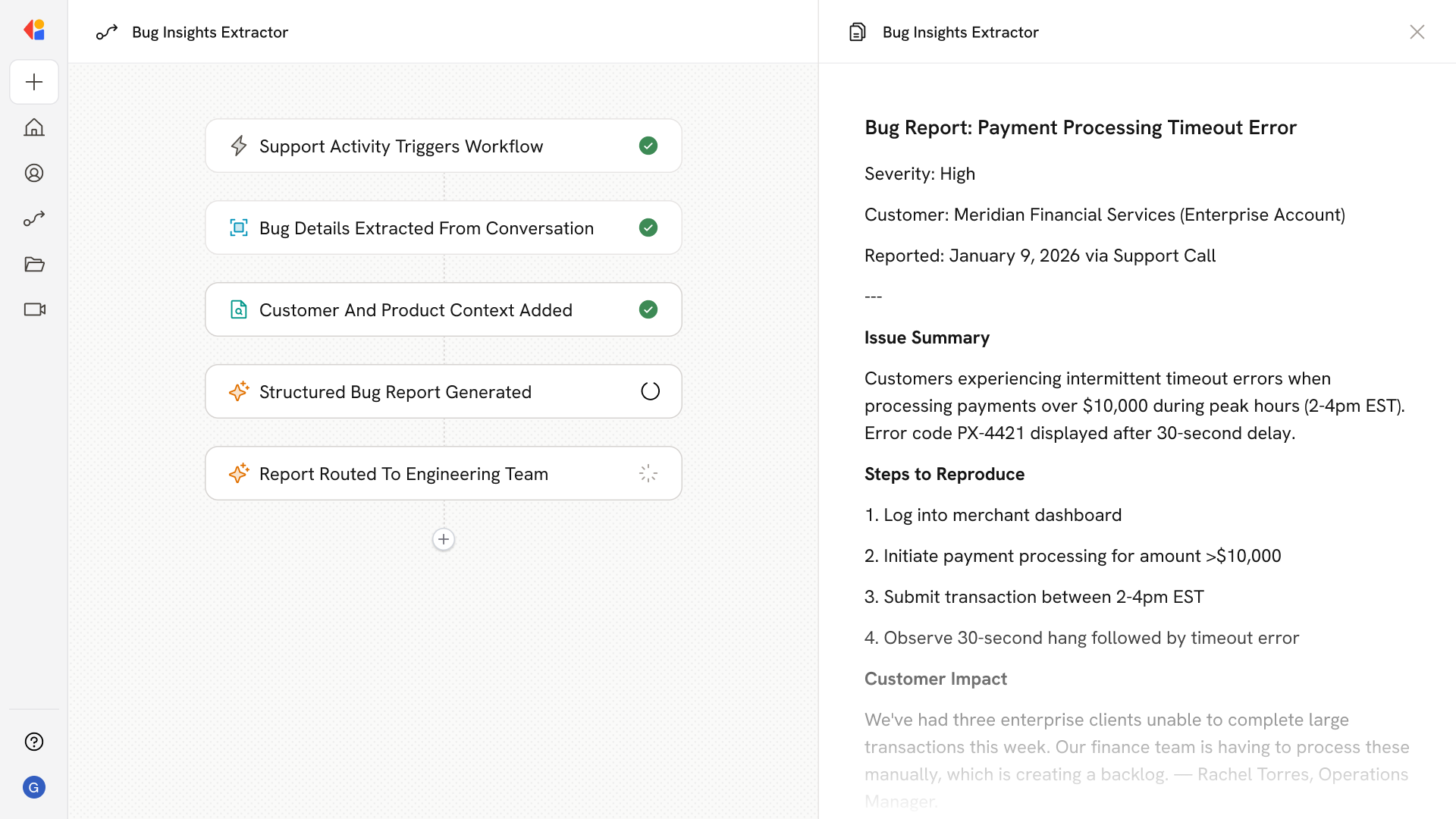
Transcribes customer calls and extracts bug-related information from support tickets, automatically creating detailed reports with context for the development team.
## Workflow steps
The Workflow activates when a customer call ends or a new support ticket arrives—capturing bug-related conversations as they happen through your existing support tools.
Cassidy transcribes the call recording or parses the support ticket, then identifies and extracts bug-related information—symptoms, error messages, steps to reproduce, and customer impact.
The Workflow pulls additional context from your Knowledge Base and connected systems (like your CRM or product documentation) to add relevant details about the customer's environment, account history, and any related known issues.
Using the extracted information and enriched context, Cassidy compiles a structured bug report formatted for your development team—including severity assessment, reproduction steps, and customer quotes that bring the issue to life.
The completed report is automatically sent to the appropriate channel (Slack, Jira, or email) and logged in your ticketing system, ensuring support and product teams have full visibility and can act fast.
## Related
Create a custom Agent with tailored instructions and Knowledge Base access.
Add your company documents so Agents can reference them.
## What does this mean?
Ensures comprehensive documentation of bugs, improving the speed and accuracy of issue resolution and fostering seamless communication between support and product development.
Transcribes customer calls and extracts bug-related information from support tickets, automatically creating detailed reports with context for the development team.
## Workflow steps
The Workflow activates when a customer call ends or a new support ticket arrives—capturing bug-related conversations as they happen through your existing support tools.
Cassidy transcribes the call recording or parses the support ticket, then identifies and extracts bug-related information—symptoms, error messages, steps to reproduce, and customer impact.
The Workflow pulls additional context from your Knowledge Base and connected systems (like your CRM or product documentation) to add relevant details about the customer's environment, account history, and any related known issues.
Using the extracted information and enriched context, Cassidy compiles a structured bug report formatted for your development team—including severity assessment, reproduction steps, and customer quotes that bring the issue to life.
The completed report is automatically sent to the appropriate channel (Slack, Jira, or email) and logged in your ticketing system, ensuring support and product teams have full visibility and can act fast.
## Related
Create a custom Agent with tailored instructions and Knowledge Base access.
Add your company documents so Agents can reference them.