> ## Documentation Index
> Fetch the complete documentation index at: https://docs.cassidyai.com/llms.txt
> Use this file to discover all available pages before exploring further.
# Bug Prioritization Engine
> Enhances development focus, streamlines communication between support and engineering teams, and improves product stability.
 ## What does this mean?
Enhances development focus and facilitates clear communication between support and engineering teams, ensuring that critical issues are addressed efficiently and improving overall product stability and user satisfaction.
Analyzes and categorizes bug reports from various sources, prioritizing them based on severity, frequency, and user impact for integration into the development backlog.
## Workflow steps
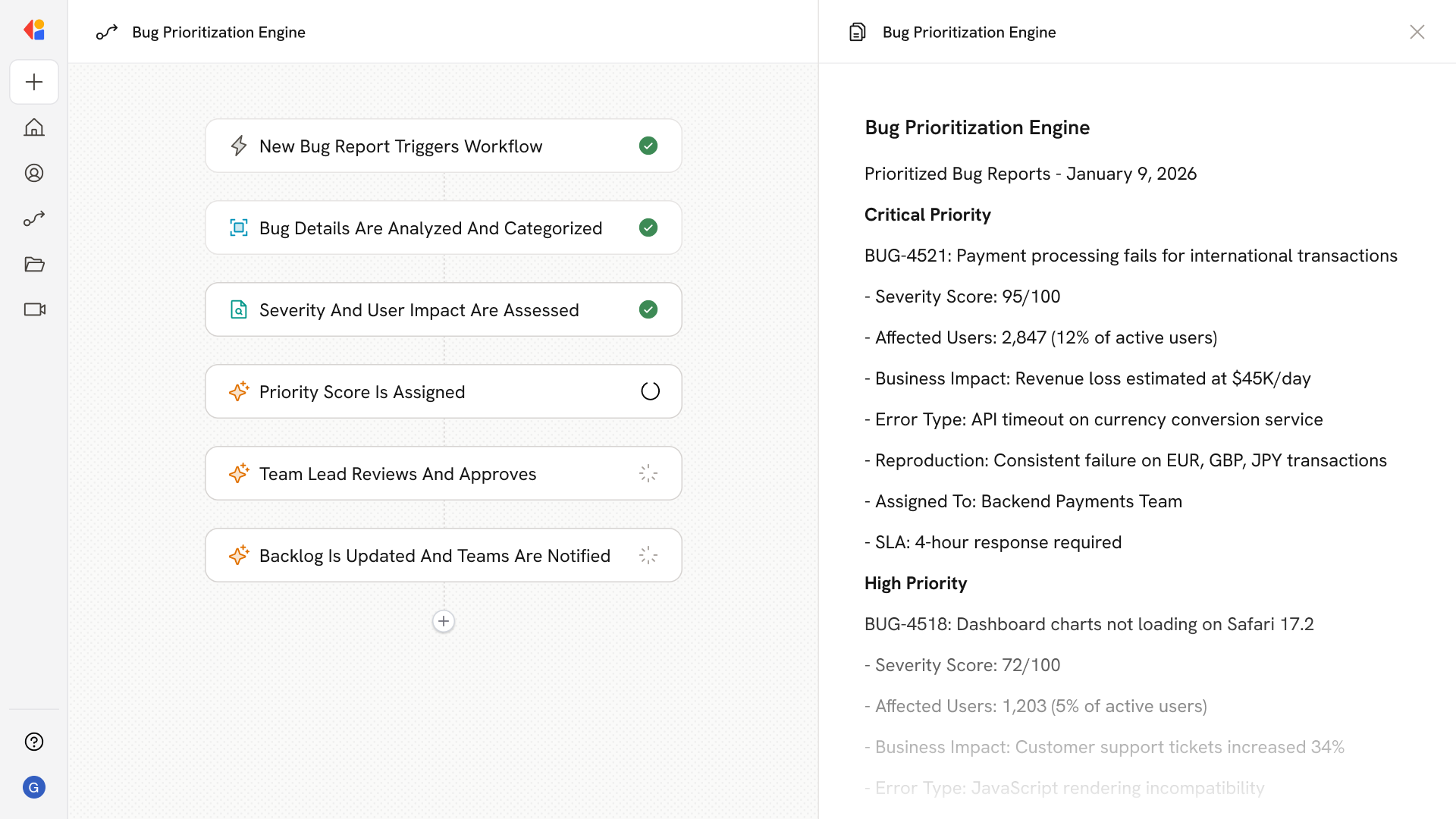
The Workflow activates automatically when a new bug report is submitted—whether from Jira, Zendesk, or another issue tracking system.
Cassidy analyzes the bug report details, extracting key information like error type, affected features, and reproduction steps.
The Workflow evaluates the bug's severity by cross-referencing frequency of occurrence, number of users affected, and potential business impact using your Knowledge Base and historical data.
Based on the analysis, Cassidy assigns a priority score and categorization (critical, high, medium, low) to help engineering teams focus on what matters most.
The prioritized bug report is sent to a team lead for quick validation before it enters the development backlog.
Once approved, the Workflow updates the development backlog in Jira with the priority assignment and sends a notification to the relevant engineering and support teams, keeping everyone aligned on critical issues.
## Related
Create a custom Agent with tailored instructions and Knowledge Base access.
Add your company documents so Agents can reference them.
## What does this mean?
Enhances development focus and facilitates clear communication between support and engineering teams, ensuring that critical issues are addressed efficiently and improving overall product stability and user satisfaction.
Analyzes and categorizes bug reports from various sources, prioritizing them based on severity, frequency, and user impact for integration into the development backlog.
## Workflow steps
The Workflow activates automatically when a new bug report is submitted—whether from Jira, Zendesk, or another issue tracking system.
Cassidy analyzes the bug report details, extracting key information like error type, affected features, and reproduction steps.
The Workflow evaluates the bug's severity by cross-referencing frequency of occurrence, number of users affected, and potential business impact using your Knowledge Base and historical data.
Based on the analysis, Cassidy assigns a priority score and categorization (critical, high, medium, low) to help engineering teams focus on what matters most.
The prioritized bug report is sent to a team lead for quick validation before it enters the development backlog.
Once approved, the Workflow updates the development backlog in Jira with the priority assignment and sends a notification to the relevant engineering and support teams, keeping everyone aligned on critical issues.
## Related
Create a custom Agent with tailored instructions and Knowledge Base access.
Add your company documents so Agents can reference them.