> ## Documentation Index
> Fetch the complete documentation index at: https://docs.cassidyai.com/llms.txt
> Use this file to discover all available pages before exploring further.
# Release Notes Generator
> Automatically generate clear, user-facing release notes and detailed internal change logs.
 ## What does this mean?
Streamlines the release process by providing polished, consistent communications for users and teams, reducing the burden on product managers and enhancing transparency.
Automatically compiles and crafts clear, user-facing release notes and detailed internal change logs from development updates and ticket histories.
## Workflow steps
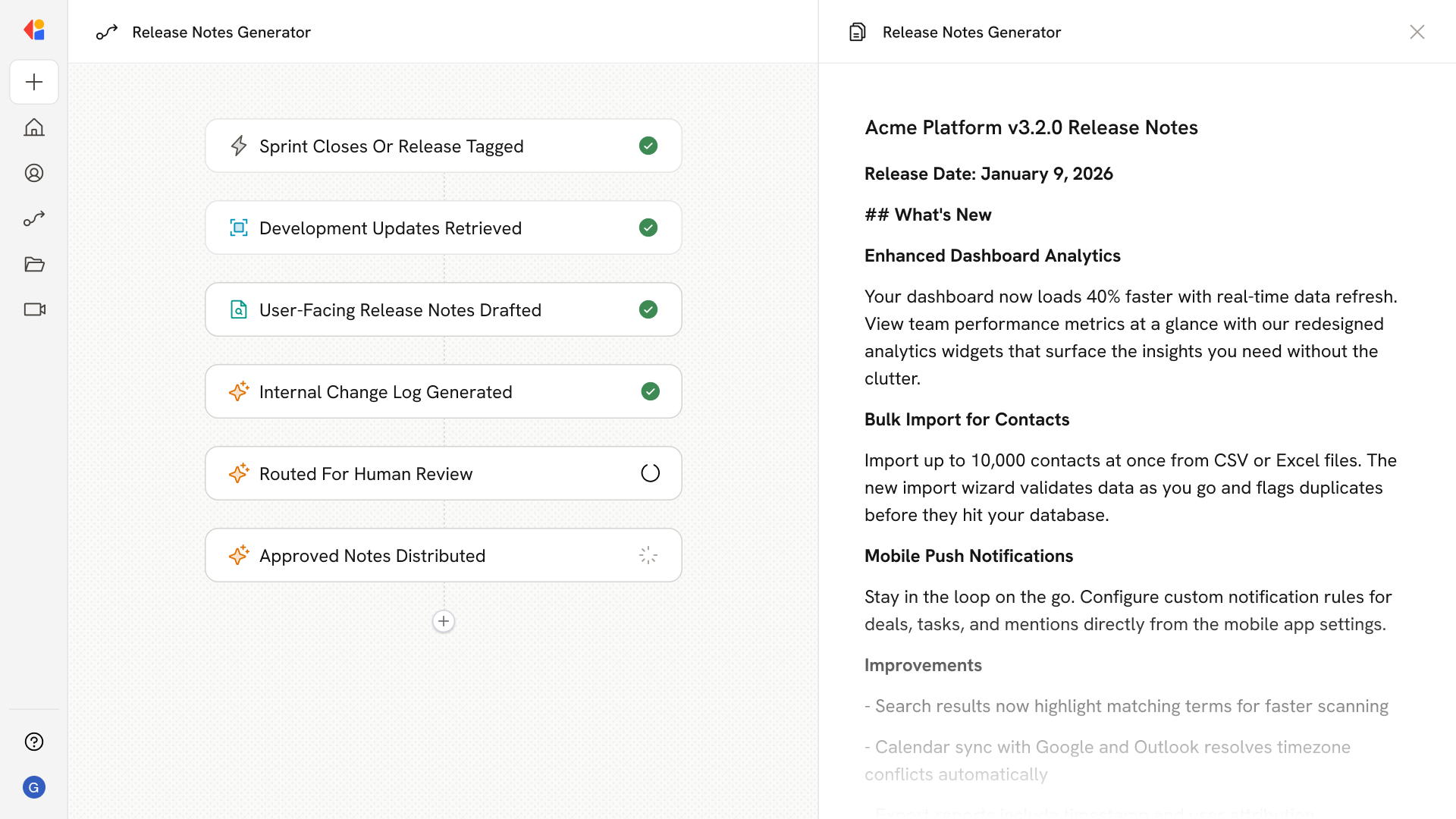
The Workflow activates when a sprint closes or release is tagged in Jira, or through a manual trigger when a product manager initiates the release notes process with relevant ticket IDs or version details.
Cassidy retrieves the relevant tickets, commits, and change records from your connected tools—gathering descriptions, labels, and resolution details that form the raw material for your release documentation.
Cassidy crafts polished, user-friendly release notes that translate technical changes into clear benefits and feature descriptions your customers will understand—drawing on your Knowledge Base for product terminology and brand voice.
A detailed internal change log is created with technical specifics, ticket references, and implementation notes for engineering and support teams.
Both documents are sent to a product manager or technical writer for quick review, edits, or approval—keeping a human in the loop before publication.
Once approved, the Workflow exports the release notes as a Microsoft Word document or sends them via email to stakeholders, and can push updates to your documentation platform or internal wiki for full visibility.
## Related
Create a custom Agent with tailored instructions and Knowledge Base access.
Add your company documents so Agents can reference them.
## What does this mean?
Streamlines the release process by providing polished, consistent communications for users and teams, reducing the burden on product managers and enhancing transparency.
Automatically compiles and crafts clear, user-facing release notes and detailed internal change logs from development updates and ticket histories.
## Workflow steps
The Workflow activates when a sprint closes or release is tagged in Jira, or through a manual trigger when a product manager initiates the release notes process with relevant ticket IDs or version details.
Cassidy retrieves the relevant tickets, commits, and change records from your connected tools—gathering descriptions, labels, and resolution details that form the raw material for your release documentation.
Cassidy crafts polished, user-friendly release notes that translate technical changes into clear benefits and feature descriptions your customers will understand—drawing on your Knowledge Base for product terminology and brand voice.
A detailed internal change log is created with technical specifics, ticket references, and implementation notes for engineering and support teams.
Both documents are sent to a product manager or technical writer for quick review, edits, or approval—keeping a human in the loop before publication.
Once approved, the Workflow exports the release notes as a Microsoft Word document or sends them via email to stakeholders, and can push updates to your documentation platform or internal wiki for full visibility.
## Related
Create a custom Agent with tailored instructions and Knowledge Base access.
Add your company documents so Agents can reference them.