> ## Documentation Index
> Fetch the complete documentation index at: https://docs.cassidyai.com/llms.txt
> Use this file to discover all available pages before exploring further.
# Customer Voice Miner
> Understand customer needs and friction with a clear, data-driven view, enabling targeted fixes and roadmap alignment without manual synthesis by aggregating feedback into prioritized themes.
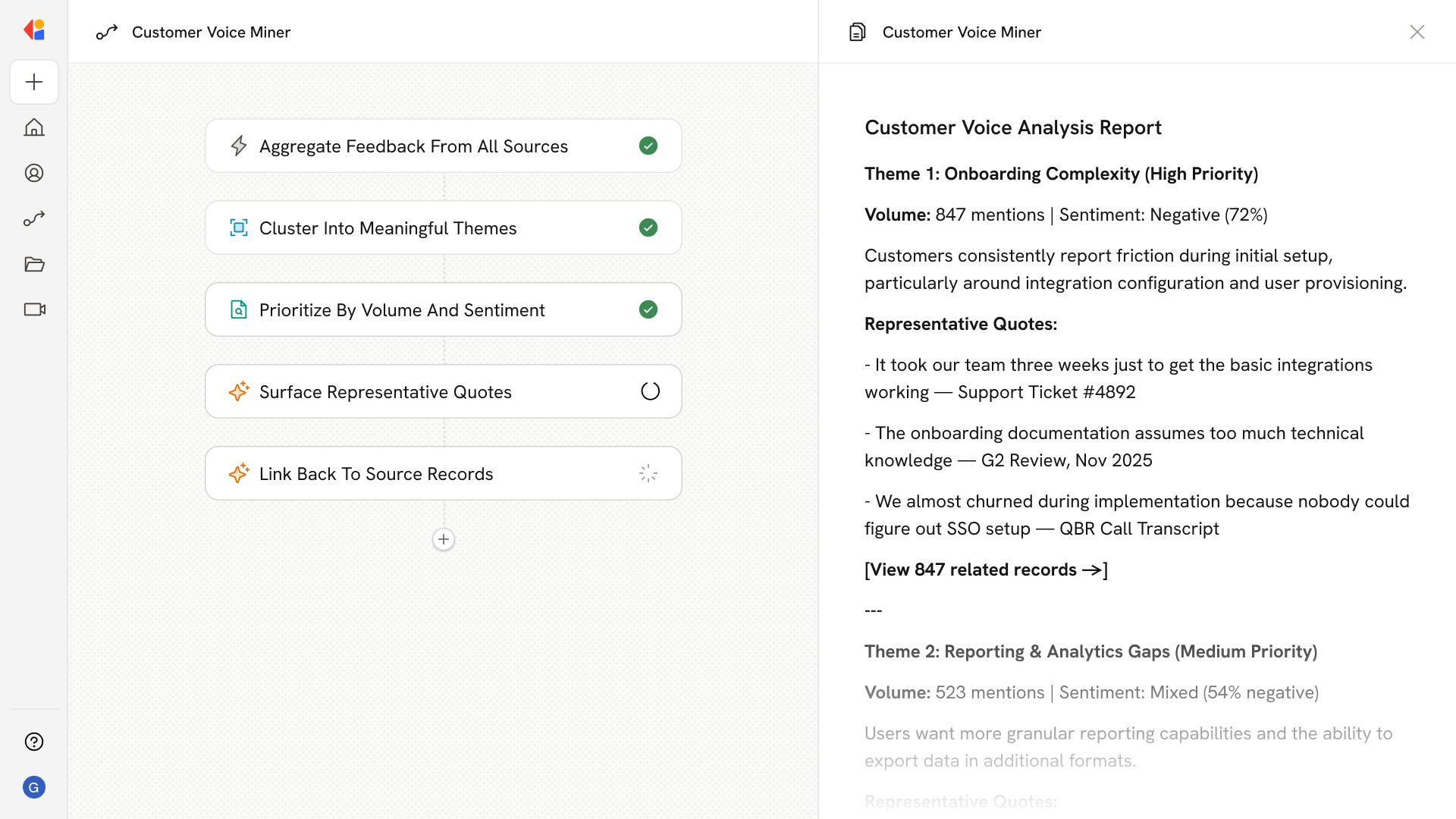 ## What does this mean?
Gives a clear, data‑driven view of customer needs and friction, enabling targeted fixes, roadmap alignment, and sharper messaging without manual synthesis.
Aggregates support tickets, product reviews, survey responses, and call transcripts, then clusters feedback into prioritized themes with volume, sentiment, and representative quotes, including links back to source records.
## Workflow steps
The Workflow pulls data from multiple sources—support tickets, product reviews, survey responses, and call transcripts—bringing all customer voice data into one place.
Cassidy analyzes the aggregated feedback, identifying patterns and grouping related comments into distinct, meaningful themes.
Each theme is scored based on how frequently it appears and the sentiment behind it, surfacing the issues that matter most to your customers.
The Workflow selects standout quotes that capture each theme, giving your team concrete customer language to reference in roadmap discussions or messaging.
Every theme and quote includes links to the original tickets, reviews, or transcripts, so your team can dig deeper without hunting through systems manually.
## Related
Create a custom Agent with tailored instructions and Knowledge Base access.
Add your company documents so Agents can reference them.
## What does this mean?
Gives a clear, data‑driven view of customer needs and friction, enabling targeted fixes, roadmap alignment, and sharper messaging without manual synthesis.
Aggregates support tickets, product reviews, survey responses, and call transcripts, then clusters feedback into prioritized themes with volume, sentiment, and representative quotes, including links back to source records.
## Workflow steps
The Workflow pulls data from multiple sources—support tickets, product reviews, survey responses, and call transcripts—bringing all customer voice data into one place.
Cassidy analyzes the aggregated feedback, identifying patterns and grouping related comments into distinct, meaningful themes.
Each theme is scored based on how frequently it appears and the sentiment behind it, surfacing the issues that matter most to your customers.
The Workflow selects standout quotes that capture each theme, giving your team concrete customer language to reference in roadmap discussions or messaging.
Every theme and quote includes links to the original tickets, reviews, or transcripts, so your team can dig deeper without hunting through systems manually.
## Related
Create a custom Agent with tailored instructions and Knowledge Base access.
Add your company documents so Agents can reference them.