> ## Documentation Index
> Fetch the complete documentation index at: https://docs.cassidyai.com/llms.txt
> Use this file to discover all available pages before exploring further.
# Daily Industry News Brief
> Keeping teams current with autonomous tracking, aggregation, and scheduled digests of top industry stories.
 ## What does this mean?
Keeps teams current without manual monitoring, improving awareness, reaction speed, and alignment on what matters each day.
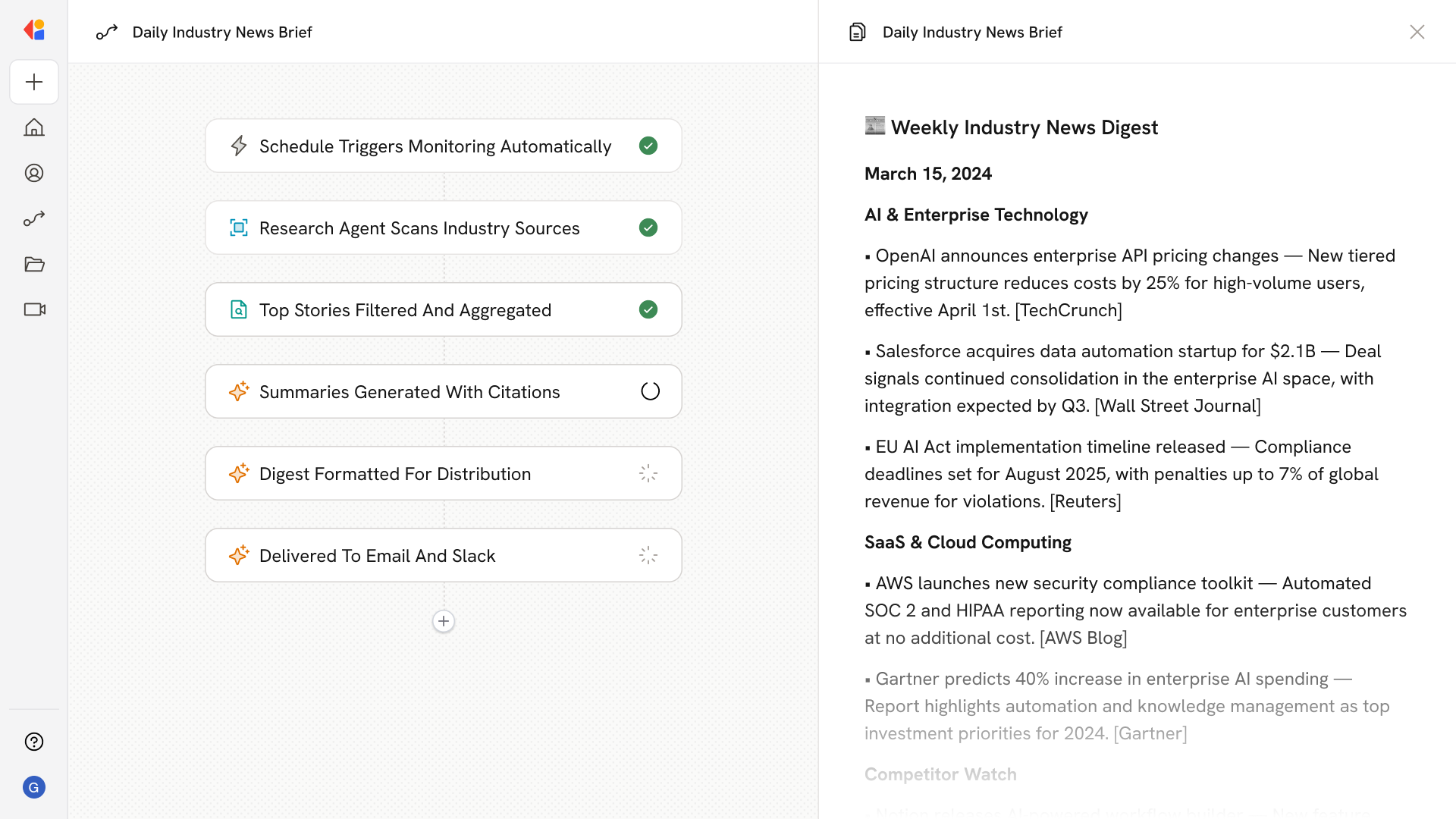
Autonomously tracks selected industries and topics, aggregates top stories from trusted sources, summarizes key developments with links and citations, and delivers scheduled digests to email and Slack.
## Workflow steps
The Workflow runs on a set schedule—daily, weekly, or at a cadence your team defines—so news monitoring happens automatically without anyone lifting a finger.
Cassidy's Research Agent searches trusted news sources, publications, and industry outlets to find the latest stories matching your selected topics and industries.
The Workflow collects relevant articles, filters out noise, and identifies the most important developments worth your team's attention.
Cassidy summarizes each key story into digestible takeaways—complete with links and citations so readers can dive deeper when needed.
All summaries are pulled together into a single, well-organized news brief ready for distribution.
The finished digest is sent automatically to email and posted to a designated Slack channel, meeting your team exactly where they work—no manual forwarding required.
## Related
Create a custom Agent with tailored instructions and Knowledge Base access.
Add your company documents so Agents can reference them.
## What does this mean?
Keeps teams current without manual monitoring, improving awareness, reaction speed, and alignment on what matters each day.
Autonomously tracks selected industries and topics, aggregates top stories from trusted sources, summarizes key developments with links and citations, and delivers scheduled digests to email and Slack.
## Workflow steps
The Workflow runs on a set schedule—daily, weekly, or at a cadence your team defines—so news monitoring happens automatically without anyone lifting a finger.
Cassidy's Research Agent searches trusted news sources, publications, and industry outlets to find the latest stories matching your selected topics and industries.
The Workflow collects relevant articles, filters out noise, and identifies the most important developments worth your team's attention.
Cassidy summarizes each key story into digestible takeaways—complete with links and citations so readers can dive deeper when needed.
All summaries are pulled together into a single, well-organized news brief ready for distribution.
The finished digest is sent automatically to email and posted to a designated Slack channel, meeting your team exactly where they work—no manual forwarding required.
## Related
Create a custom Agent with tailored instructions and Knowledge Base access.
Add your company documents so Agents can reference them.