> ## Documentation Index
> Fetch the complete documentation index at: https://docs.cassidyai.com/llms.txt
> Use this file to discover all available pages before exploring further.
# Daily Sales Call Briefs
> Empowering reps with concise, complete context for sharper conversations and clear next steps, by compiling all necessary information from calendar, CRM, emails, and past notes.
 ## What does this mean?
Reps prep in minutes with consistent, complete context, leading to sharper conversations, clear next steps, and less time spent assembling information.
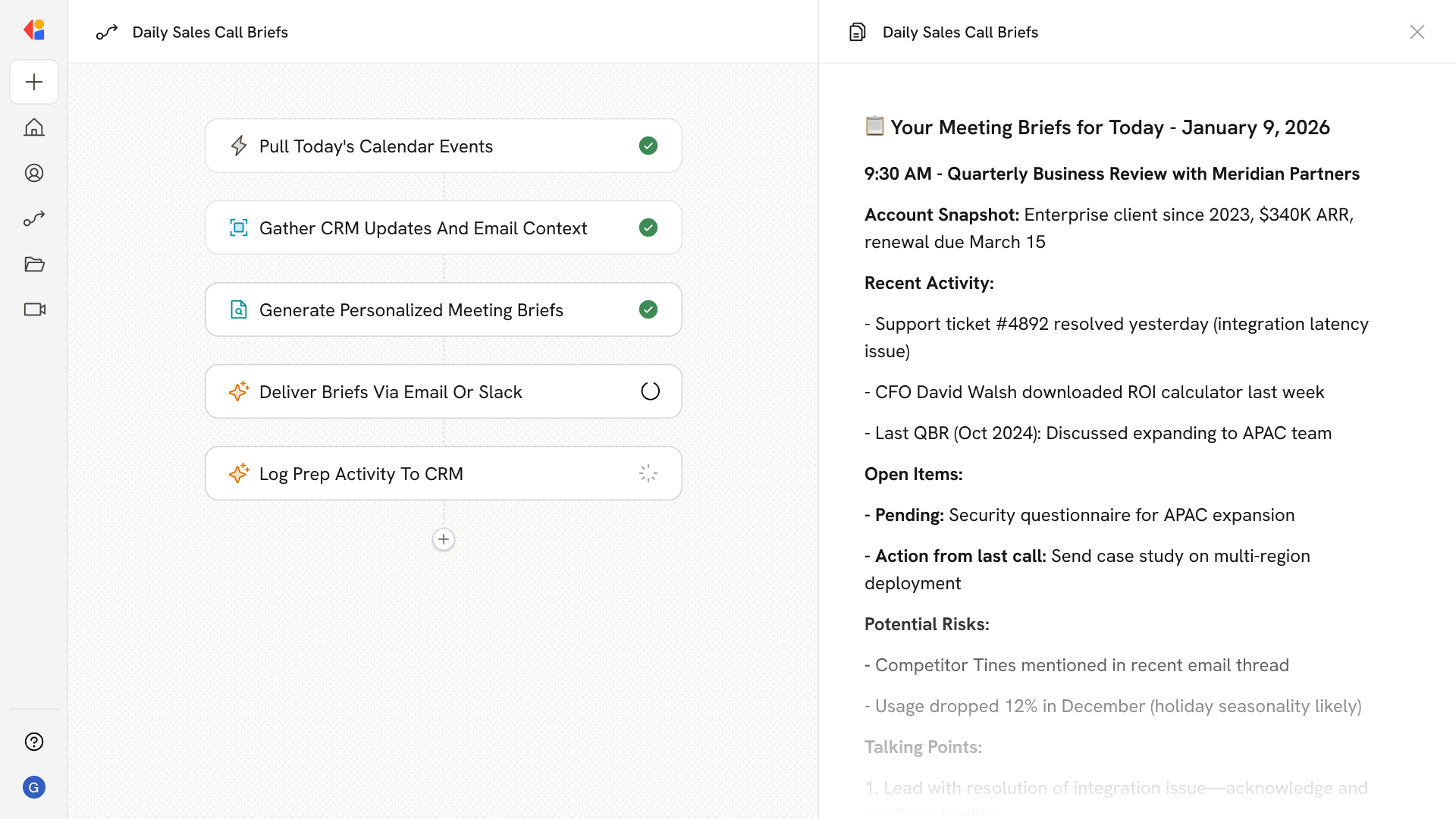
Pulls today’s calendar meetings, recent CRM updates, emails, and past meeting notes to compile a concise brief outlining account history, risks, open actions, and tailored talking points for each call.
## Workflow steps
The Workflow runs automatically each morning on a scheduled trigger, pulling the day's calendar events so reps start their day with everything they need.
For each meeting on the calendar, Cassidy retrieves recent CRM updates, related email threads, and past meeting notes associated with the account or contact.
Cassidy synthesizes account history, open actions, potential risks, and tailored talking points into a concise, easy-to-scan brief for each call—drawing on your Knowledge Base and connected systems to ensure accuracy.
The completed briefs are sent directly to the rep via email or Slack, ready to review minutes before each conversation.
The Workflow logs that a brief was generated and delivered, keeping a record of prep activity and ensuring nothing falls through the cracks.
## Related
Create a custom Agent with tailored instructions and Knowledge Base access.
Add your company documents so Agents can reference them.
## What does this mean?
Reps prep in minutes with consistent, complete context, leading to sharper conversations, clear next steps, and less time spent assembling information.
Pulls today’s calendar meetings, recent CRM updates, emails, and past meeting notes to compile a concise brief outlining account history, risks, open actions, and tailored talking points for each call.
## Workflow steps
The Workflow runs automatically each morning on a scheduled trigger, pulling the day's calendar events so reps start their day with everything they need.
For each meeting on the calendar, Cassidy retrieves recent CRM updates, related email threads, and past meeting notes associated with the account or contact.
Cassidy synthesizes account history, open actions, potential risks, and tailored talking points into a concise, easy-to-scan brief for each call—drawing on your Knowledge Base and connected systems to ensure accuracy.
The completed briefs are sent directly to the rep via email or Slack, ready to review minutes before each conversation.
The Workflow logs that a brief was generated and delivered, keeping a record of prep activity and ensuring nothing falls through the cracks.
## Related
Create a custom Agent with tailored instructions and Knowledge Base access.
Add your company documents so Agents can reference them.