> ## Documentation Index
> Fetch the complete documentation index at: https://docs.cassidyai.com/llms.txt
> Use this file to discover all available pages before exploring further.
# Deal and Customer Q&A
> Get complete context and keep deals moving smoothly by searching a unified knowledge base of client documents, contracts, and CRM records.
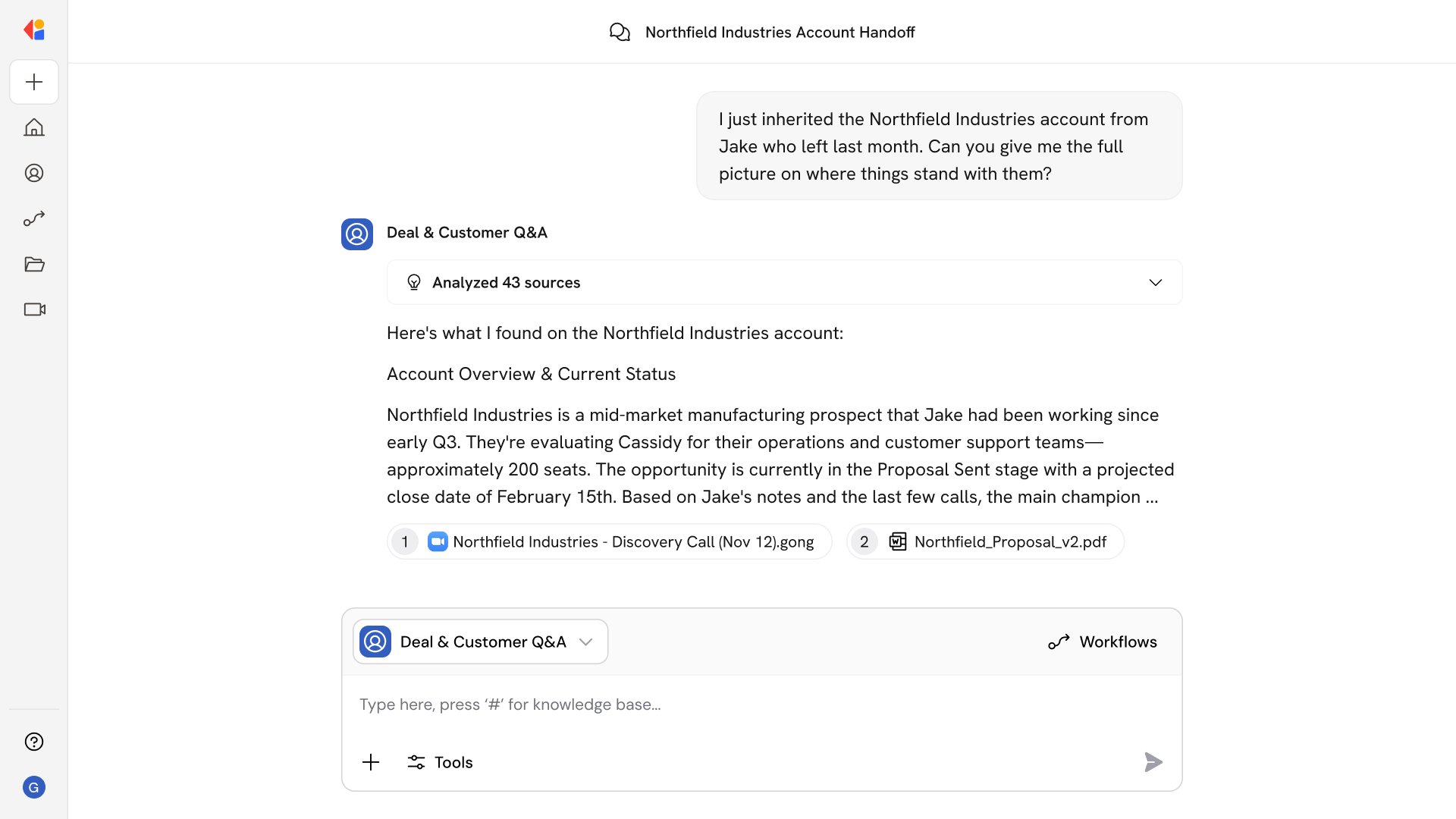 ## How does it work?
Deal & Customer Q\&A handles the context-gathering that slows reps down mid-deal. Ask questions like:
* What pricing did we propose to Acme Corp in Q3?
* Who are the key stakeholders on the Meridian account?
* What blockers came up in our last call with DataFlow?
* Summarize the contract terms we agreed to with Vertex.
* What were the action items from the discovery call on Tuesday?
* Has this prospect raised security concerns before?
* What's the renewal history for this customer?
The Agent pulls from client documents, meeting transcripts, CRM records, and proposals to give you complete context—without digging through multiple systems.
## Who uses Deal and Customer Q\&A?
Deal & Customer Q\&A is built for revenue teams who need fast, accurate context to keep deals moving:
* Account Executives preparing for calls or re-engaging stalled opportunities
* Sales Engineers getting up to speed on technical requirements and past discussions
* Customer Success Managers taking over accounts or handling renewals
* Sales Leaders reviewing deal status without chasing down reps for updates
It's especially valuable during handoffs—whether AE to CSM, or when a new rep inherits an account—so no one has to redo discovery or piece together history from scattered notes.
## How does Deal and Customer Q\&A use your Knowledge Base?
Deal & Customer Q\&A searches across your connected sources—including CRM records, call transcripts, documents, contracts, team conversations, and more—to surface relevant account and deal information in one place.
When you ask a question about a specific account or opportunity, the Agent:
* Pulls context from CRM fields, notes, and activity history
* Searches meeting transcripts and call recordings for stakeholder insights
* References contracts, proposals, and pricing documents
* Surfaces relevant team threads and email exchanges
Because the Knowledge Base syncs continuously, you're always working with the latest information—no stale data or outdated deal notes.
## Related
Create a custom Agent with tailored instructions and Knowledge Base access.
Add your company documents so Agents can reference them.
## How does it work?
Deal & Customer Q\&A handles the context-gathering that slows reps down mid-deal. Ask questions like:
* What pricing did we propose to Acme Corp in Q3?
* Who are the key stakeholders on the Meridian account?
* What blockers came up in our last call with DataFlow?
* Summarize the contract terms we agreed to with Vertex.
* What were the action items from the discovery call on Tuesday?
* Has this prospect raised security concerns before?
* What's the renewal history for this customer?
The Agent pulls from client documents, meeting transcripts, CRM records, and proposals to give you complete context—without digging through multiple systems.
## Who uses Deal and Customer Q\&A?
Deal & Customer Q\&A is built for revenue teams who need fast, accurate context to keep deals moving:
* Account Executives preparing for calls or re-engaging stalled opportunities
* Sales Engineers getting up to speed on technical requirements and past discussions
* Customer Success Managers taking over accounts or handling renewals
* Sales Leaders reviewing deal status without chasing down reps for updates
It's especially valuable during handoffs—whether AE to CSM, or when a new rep inherits an account—so no one has to redo discovery or piece together history from scattered notes.
## How does Deal and Customer Q\&A use your Knowledge Base?
Deal & Customer Q\&A searches across your connected sources—including CRM records, call transcripts, documents, contracts, team conversations, and more—to surface relevant account and deal information in one place.
When you ask a question about a specific account or opportunity, the Agent:
* Pulls context from CRM fields, notes, and activity history
* Searches meeting transcripts and call recordings for stakeholder insights
* References contracts, proposals, and pricing documents
* Surfaces relevant team threads and email exchanges
Because the Knowledge Base syncs continuously, you're always working with the latest information—no stale data or outdated deal notes.
## Related
Create a custom Agent with tailored instructions and Knowledge Base access.
Add your company documents so Agents can reference them.