> ## Documentation Index
> Fetch the complete documentation index at: https://docs.cassidyai.com/llms.txt
> Use this file to discover all available pages before exploring further.
# Configure data retention
> Control how long Workflow run history is stored to meet your organization's data governance requirements.
Data retention settings let you control how long your [Workflow](/workflows/overview) run history is stored in Cassidy. This helps you manage data storage and comply with your organization's data governance policies.
Data retention is an **Enterprise-only** feature. [Contact our sales team](https://www.cassidyai.com/demo) to learn more about upgrading to Enterprise access.
## Set a retention policy
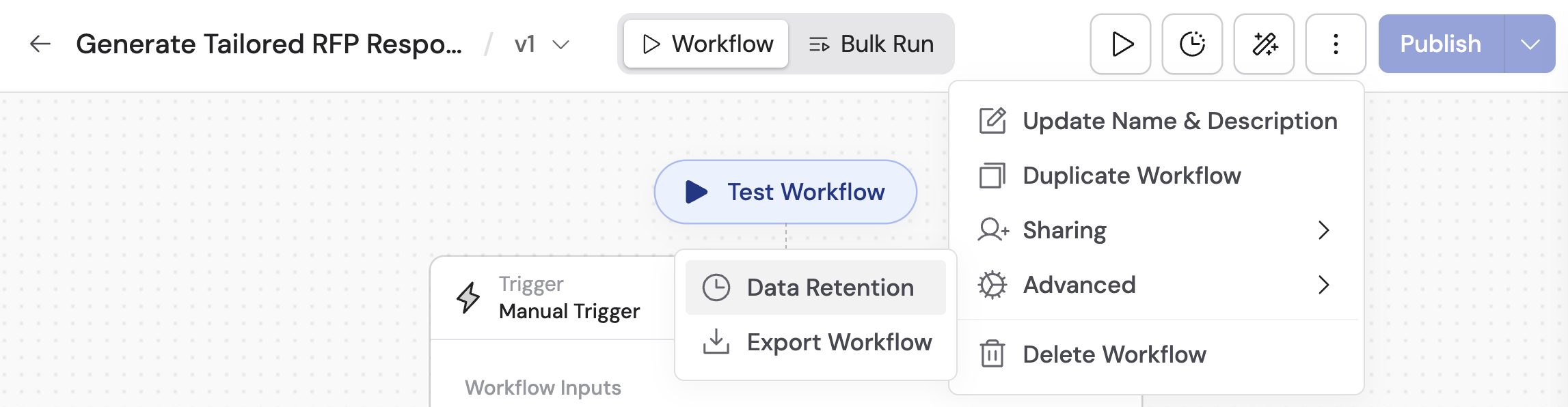
Navigate to the Workflow you want to configure and click **Edit** in the top-right corner.
 Click the **...** menu, then under **Advanced**, select **Data Retention**.
 Select from the available options:
* **Forever** -- run history is retained indefinitely, or until you manually delete it.
* **Custom** -- specify a retention period based on your needs.
If you selected **Custom**, enter the retention duration (e.g., `15`) and select the unit from the dropdown: **Hours**, **Days**, **Weeks**, **Months**, or **Years**.
Select from the available options:
* **Forever** -- run history is retained indefinitely, or until you manually delete it.
* **Custom** -- specify a retention period based on your needs.
If you selected **Custom**, enter the retention duration (e.g., `15`) and select the unit from the dropdown: **Hours**, **Days**, **Weeks**, **Months**, or **Years**.
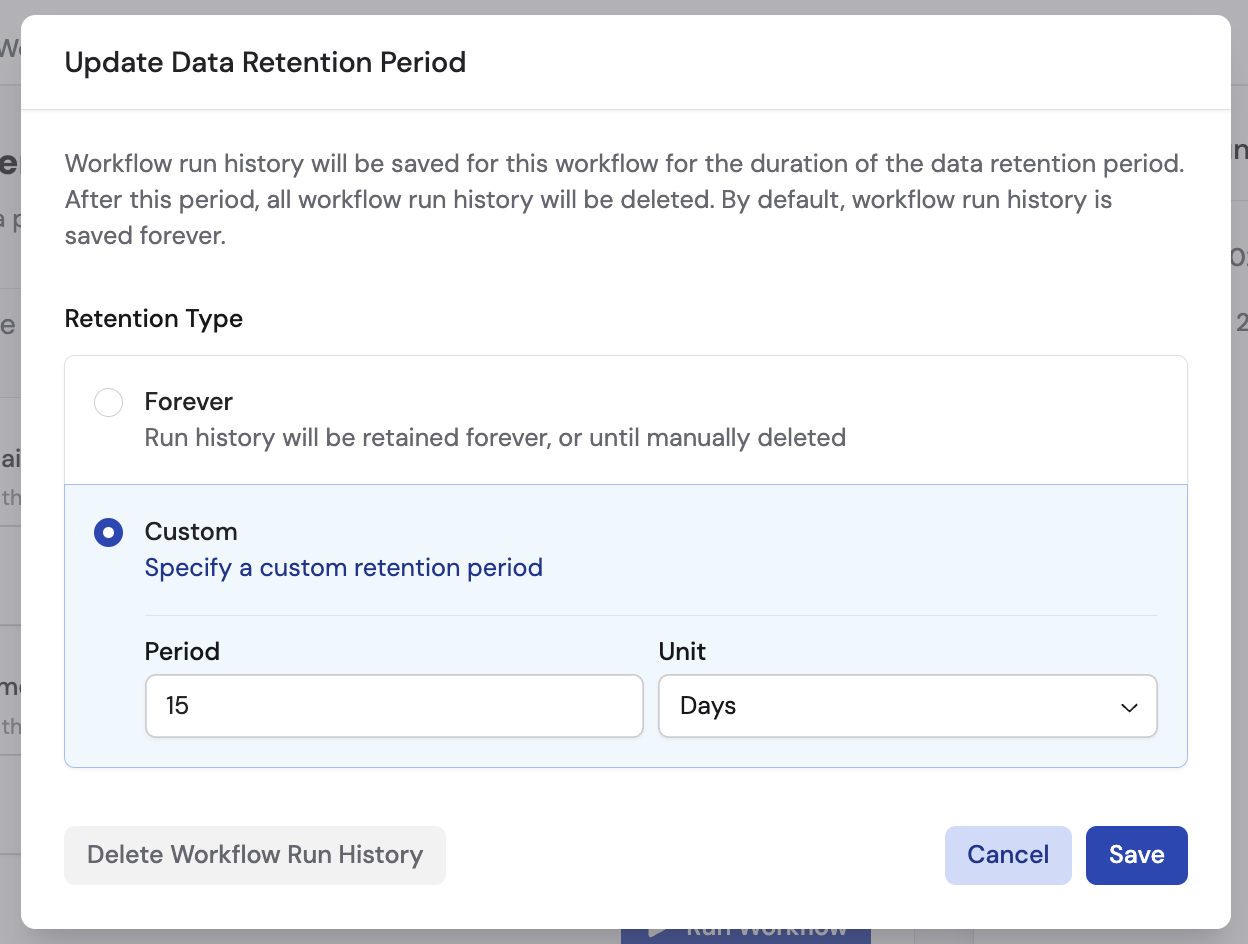 Click **Save** to apply the retention settings. Cassidy will automatically delete run history older than the configured period.
## Manually delete run history
You can delete all existing run history for a Workflow at any time, regardless of the retention setting.
Follow the steps above to navigate to the **Data Retention** settings for your Workflow.
Click **Delete Workflow Run History**, then click **Delete** again to confirm.
Click **Save** to apply the retention settings. Cassidy will automatically delete run history older than the configured period.
## Manually delete run history
You can delete all existing run history for a Workflow at any time, regardless of the retention setting.
Follow the steps above to navigate to the **Data Retention** settings for your Workflow.
Click **Delete Workflow Run History**, then click **Delete** again to confirm.
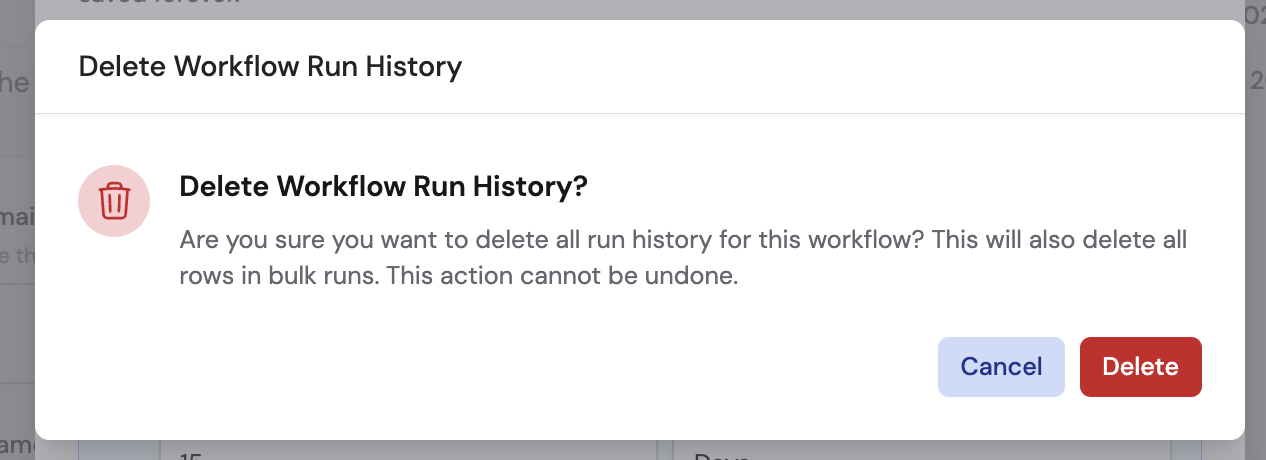 Once data is deleted -- whether by retention policy or manual deletion -- it cannot be recovered. Make sure your settings align with your organization's data governance requirements before configuring retention.
## Next steps
Manage Workflow permissions, folders, and external deployment.
Learn about SSO, SAML, RBAC, and other enterprise controls.
Once data is deleted -- whether by retention policy or manual deletion -- it cannot be recovered. Make sure your settings align with your organization's data governance requirements before configuring retention.
## Next steps
Manage Workflow permissions, folders, and external deployment.
Learn about SSO, SAML, RBAC, and other enterprise controls.