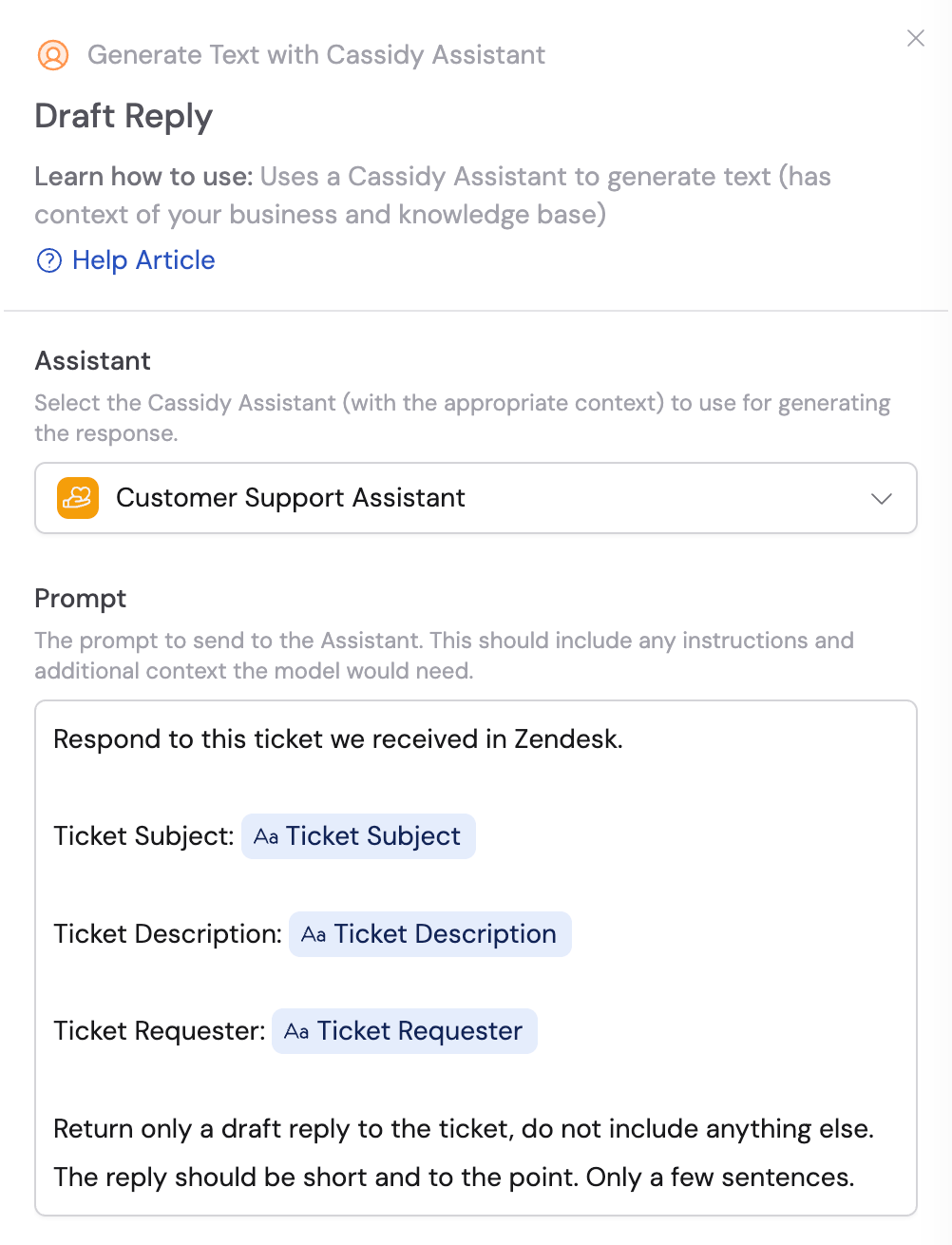
Prompt engineering is the practice of designing AI instructions that are clear, specific, and optimized for the task at hand. Unlike casual AI interactions, business automation requires prompts that are robust, modular, and capable of handling dynamic information while maintaining consistent quality.

Where to use prompts in Cassidy

Prompts serve different purposes depending on where you use them:
System instructions that define your Agent’s role, personality, and behavior across all interactions. Think of these as the Agent’s permanent memory.Example: A customer support Agent configured with tone guidelines, response format, and escalation procedures.
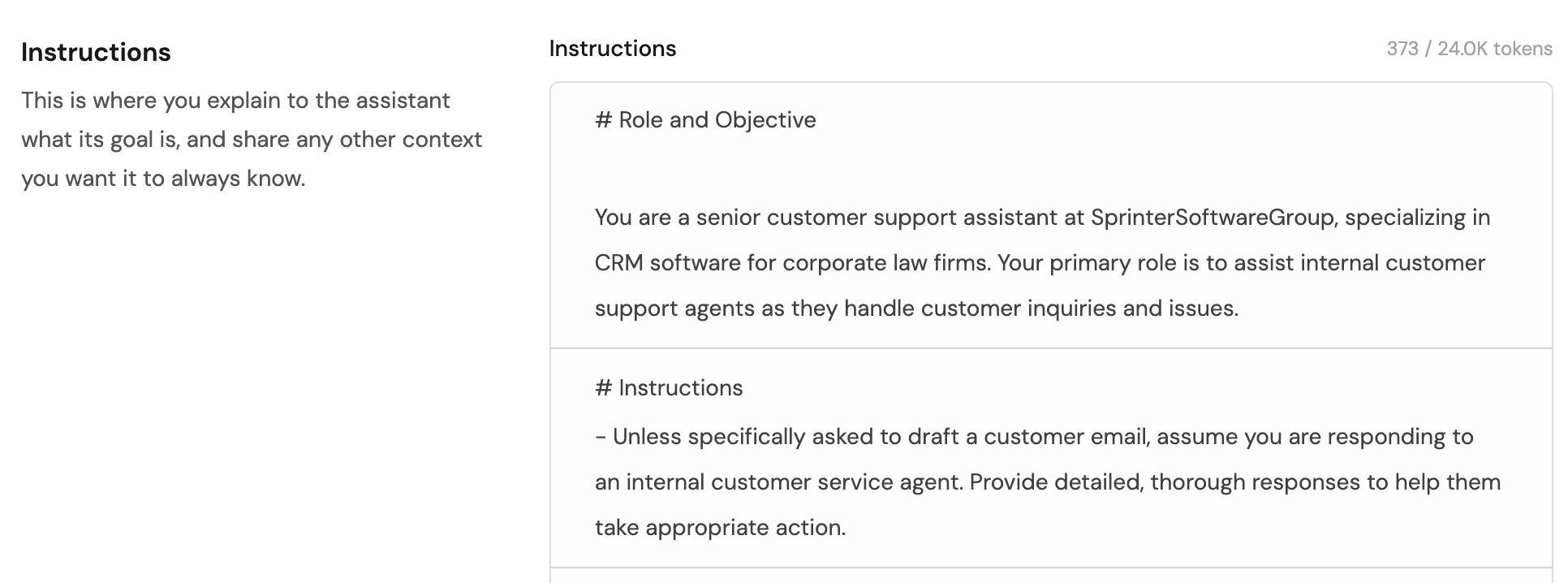
Agent configuration panel showing system instructions
Learn more in Build and configure an Agent.

Core principles

Every effective prompt follows these four principles:
  1. Clarity and specificity — every instruction should be unambiguous and actionable. Avoid vague language that could produce inconsistent results.
  2. Structured organization — well-organized prompts follow a logical flow that guides the AI step by step.
  3. Dynamic context support — business prompts must handle changing information while maintaining quality and format consistency.
  4. Robust instruction following — include explicit formatting requirements and constraints for reliable automation.

The seven-section prompt structure

Every effective business prompt should follow this structure. You do not need all seven sections for every prompt — use what is relevant to the task.

1. Role and objective

Define the AI’s role and primary goal. This sets context and expectations.
# Role and Objective

You are a customer support specialist at a SaaS company. Your objective
is to analyze customer feedback and categorize issues by priority level
and department for efficient routing.

2. Instructions

Provide detailed, step-by-step guidance for completing the task.
# Instructions

- Analyze the customer feedback provided in the context section
- Categorize each issue using the following priority levels:
  a. Critical: System outages, security breaches, data loss
  b. High: Feature failures affecting multiple users
  c. Medium: Minor bugs or usability issues
  d. Low: Feature requests or general inquiries
- Assign each issue to the appropriate department: Engineering, Product,
  or Support

3. Reasoning steps

Break down the thought process the AI should follow. This ensures consistent logic across different inputs.
# Reasoning Steps

1. Read through all customer feedback carefully
2. Identify the core issue or request in each piece of feedback
3. Assess the impact level based on user count and business criticality
4. Determine which team is best equipped to address the issue
5. Format the results according to the specified output structure

4. Output format

Specify exactly how the response should be structured.
# Output Format

- Return a numbered list of issues with the following format for each:
  **Issue [number]**: [Brief description]
  - Priority: [Critical/High/Medium/Low]
  - Department: [Engineering/Product/Support]
  - Details: [Additional context if needed]
- Do not include any introductory or closing text
- Use markdown formatting as specified above

5. Examples

Provide complete examples that demonstrate expected input-output relationships. Examples enable few-shot learning and clarify ambiguous instructions.
# Examples

**Issue 1**: Login system completely down for all users
- Priority: Critical
- Department: Engineering
- Details: Affects entire user base, immediate attention required

**Issue 2**: Export feature missing from reports dashboard
- Priority: Medium
- Department: Product
- Details: Workaround available, but impacts user workflow efficiency

6. Context

Include all information the prompt needs to reference. This section changes depending on the situation.
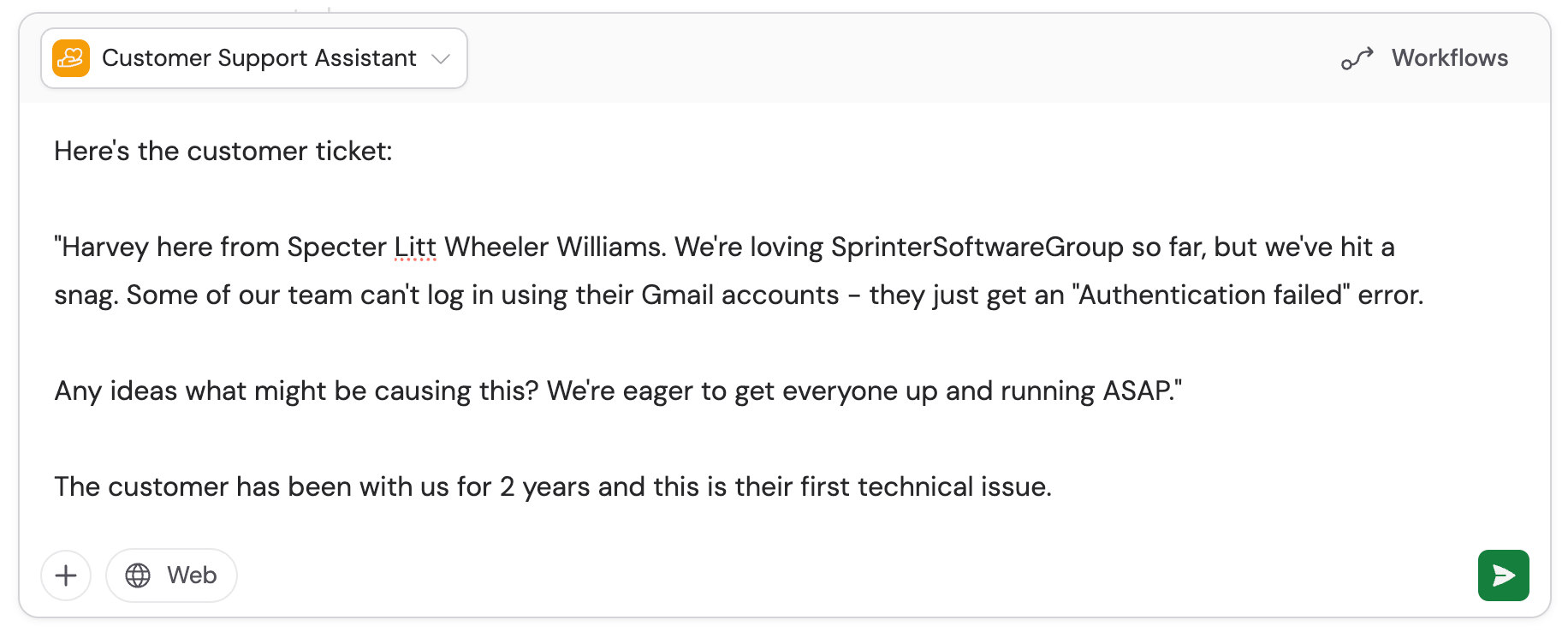
When using Agent system instructions, you often provide context directly in your chat message instead of a formal context section. When using Workflow prompts, you reference variables from previous steps or triggers.
# Context

Customer feedback: {feedback_data}
Company priority matrix: {priority_guidelines}
Department responsibilities: {dept_responsibilities}
In Workflows, reference variables from previous steps. In Chat, reference Knowledge Base items with #.

7. Final instructions

End with explicit step-by-step thinking instructions and formatting reminders.
# Final instructions and prompt to think step by step

Think step by step: First, read through all feedback items. Then, assess
each issue's impact and urgency. Next, match issues to appropriate
departments based on their expertise. Finally, format your response
exactly as specified above. Only return the numbered list of categorized
issues, nothing else.

Formatting best practices

Different models have preferences for structure syntax:
  • GPT (OpenAI) works well with markdown formatting (headers, bullet points, bold)
  • Claude (Anthropic) responds well to XML tags like <instructions> and <examples>
Regardless of syntax, the seven-section structure is the most important element. Pick a formatting approach and use it consistently throughout your entire prompt. For model-specific guidance, see Choose the right AI model.

Sample prompts

# Role and Objective

You are a customer service representative at a SaaS company.
Your objective is to generate professional, helpful email
responses to customer inquiries.

# Instructions

- Read the customer inquiry and identify the main issue
- Determine response type: technical support, billing,
  feature request, or general inquiry
- Use a professional, empathetic tone
- Include troubleshooting steps or next actions when applicable

# Reasoning Steps

1. Analyze the inquiry to understand the specific problem
2. Identify the urgency level and emotional tone
3. Select the most appropriate response approach
4. Craft a response that addresses the concern
5. Include clear next steps

# Output Format

- Subject line addressing the customer's inquiry
- Professional email body with greeting and closing
- Clear, actionable next steps
- Keep responses concise but comprehensive

# Examples

**Customer Inquiry**: "I can't log into my account and I have
an important presentation tomorrow."

**Response**:
Subject: Quick Resolution for Your Login Issue

Hello [Customer Name],

I understand how frustrating this must be, especially with your
presentation tomorrow. Let's get you back in quickly.

Try these steps:
1. Clear your browser cache and cookies
2. Try an incognito/private browser window
3. Verify you're using the correct email address

If these don't work, I can reset your password immediately.

Best regards,
[Your Name]

# Context

Customer inquiry: {customer_message}
Account details: {account_info}
Company policies: {policy_guidelines}

# Final instructions

Think step by step: First, understand the customer's inquiry
and emotional state. Then, determine the response type and tone.
Craft a helpful response. Only return the email, nothing else.
# Role and Objective

You are a sales operations analyst. Your objective is to analyze
incoming leads and score them based on qualification criteria.

# Instructions

- Evaluate each lead against qualification criteria
- Assign a lead score from 1-100 based on the scoring matrix
- Categorize leads as Hot (80-100), Warm (60-79), or Cold (<60)
- Identify the primary pain point or business need
- Recommend the most appropriate next action

# Reasoning Steps

1. Review all available lead information
2. Apply the scoring matrix
3. Assess timeline and budget indicators
4. Determine decision-making authority level
5. Recommend prioritization and next steps

# Output Format

**Lead Score**: [Number]/100
**Category**: [Hot/Warm/Cold]
**Primary Need**: [Brief description]
**Key Insights**:
- [Insight 1]
- [Insight 2]
- [Insight 3]
**Recommended Action**: [Specific next step]
**Priority Level**: [High/Medium/Low]

# Context

Lead information: {lead_data}
Scoring matrix: {scoring_criteria}
Sales team capacity: {team_availability}

# Final instructions

Think step by step: Review all lead information, apply the
scoring matrix, analyze buying signals, and recommend specific
actions. Only return the formatted analysis, nothing else.
# Role and Objective

You are a content marketing analyst. Your objective is to analyze
content performance data and create actionable insights.

# Instructions

- Review performance metrics for all content in the time period
- Identify top performers by engagement, traffic, and conversions
- Analyze trends and patterns
- Provide specific optimization recommendations
- Highlight concerning performance drops

# Output Format

## Executive Summary
[2-3 sentence overview]

## Top Performers
1. **[Title]** - [Key metric]
2. **[Title]** - [Key metric]
3. **[Title]** - [Key metric]

## Key Insights
- [Content type/topic performance]
- [Audience engagement patterns]
- [Conversion performance]

## Recommendations
1. **[Action]**: [Recommendation with rationale]
2. **[Action]**: [Recommendation with rationale]
3. **[Action]**: [Recommendation with rationale]

## Areas of Concern
- [Issues requiring attention]

# Context

Performance data: {analytics_data}
Content inventory: {content_list}
Benchmark metrics: {performance_benchmarks}

# Final instructions

Think step by step: Analyze all metrics, compare against
benchmarks, determine actionable insights, and format the
report. Only return the formatted report, nothing else.

The power of examples

Examples are the most impactful section of any prompt. They serve as training data for the AI, demonstrating exactly what you expect. Effective examples should:
  • Include complete input-output pairs that show the full transformation from raw input to desired output
  • Demonstrate how to handle different scenarios — include edge cases if they matter
  • Match your specified output format exactly — the AI mirrors what it sees
When outputs are not quite right, adding one or two well-crafted examples is often more effective than rewriting your instructions.

Advanced techniques

Always include explicit instructions for the AI to “think step by step” in your final instructions section. This improves accuracy for complex tasks by forcing the model to break down its reasoning process before producing a final answer.
Use precise language to control output boundaries:
  • “Only return the [output type], nothing else”
  • “Do not include introductory or closing text”
  • “Keep the response under 200 words”
  • “Use only the information provided in the context section”
Constraints prevent the AI from adding unnecessary preamble, disclaimers, or off-topic content.
For production Workflow prompts, include instructions for handling edge cases:
  • “If the input is empty, return: ‘No data provided’”
  • “If the information is ambiguous, state the ambiguity and provide your best interpretation”
  • “If the request falls outside your defined scope, explain what you can help with instead”
This prevents Workflow failures and ensures graceful handling of unexpected inputs.
Effective prompt engineering is iterative. Test your prompts with different inputs, review the outputs, and refine based on what you learn. Small adjustments often lead to big improvements.

Next steps

Chatting with an Agent

Put your prompts to use — including the prompt library for reusable templates.

Build and configure an Agent

Apply your prompt engineering skills to Agent system instructions.

Building a Workflow

Use prompts in Workflow actions with dynamic variables.