

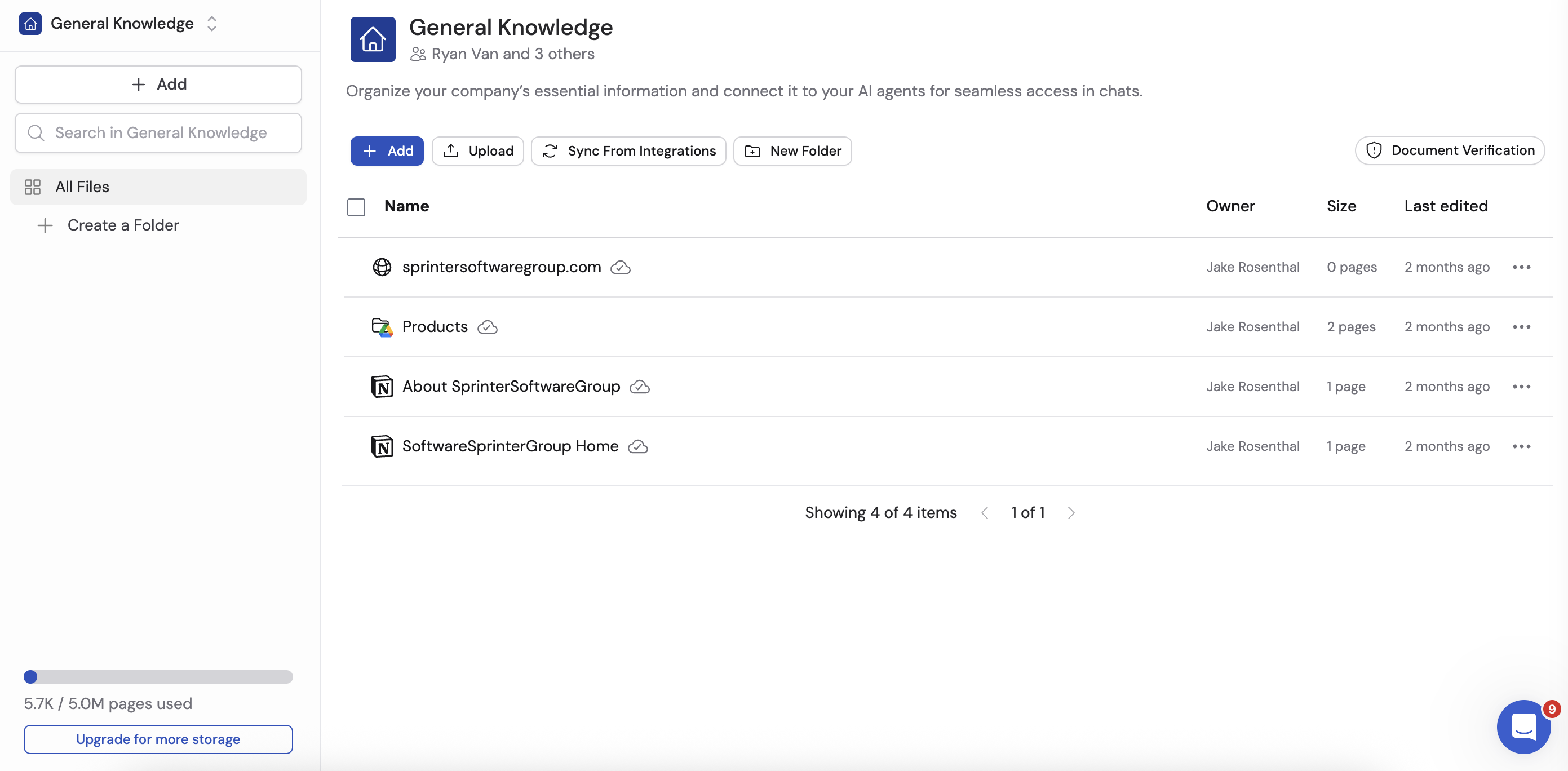
Why a Knowledge Base matters
Without company context, AI tools produce generic answers that don’t reflect your business. The Knowledge Base solves this by giving Cassidy access to the information your team already has.- Accurate, cited answers — Cassidy pulls from your verified company knowledge rather than guessing, and cites its sources so you can confirm accuracy
- Automate complex tasks — Give your Workflows the full context of your business to handle even intricate processes
- Keep everyone informed — Centralize and sync your company knowledge so every team member has instant access to the latest information
- Organize by team or department — Create separate collections with specific permissions so each group sees only what they need
How the Knowledge Base works
When you add content to the Knowledge Base, Cassidy processes and indexes it using semantic search. This means Cassidy doesn’t just match keywords — it understands the meaning behind your questions and finds the most relevant information, even when the wording differs from what’s stored.What you can add
The Knowledge Base supports many content types:
For the full setup walkthrough, see Set up your Knowledge Base.
Where the Knowledge Base is used
The Knowledge Base powers several key features across Cassidy:Agents
Connect your Knowledge Base to Agents so they can answer questions using your company’s documents. When a user asks an Agent a question, it searches the Knowledge Base, finds the relevant information, and generates an answer with source citations. Learn how to connect Knowledge Base content to an Agent in Agent knowledge settings.Workflows
Use Knowledge Base actions in your Workflows to search, retrieve, and reference company documents as part of automated processes. Your Workflows can pull the right information at the right time without manual intervention.Chat
When chatting with an Agent that has Knowledge Base access, you can also manually reference specific Knowledge Base items using the @ mention feature. Learn more in Chatting with an Agent.Next steps
Set up your Knowledge Base
Upload documents, import websites, and connect integrations.
Organize with collections and folders
Structure your content and control who can access it.
Create an Answer Hub
Build curated Q&A pairs for precise, consistent answers.
Verify documents
Flag and deprecate outdated content to keep answers accurate.