

How credits work
When you send a message to an Agent or run a Workflow, Cassidy makes API calls to AI models. Each call processes input tokens (your prompt, instructions, and Knowledge Base context) and generates output tokens (the AI’s response). The number of tokens determines how many credits are consumed.Credit usage by feature
Check your credit balance
1
Open organization settings
Open your account menu from the sidebar and select Organization
Settings.
2
Go to Usage
In the left sidebar, click Usage. You’ll see your current credit balance, usage for the billing period, and storage consumption.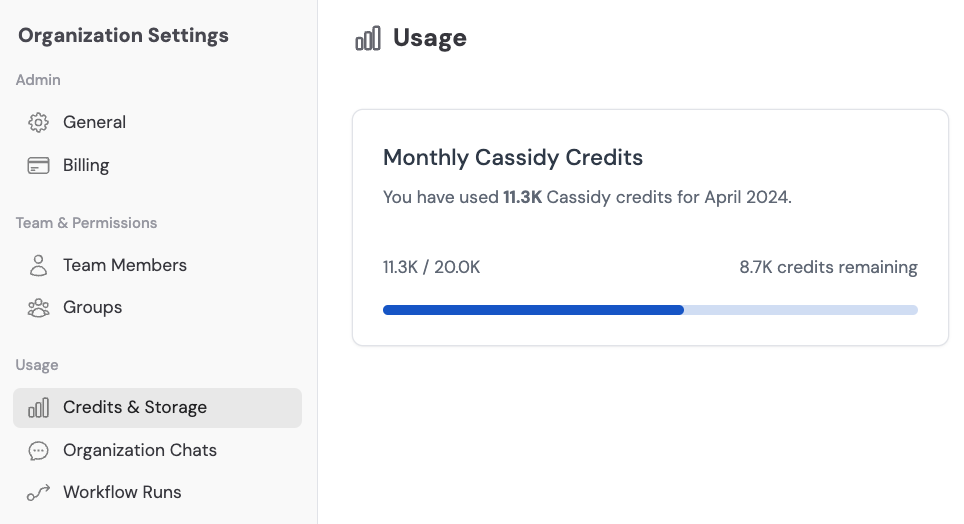
Get more credits
If your team is running low on credits, you have a few options:- Upgrade your plan — Higher-tier plans include more monthly credits. See Manage plans.
- Contact support — For custom credit packages or Enterprise plans, email support@cassidyai.com.
Frequently asked questions
Do unused credits roll over to the next month?
Do unused credits roll over to the next month?
Credits reset each billing period and do not roll over — with the exception of Enterprise plans, which may include rollover depending on your agreement. Contact your account manager for details.
How can I reduce credit usage?
How can I reduce credit usage?
A few strategies to optimize credit consumption:
- Use a lighter AI model when the task doesn’t require the most powerful option
- Write concise, specific instructions to reduce input tokens
- Limit the amount of Knowledge Base context pulled into each interaction
- Use credit usage alerts to stay on top of consumption
What happens when I run out of credits?
What happens when I run out of credits?
When your credit balance is exhausted, AI-powered features (Agent chats, Workflow runs) will be temporarily unavailable until credits are replenished — either at the start of your next billing period or by upgrading your plan.
Can I see credit usage per user?
Can I see credit usage per user?
Yes. Visit the Usage tab in Organization Settings to see a breakdown of credit consumption by team member. You can also set per-user credit limits to control spending.
Next steps
Credit usage alerts and limits
Set up notifications and per-user spending caps.
Monitor usage
Track credits, storage, and meeting hours across your organization.