

Understand the three states
Current draft
The current draft contains your latest edits. Changes save automatically, but they do not affect the Skill people and Agents use.Saved version
A saved version is a checkpoint you can name and return to later. Saving a version does not make it live unless you publish it.Published version
The published version is the live version used in chats, Agents, and Workflow AI actions.Editing affects the current draft. Publishing changes the live Skill.
Save a checkpoint without publishing
Save a version when you want a stable checkpoint before testing, collecting feedback, or making a larger change.1
Open the publish menu
Click the arrow beside Publish.
2
Choose Save Without Publishing
Select Save Without Publishing.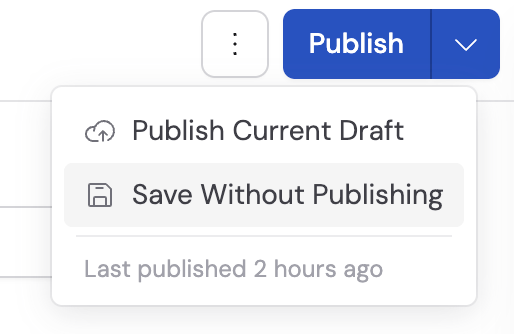
3
Describe the checkpoint
Add an optional version name and description, then click Create Version.Use the description to explain what changed or what still needs review.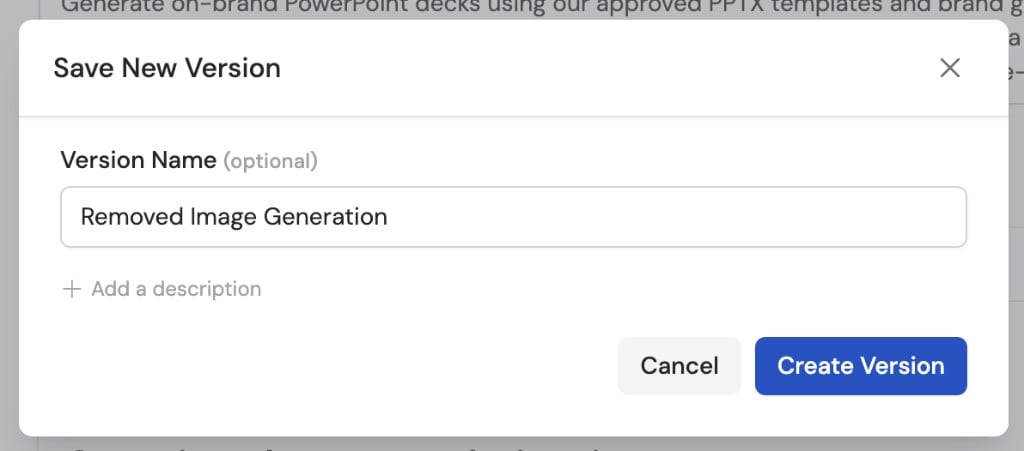
Publish a version
Publishing makes your changes available to everyone currently using the Skill.1
Open the publish dialog
Click Publish, or open the publish menu and select Publish Current Draft.
2
Explain the update
Add an optional version name and description.Useful notes explain the outcome, such as “Adds escalation guidance for refund requests.”
3
Review the changes
Review Changes Being Published. Use View All Changes when you need to inspect instructions, files, resources, or tools in detail.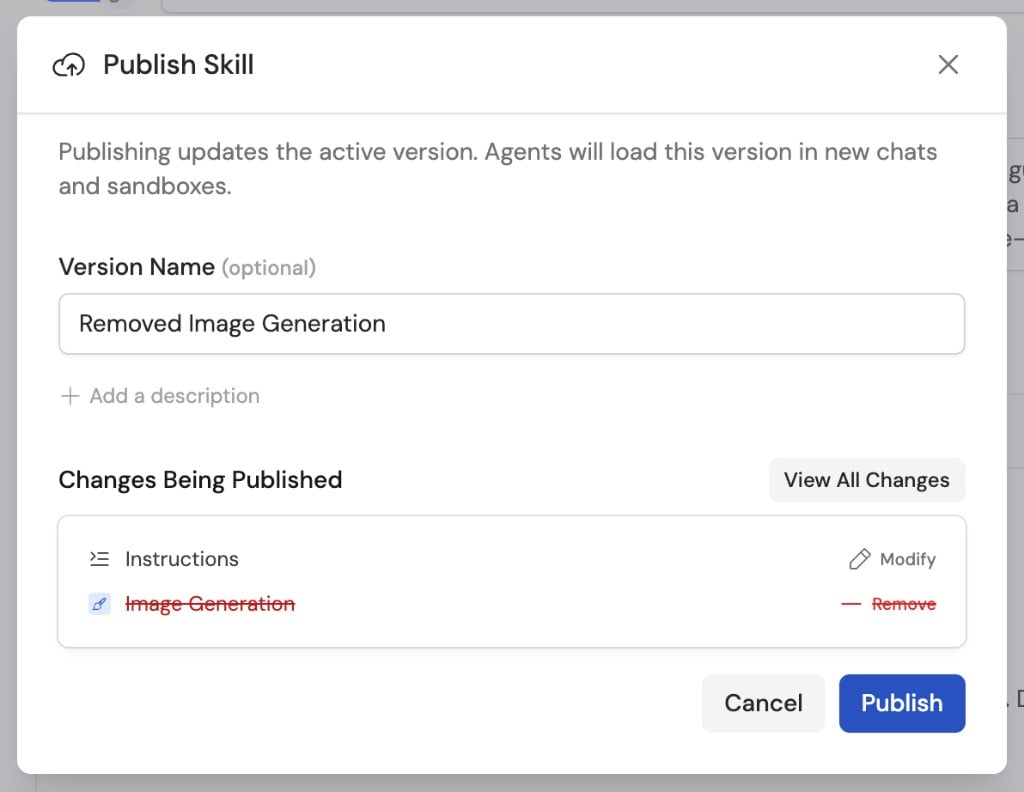
4
Publish
Click Publish.The new version becomes live immediately for personal installations, admin distribution, Agent attachments, and Workflow AI actions.
Review version history
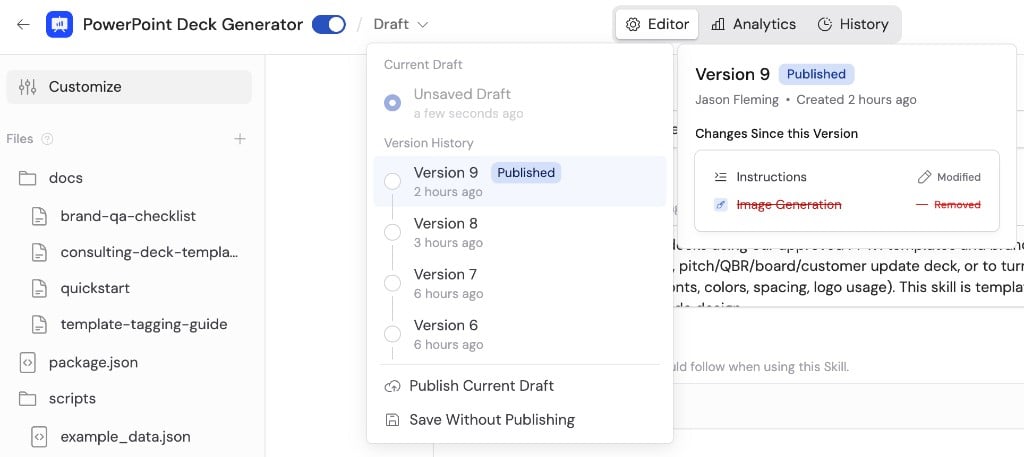
Open the version selector beside the Skill name to see:- The current draft
- Saved and published versions
- Who created each version
- When each version was created
- Which version is currently published
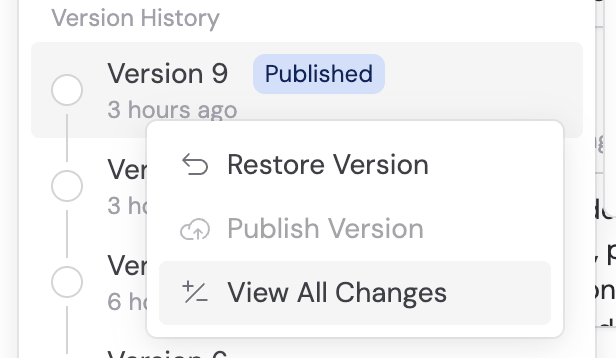
Publish a saved version
Publishing a saved version makes that checkpoint live. It is different from publishing the current draft. Publishing a saved version also replaces the current draft with that version. Save newer draft work as a separate version first if you need to preserve it. Before publishing, review the selected version carefully so you know which instructions and files will become active.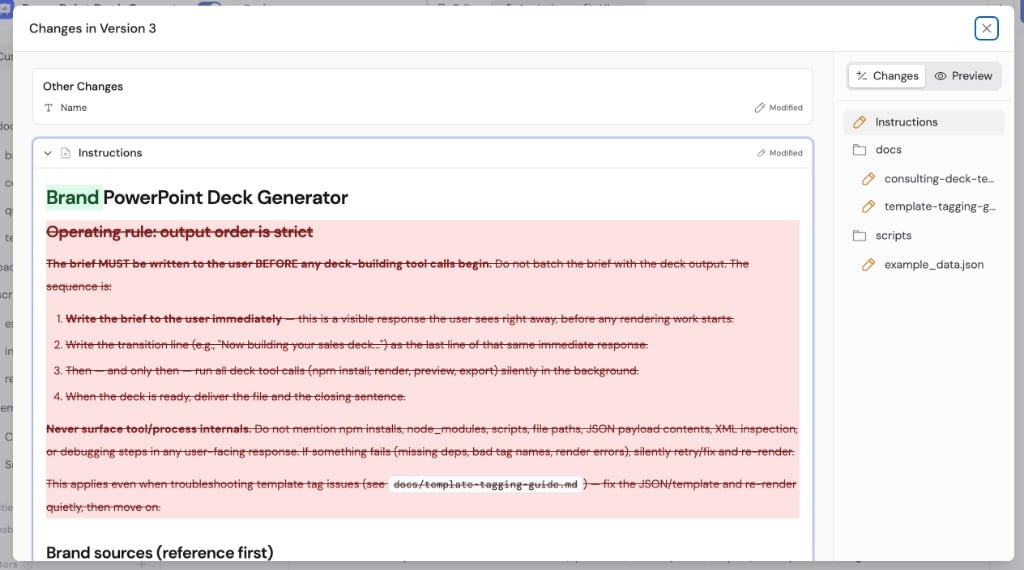
View detailed changes to instructions and supporting files
Restore an earlier version
1
Choose the earlier version
Open Version History, open the version’s … menu, and select Restore Version.
2
Review the changes
Review Changes Being Restored.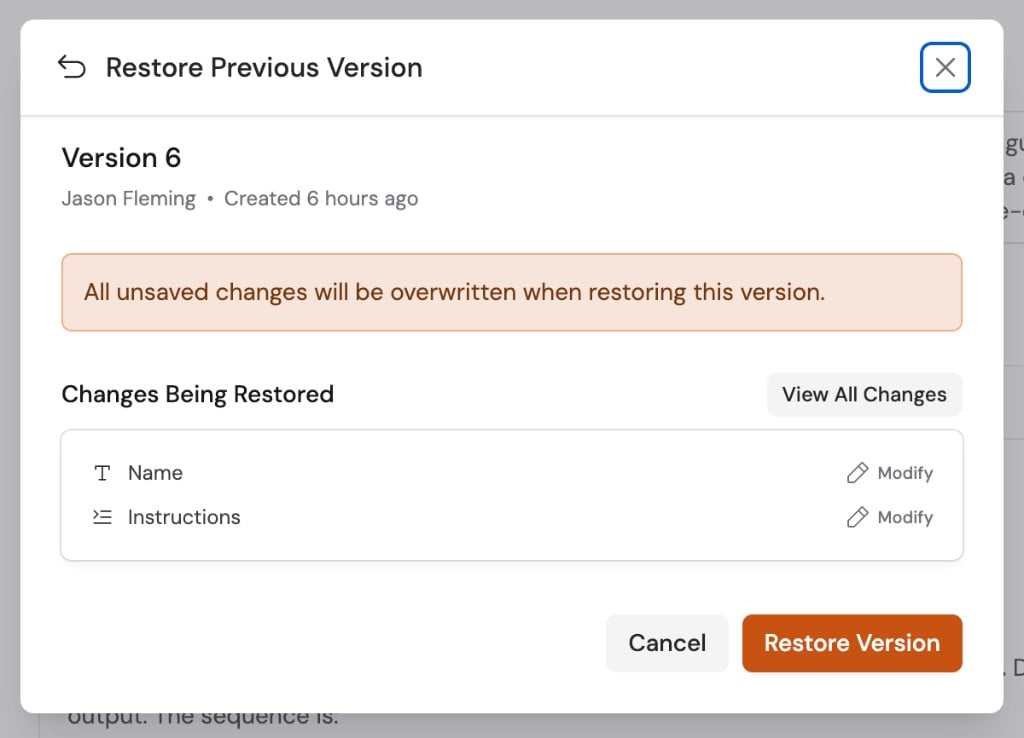
3
Confirm the restore
Click Restore Version.The selected version becomes the current draft. Publish it separately when
you are ready to make it live.
Publish changes proposed in chat
When Cassidy proposes an update in chat, it creates Draft Skill Changes. Open the proposal, review the differences, and publish only when the change is ready. Agents can propose and save draft changes, but they cannot publish a Skill.Next steps
Build and improve Skills
Edit and test the draft before publishing.
Review Skill usage
Understand reach and usage before changing a widely used Skill.