

Only admins can configure global instructions.
Set up global instructions
1
Open organization settings
Open your account menu from the sidebar and select Organization
Settings.
2
Navigate to global instructions
In Organization Settings, click Global Instructions under the Agents section.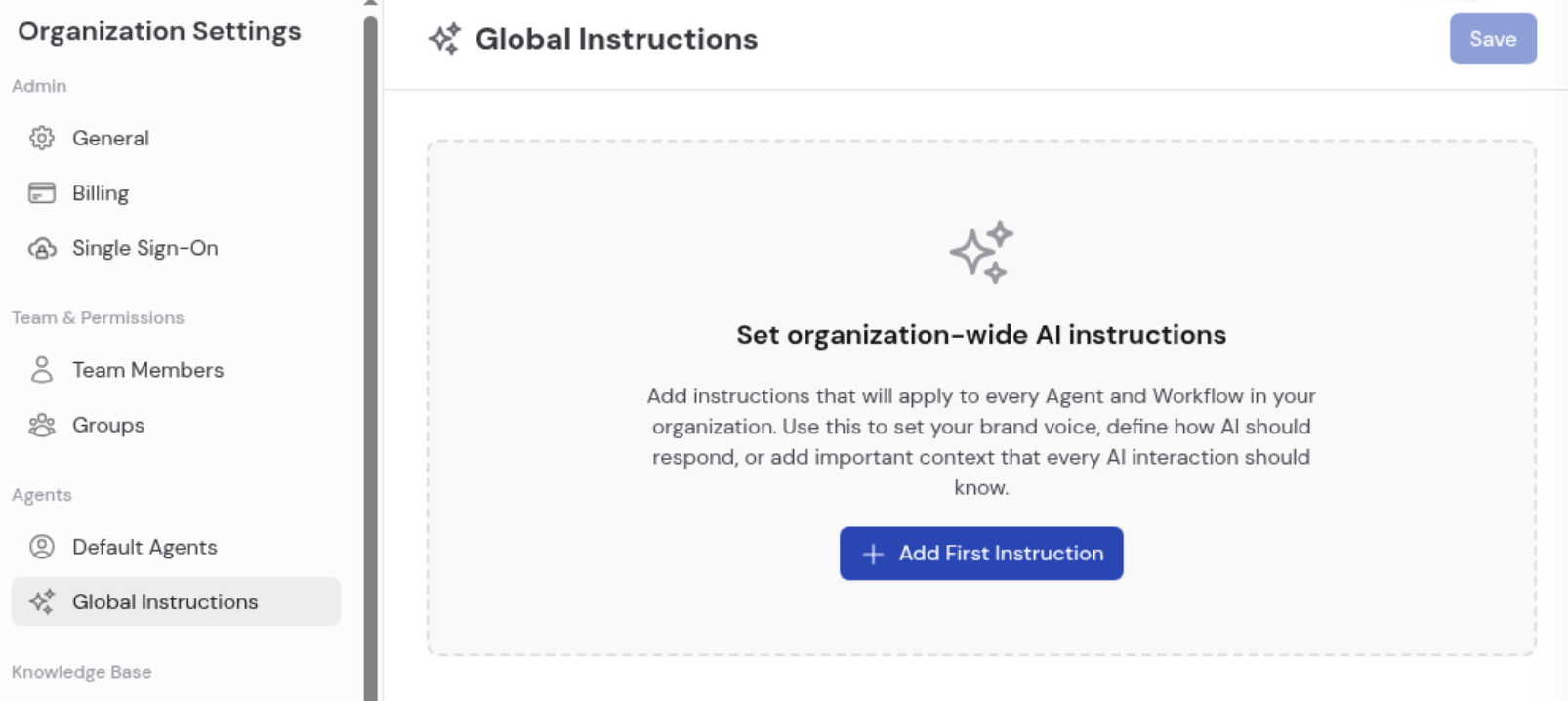
3
Add your first instruction
Click + Add First Instruction to create an instruction card. Each card has: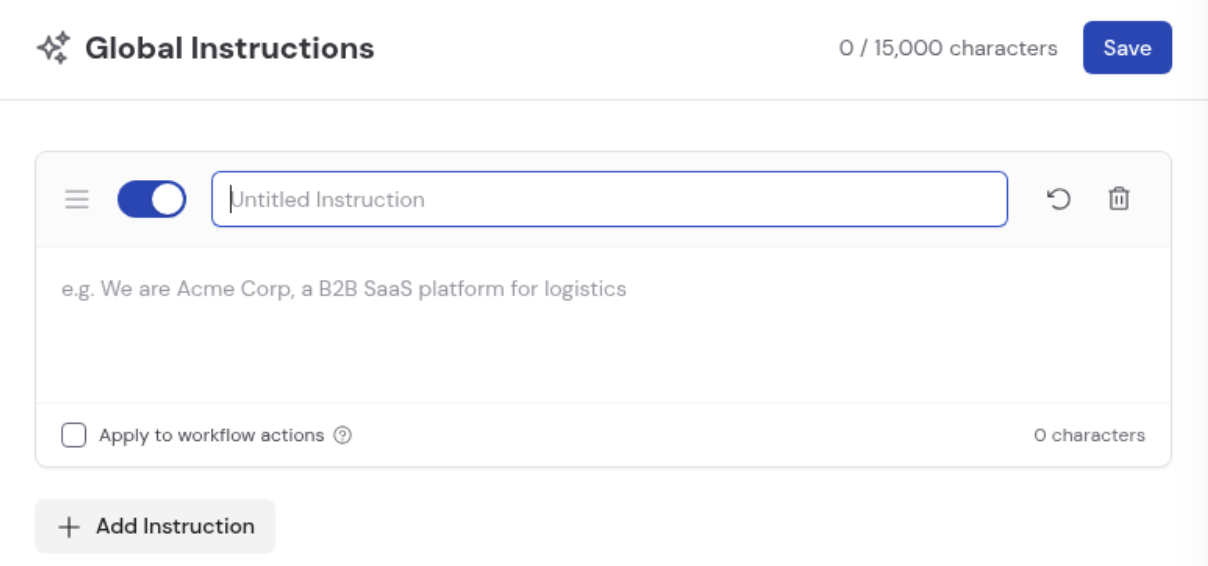
- A title for labeling the instruction (e.g., “Banned Words” or “Company Description”).
- A text body for the instruction content.
- A toggle to enable or disable the instruction without deleting it. Disabled instructions are excluded from the active character count.
- A drag handle for reordering instructions.
- A reset button to revert to the last saved state.
- A delete button to permanently remove the instruction.
4
Configure Workflow applicability (optional)
Check Apply to workflow actions on any instruction to extend it to all Generate and Generate with Agent actions across your Workflows. This is off by default because it can significantly influence behavior in existing automations.
5
Add more instructions and save
Click + Add Instruction to create additional cards. The total character counter at the top tracks usage across all active instructions, up to a maximum of 15,000 characters.Click Save in the top-right corner to apply all changes.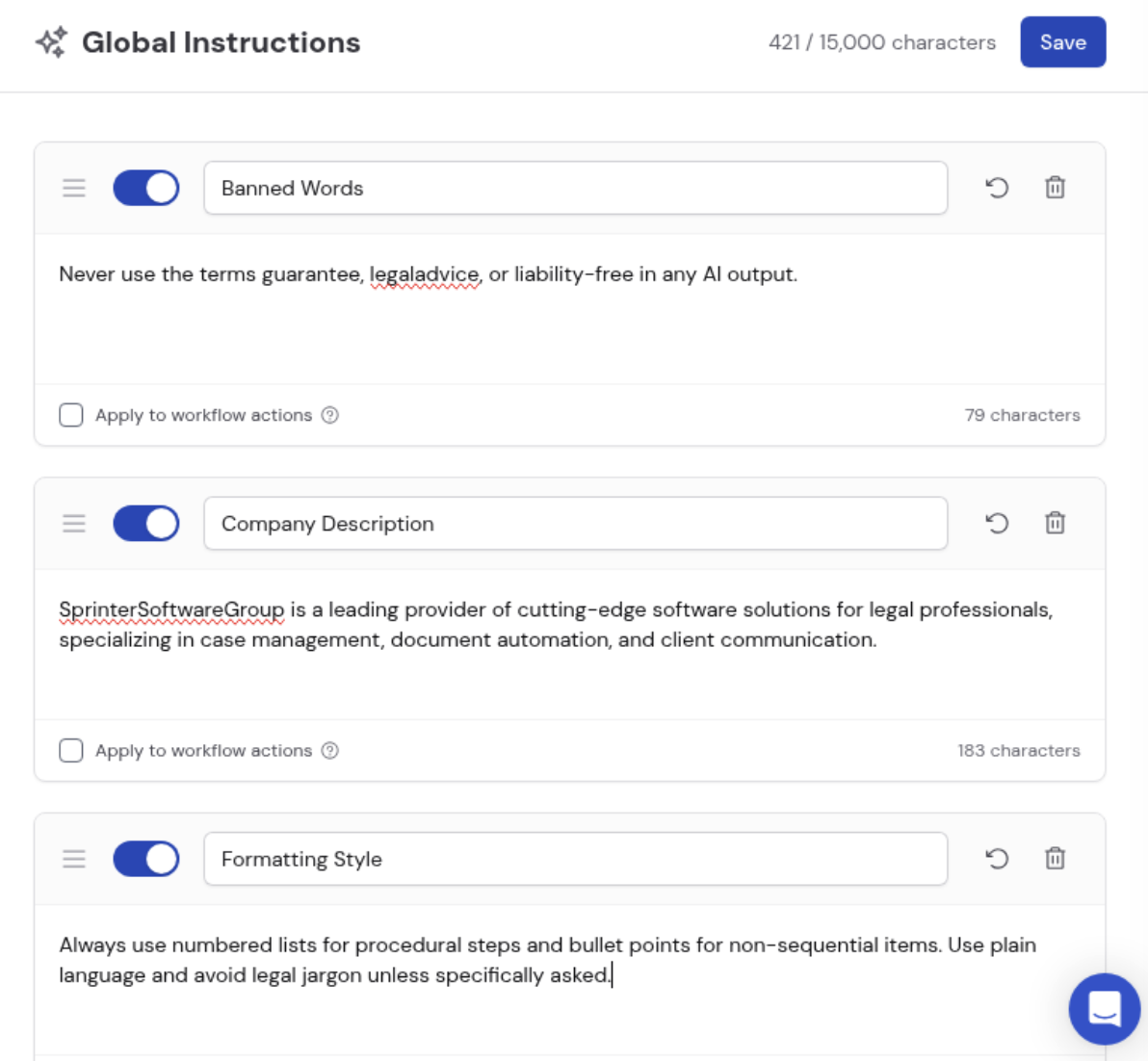
Examples
Here are common ways to use global instructions:Global instructions apply to every Agent by default, but they are not
included in Workflow actions unless you explicitly opt in per instruction via
the Apply to workflow actions checkbox.
Related
Build and configure an Agent
Write Agent-specific instructions and configure individual behavior.
Prompt engineering guide
Write more effective instructions for better AI outputs.