

1
Add the action
In the Workflow builder, click + between blocks and select Search Knowledge Base from the action library.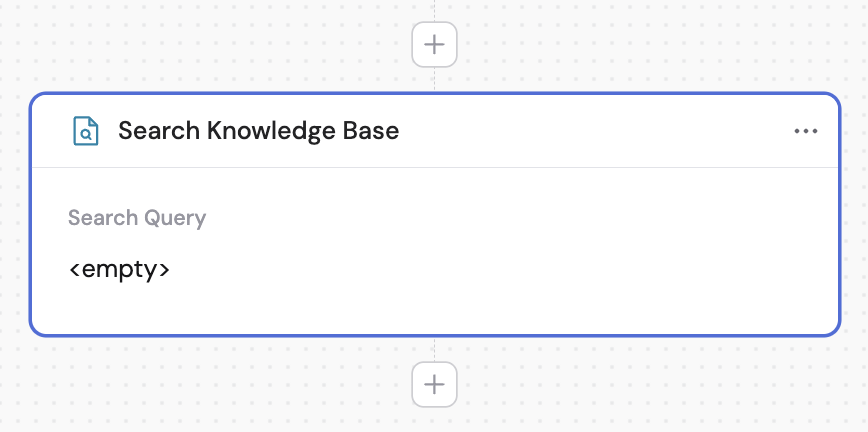
2
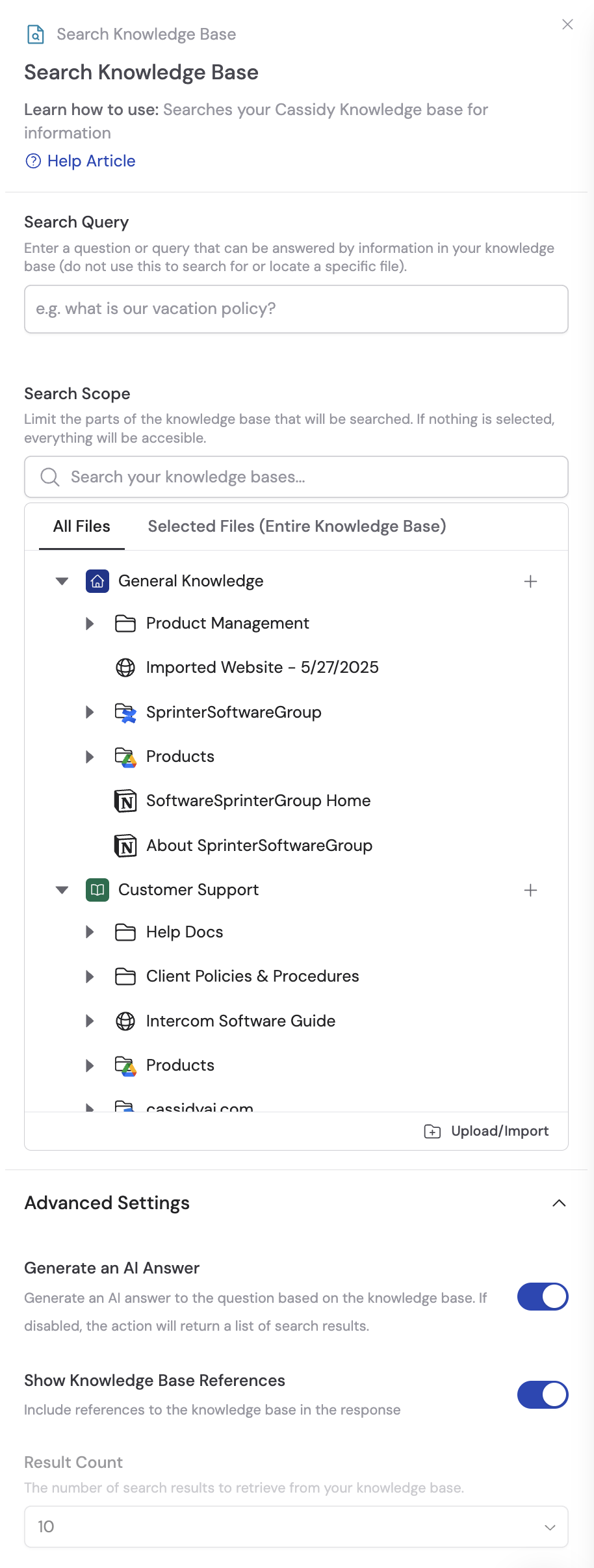
Enter the search query
In the Search Query field, enter a question or search term. Reference variables from previous steps or the trigger using # to make the query dynamic.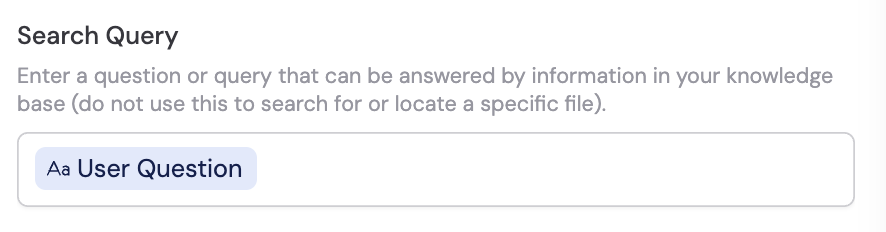
3
Configure advanced settings
Expand the advanced settings section to access additional options:


- Generate an AI answer — When on, returns an AI-generated answer using Knowledge Base context. When off, returns a list of summarized search results instead.
- Show Knowledge Base References — Controls whether source references appear in the output.
- Result Count — Select how many search results to retrieve (only applies when Generate an AI answer is off).
4
Select the search scope
Choose which parts of your Knowledge Base to search. If no scope is selected, the search includes all available content.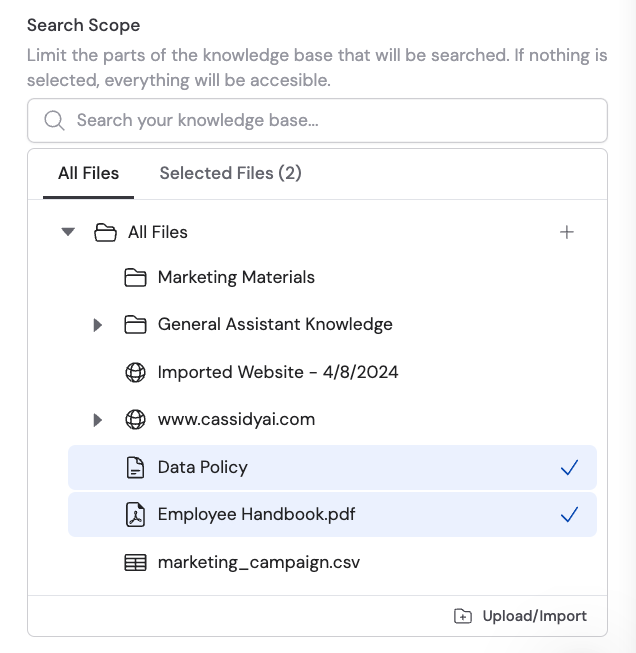
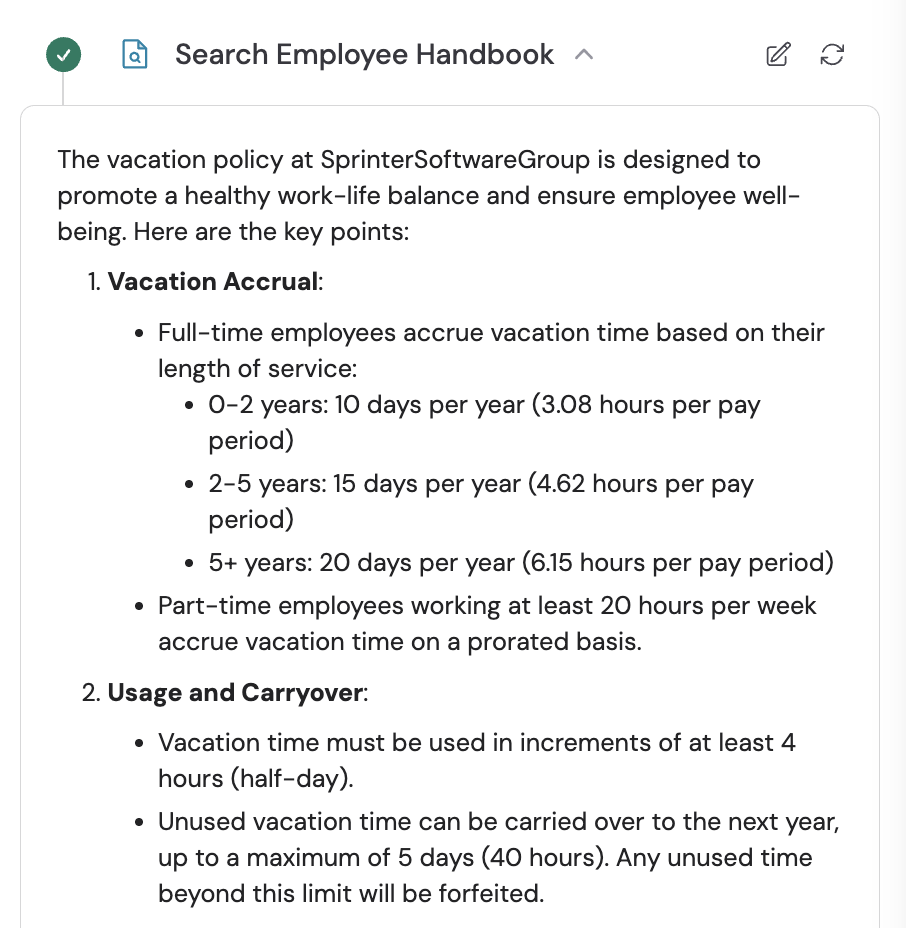
Output with Generate an AI answer on
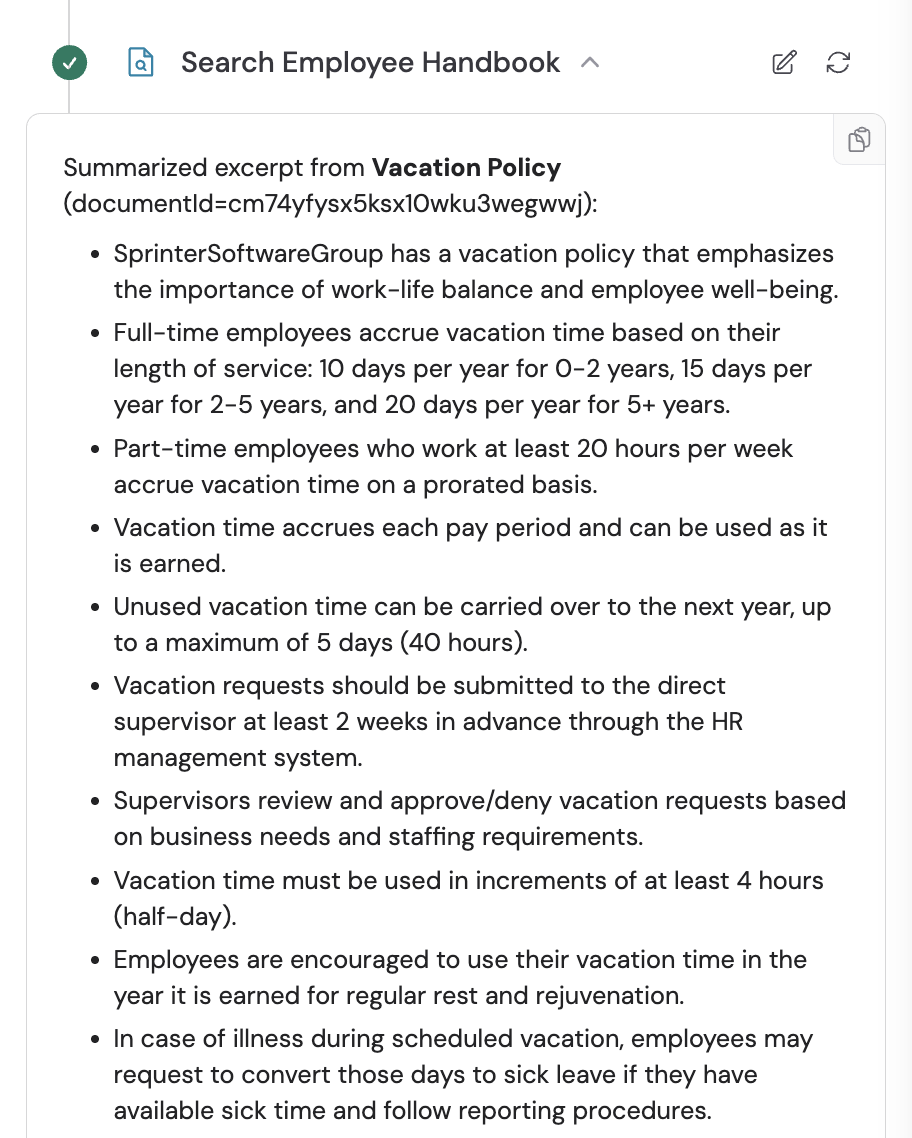
Output with Generate an AI answer off