

1
Add the action
In the Workflow builder, click + between blocks and select Get Knowledge Base File from the action library.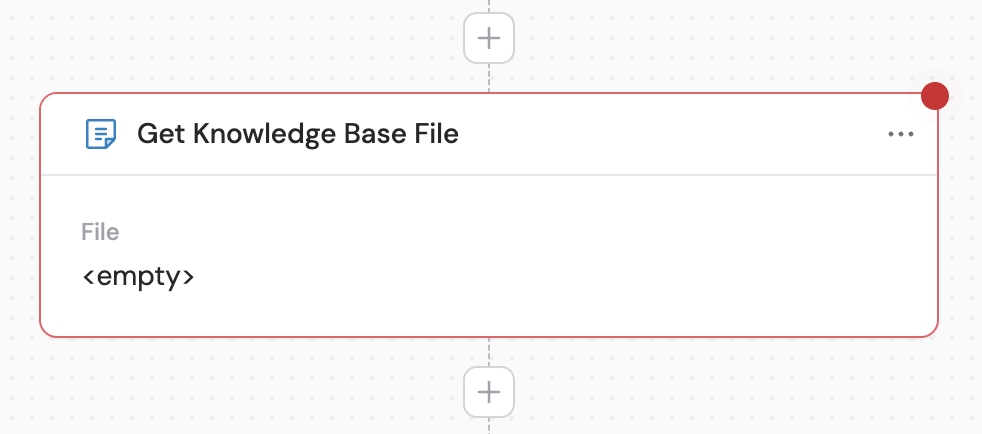
2
Select the file
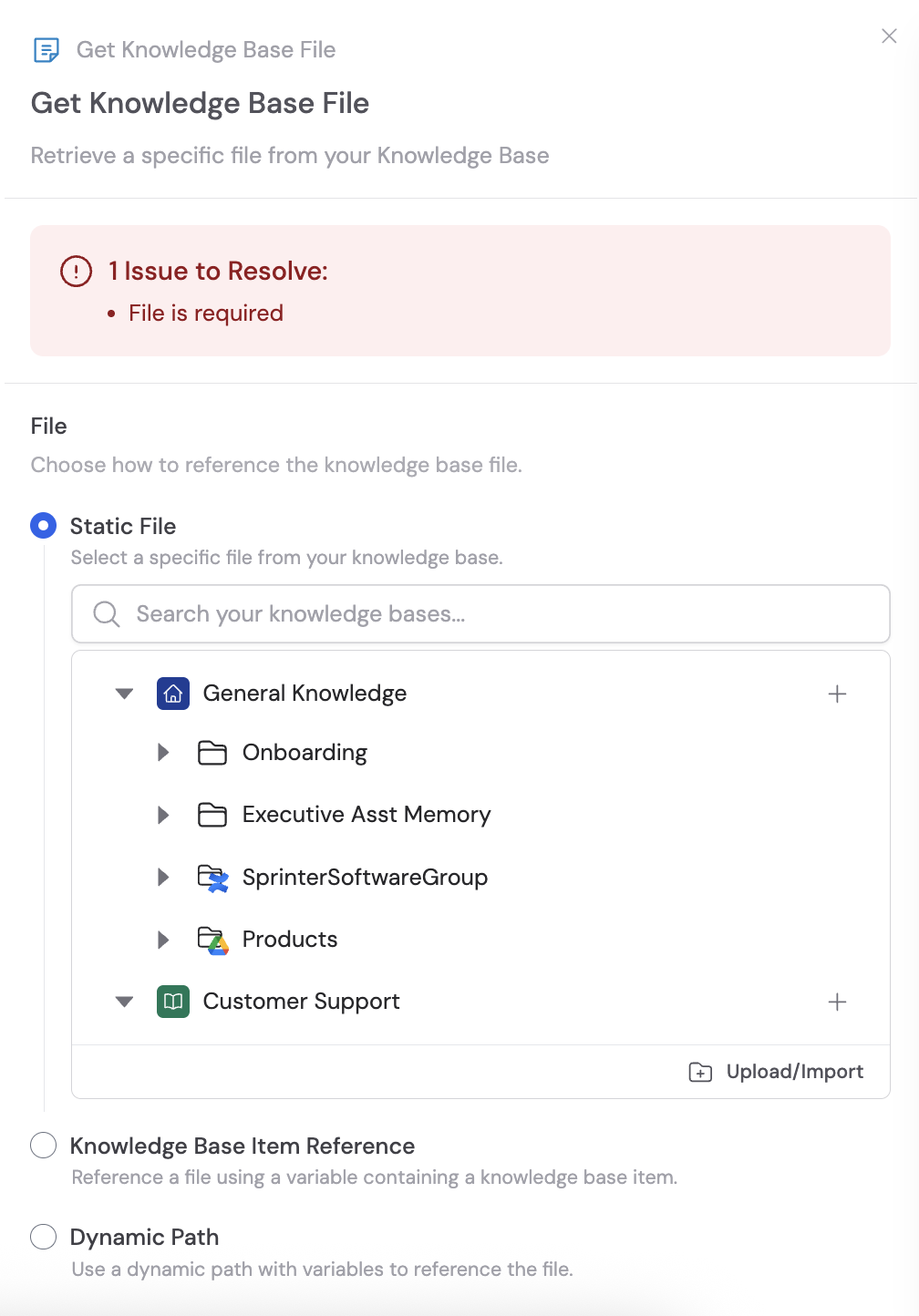
Choose how to reference the Knowledge Base file using one of three options: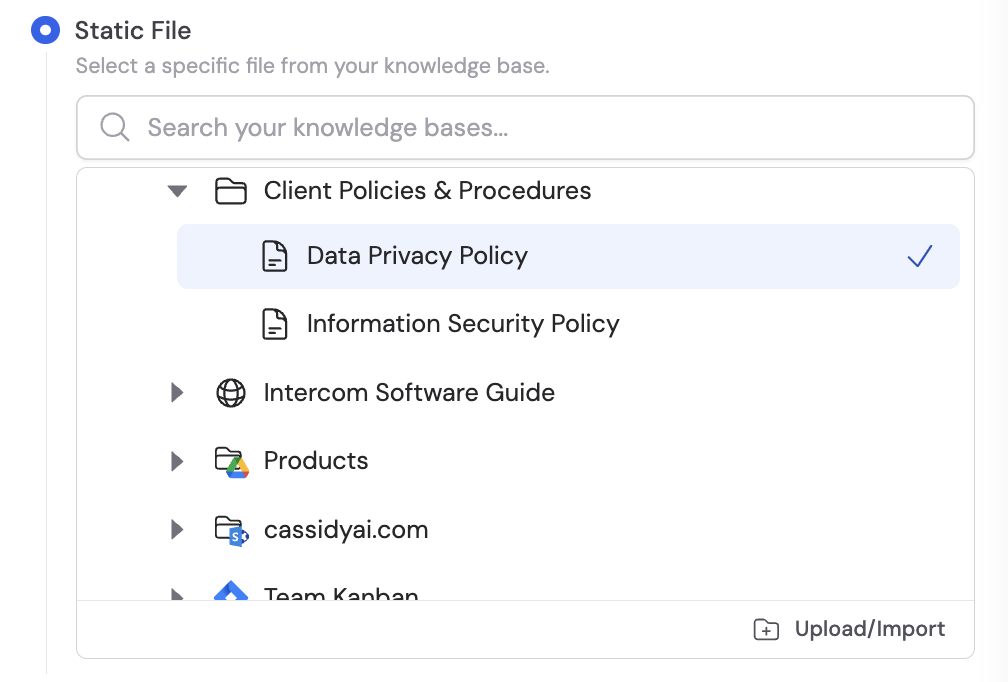

- Static file — Select a specific file directly from your Knowledge Base. Best when you always need the same document, such as a company policy or standard template.
- Knowledge Base Item Reference — Use a variable that references a Knowledge Base item. Useful when looping through a folder and processing each file individually.
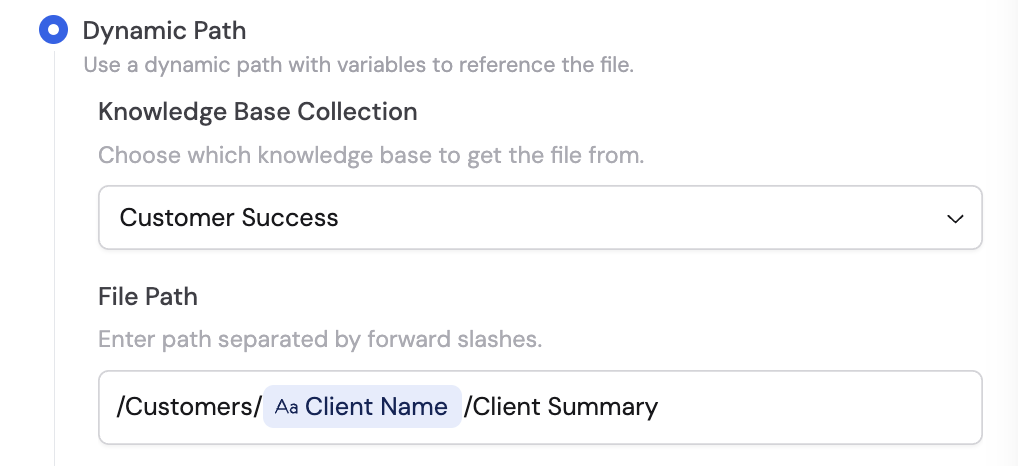
- Dynamic Path — Specify a file path using variables or naming conventions. Select the Knowledge Base Collection where the document is located, then enter the Document Path separated by forward slashes. Useful for grabbing files based on dynamic inputs like client names or date-based reports.
3
Use the file data in subsequent steps
Once configured, the following variables are available in later Workflow steps: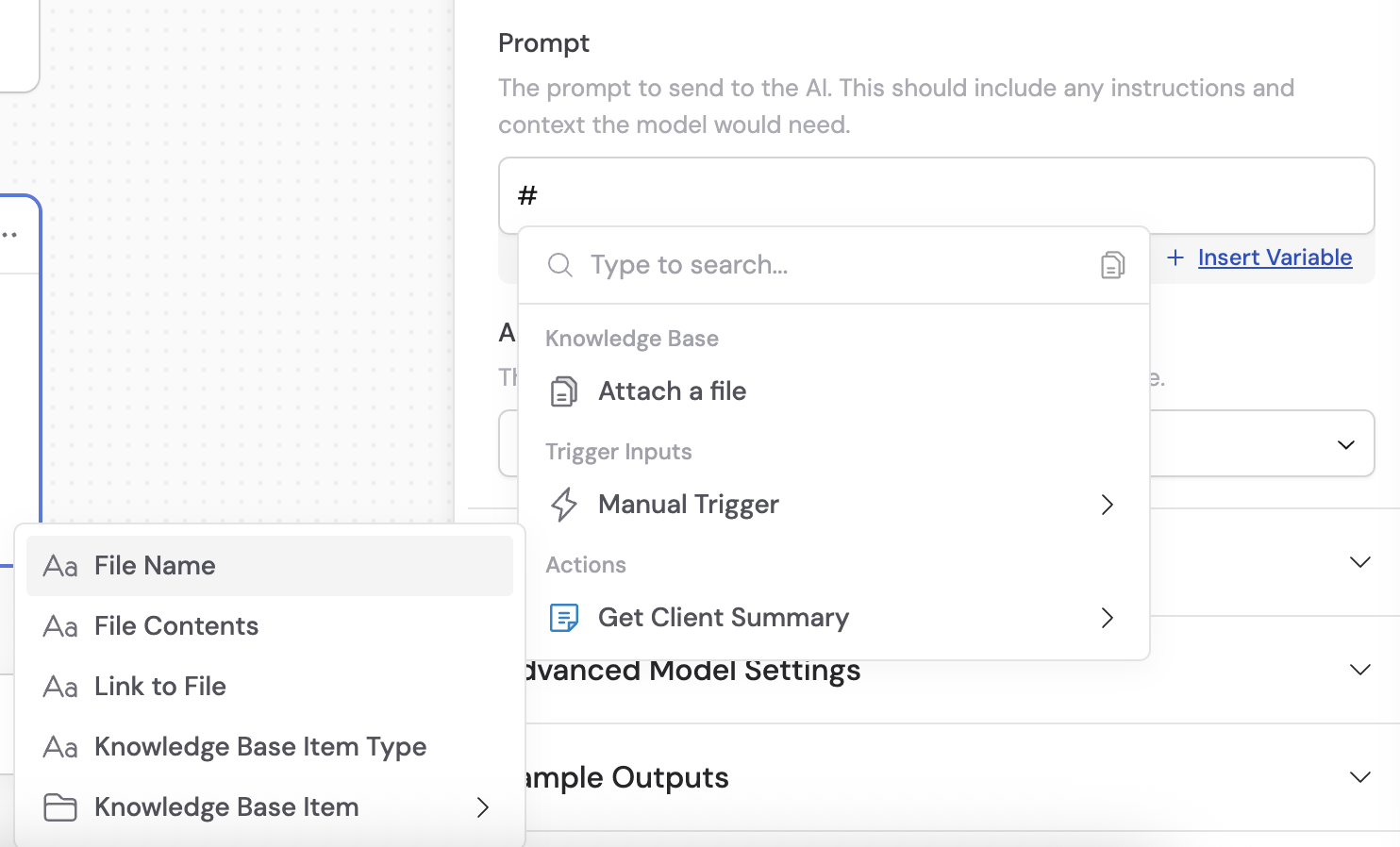
- File Name — The name of the retrieved file
- File Contents — The full text content of the file
- Link to File — A direct link to the file in the Knowledge Base
- Knowledge Base Item Type — The type of item (e.g., “Document”)
- Knowledge Base Item — A comprehensive object including ID, Name, Item Type, and Item Contents