

What does this mean?
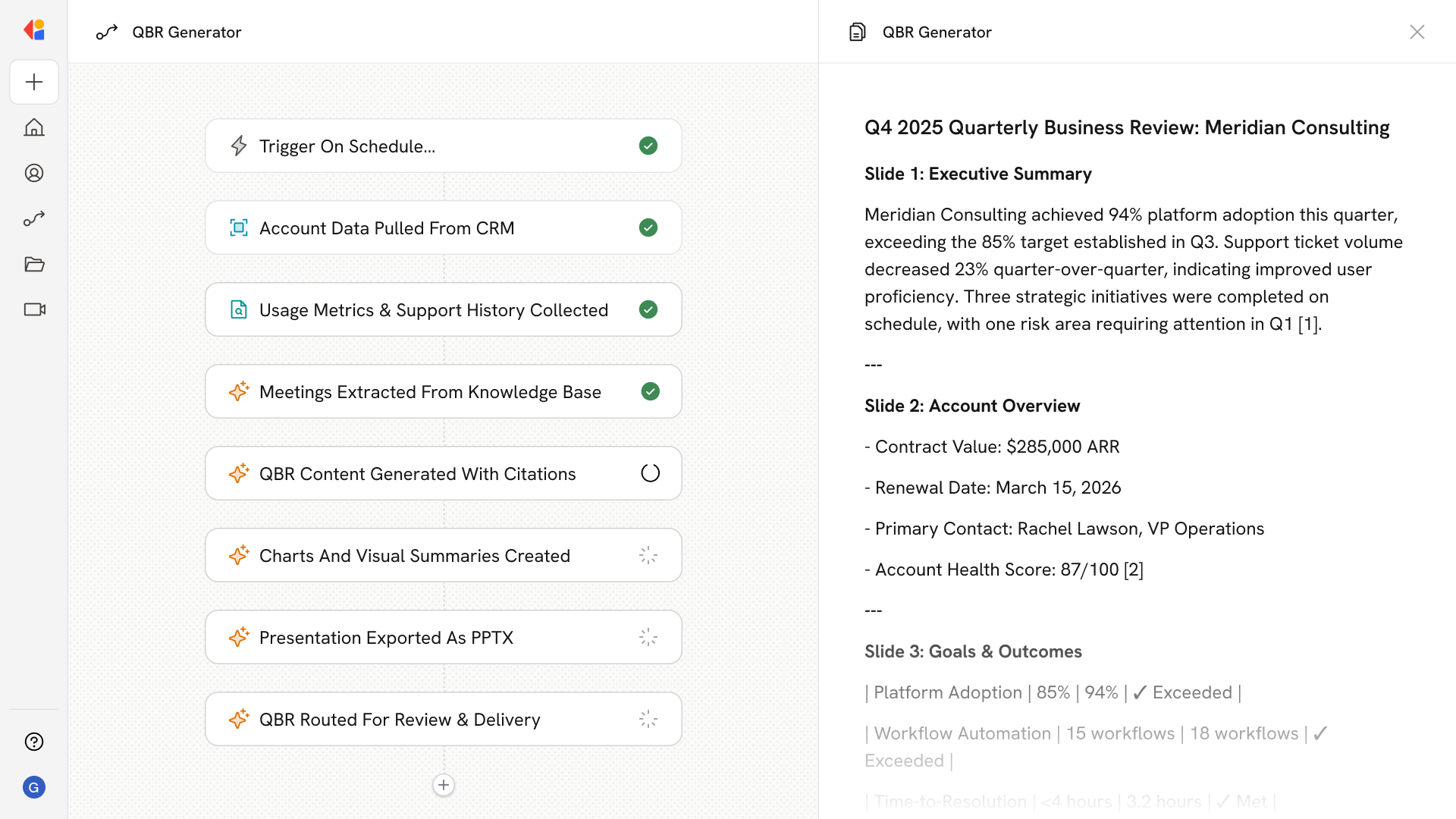
Removes the manual busywork from preparing business reviews so customer teams can deliver consistent, insight-rich presentations at scale, surface expansion opportunities, and proactively guide account plans. Collects product usage, support history, goals, and insights from meetings and CRM notes, then creates ready-to-deliver QBR decks and reports with highlights, risks, outcomes, recommendations, and next-quarter goals—including clear charts and cited evidence.Workflow steps
1
Trigger on schedule or manual request
The Workflow activates on a set schedule (e.g., monthly or quarterly) or when a team member manually triggers it for a specific account—ensuring QBRs are always prepared on time.
2
Pull account data from CRM
Cassidy connects to your CRM to gather account details, customer goals, contract information, and historical notes—building the foundation for a complete business review.
3
Collect product usage and support history
The Workflow pulls product usage metrics and support ticket history from connected systems, surfacing adoption trends, recurring issues, and resolution patterns.
4
Extract insights from meeting notes
Using your Knowledge Base, Cassidy reviews recent meeting transcripts and call notes to identify key themes, customer feedback, and commitments made throughout the quarter.
5
Generate QBR content
Cassidy synthesizes all collected data to generate highlights, risks, outcomes achieved, strategic recommendations, and next-quarter goals—complete with cited evidence from your sources.
6
Build charts and visual summaries
The Workflow formats key metrics into clear charts and visual summaries, making it easy for stakeholders to grasp performance at a glance.
7
Export as a presentation or document
Cassidy compiles everything into a ready-to-deliver QBR deck or report, exported as a Microsoft Word document or presentation format of your choice.
8
Route for review and delivery
The completed QBR is sent to the account team for final review via Human-in-the-Loop approval, giving them a polished, insight-rich presentation ready to share with the customer.
Related
Build and configure an Agent
Create a custom Agent with tailored instructions and Knowledge Base access.
Set up your Knowledge Base
Add your company documents so Agents can reference them.