

What does this mean?
Reduces administrative overhead and accelerates response times, improving efficiency and ensuring policy adherence throughout the access management process. Automates the intake, approval, and status tracking of IT access requests, using policy-aware responses to ensure compliance and streamline processing.Workflow steps
1
Trigger on new access request
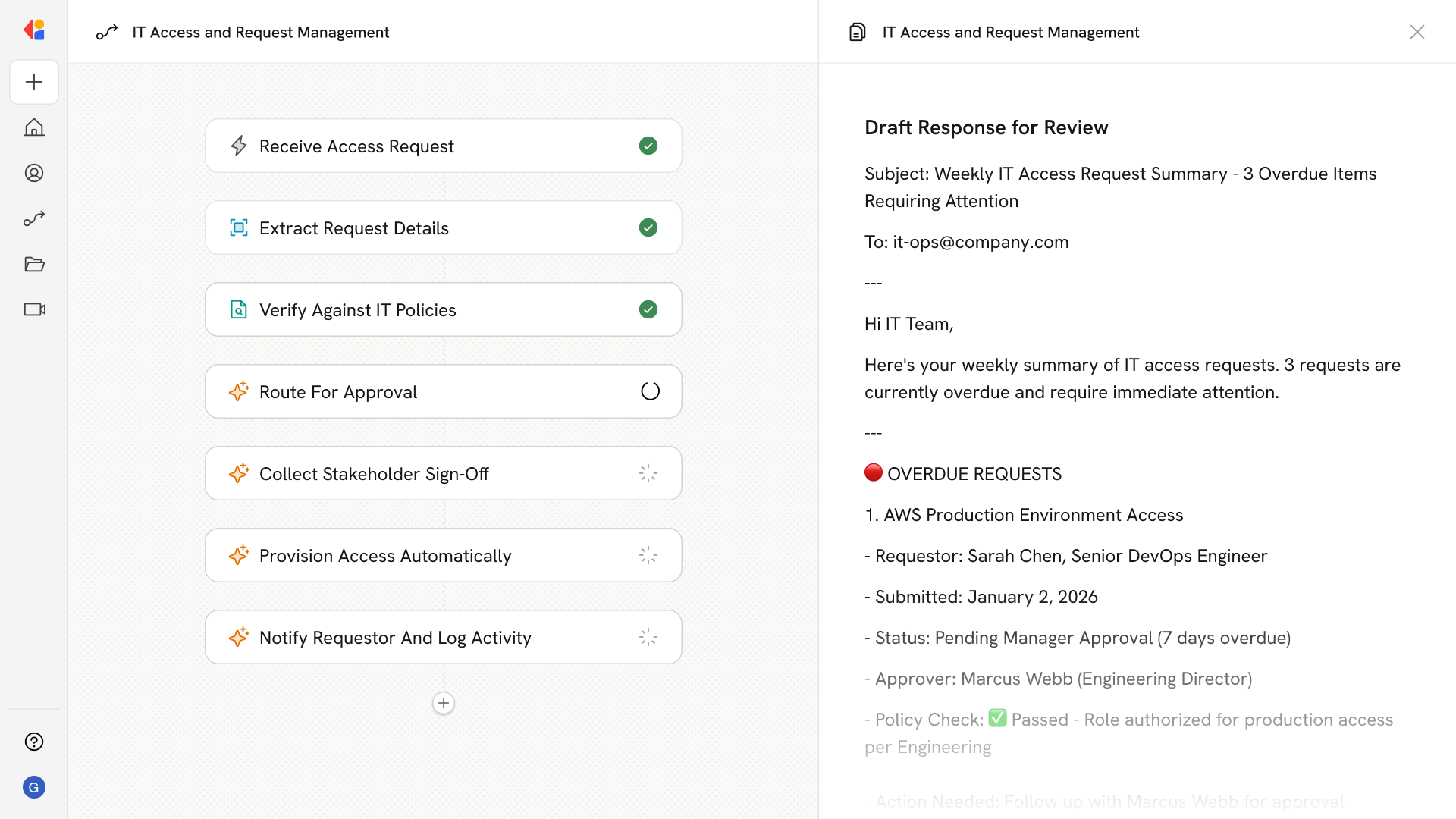
The Workflow activates when an IT access request is submitted—whether via Slack, Microsoft Teams, or a form submission.
2
Parse and categorize the request
Cassidy extracts key details from the request, including the type of access needed, the requestor’s role, and the systems involved, then categorizes it for proper routing.
3
Check against IT policies
The Workflow references your Knowledge Base to verify the request against security policies, compliance requirements, and role-based access rules.
4
Route based on approval requirements
Cassidy determines the next step: straightforward requests that meet policy criteria proceed automatically, while those requiring manager sign-off or additional review are flagged for approval.
5
Request approval from the right stakeholder
For requests needing human review, the Workflow sends the request details to the appropriate approver—complete with policy context and a recommendation—using Human-in-the-Loop approval.
6
Process and provision access
Once approved, Cassidy connects to your identity management or ticketing system to grant the requested access automatically.
7
Notify requestor and log activity
The Workflow sends a confirmation to the requestor via Slack or email, and logs the complete request history—including approval chain and timestamps—back to your IT service management system for audit and compliance tracking.
Related
Build and configure an Agent
Create a custom Agent with tailored instructions and Knowledge Base access.
Set up your Knowledge Base
Add your company documents so Agents can reference them.