

What does this mean?
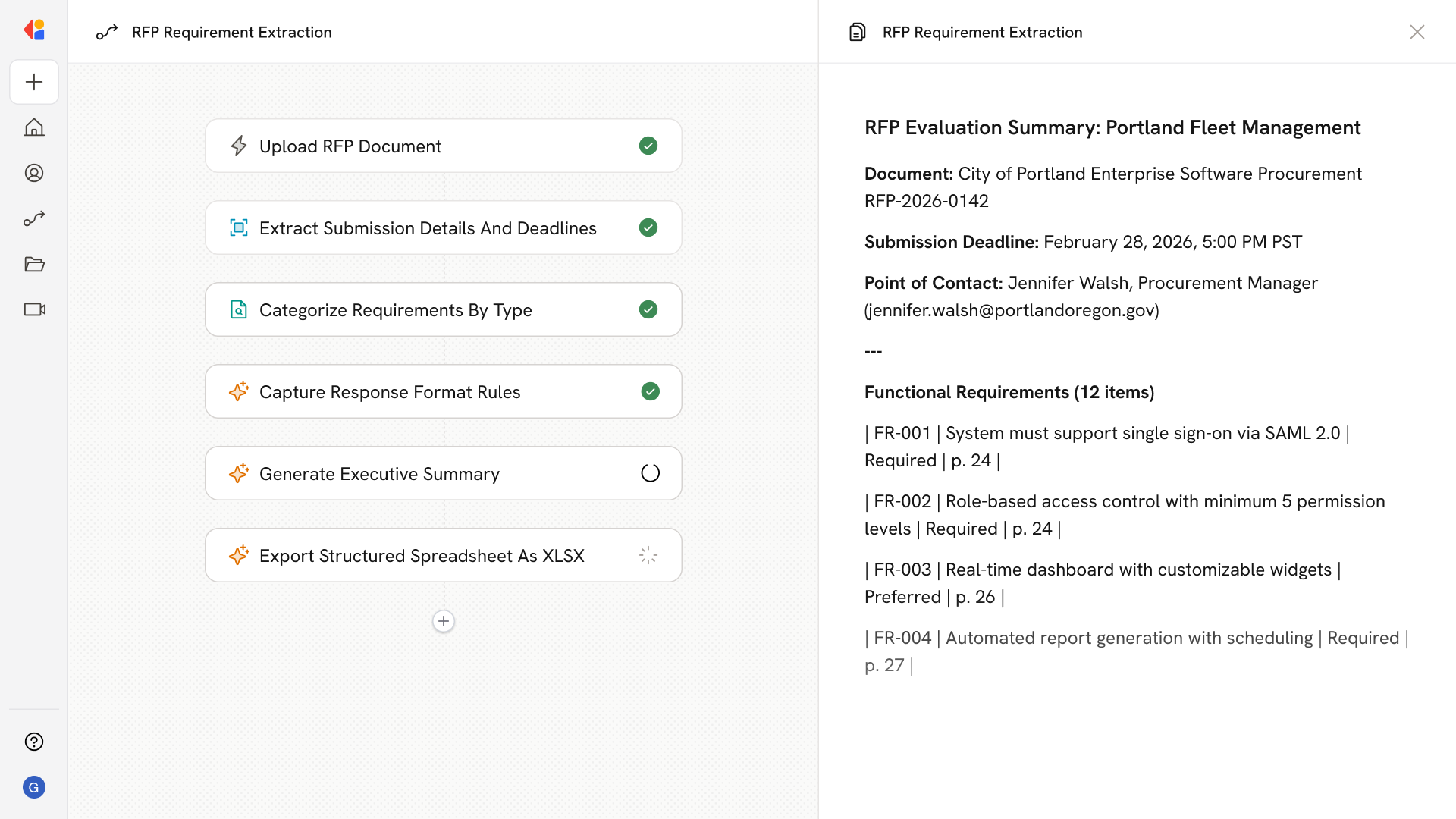
Proposal teams quickly assess fit and plan responses without combing through 100-page documents, accelerating go/no-go, clarifying ownership, and ensuring compliant, on-format submissions. Parses lengthy RFPs to extract the essentials teams care about, including key details (deadlines, submission dates, contacts, delivery method), requirement types (functional, technical, security/compliance, service levels, integrations), response format expectations (questionnaires, matrices, page limits, attachments), and evaluation mechanics (scoring criteria, weighting, must-haves); then compiles a skimmable summary and structured spreadsheet with source references.Workflow steps
1
Upload the RFP document
The Workflow starts when a team member uploads the RFP document—whether it’s a 50-page PDF or a 200-page procurement package—and kicks off the extraction process.
2
Parse and extract key details
Cassidy analyzes the full document to pull out essential logistics: submission deadlines, point-of-contact information, delivery method requirements, and any critical dates the team needs to track.
3
Identify requirement types
The Workflow categorizes requirements across functional, technical, security/compliance, service level, and integration categories—organizing what would otherwise take hours of manual review.
4
Capture response format expectations
Cassidy extracts formatting rules including questionnaire structures, response matrices, page limits, and required attachments so the team knows exactly how to structure their submission.
5
Surface evaluation mechanics
The Workflow identifies how the RFP will be scored—pulling out weighting criteria, must-have requirements, and evaluation factors that help the team prioritize their response strategy.
6
Generate a skimmable summary
Cassidy compiles a concise overview that lets stakeholders quickly assess fit and make go/no-go decisions without reading the entire document.
7
Export structured spreadsheet with source references
The Workflow outputs a formatted spreadsheet organizing all extracted requirements, details, and evaluation criteria—complete with source references back to the original document for verification and response planning.
Related
Build and configure an Agent
Create a custom Agent with tailored instructions and Knowledge Base access.
Set up your Knowledge Base
Add your company documents so Agents can reference them.