

What does this mean?
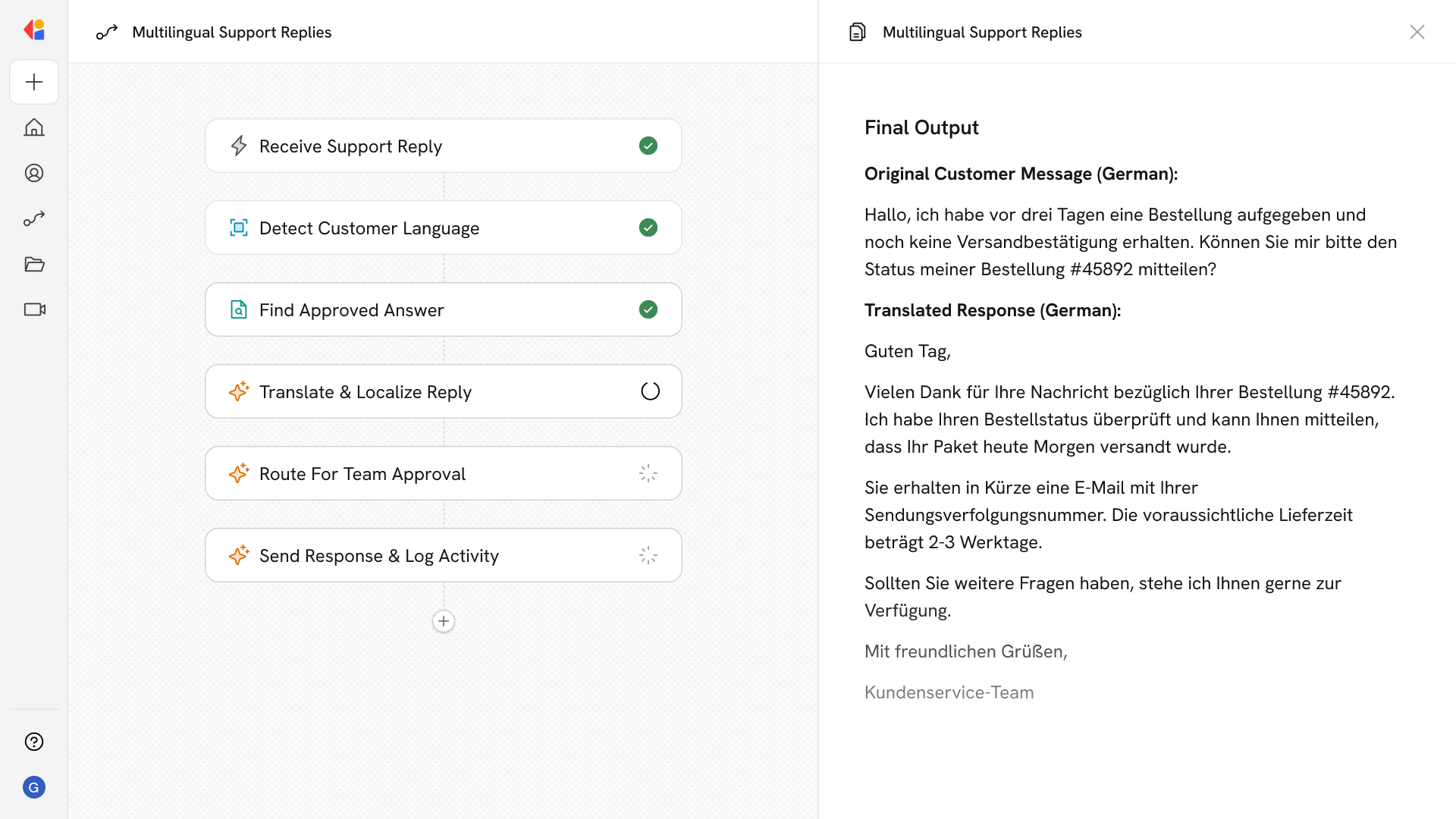
Delivers fast, consistent, native language responses that increase CSAT and self-serve deflection while reducing agent handle time through accurate translation, localization, and tone control. Detects the customer’s language across email, chat, and portals, pulls the approved on brand answer from your Knowledge Base, and translates and localizes the reply to match cultural norms, idioms, and terminology including do’s and don’ts so phrasing is semantically accurate and on brand.Workflow steps
1
Trigger on incoming support request
The Workflow activates when a customer message arrives—whether through a Zendesk ticket, Gmail, Microsoft Outlook, Slack, or another connected support channel.
2
Detect customer language
Cassidy analyzes the incoming message to identify the customer’s language, ensuring the response will be delivered in their native tongue.
3
Pull approved answer from Knowledge Base
The Workflow searches your Knowledge Base to find the accurate, on-brand answer to the customer’s question—grounded in your approved documentation and policies.
4
Translate and localize the reply
The Workflow translates the response into the customer’s language, adapting for cultural norms, regional idioms, and terminology. This includes applying do’s and don’ts so phrasing is semantically accurate and matches your brand voice.
5
Route for human review
The draft reply is sent to a team member for quick approval or editing, keeping a human in the loop before responding to the customer.
6
Send response and log activity
Once approved, the localized reply is sent back through the original channel. The Workflow logs the interaction to your helpdesk or CRM for full visibility and reporting.
Related
Build and configure an Agent
Create a custom Agent with tailored instructions and Knowledge Base access.
Set up your Knowledge Base
Add your company documents so Agents can reference them.