

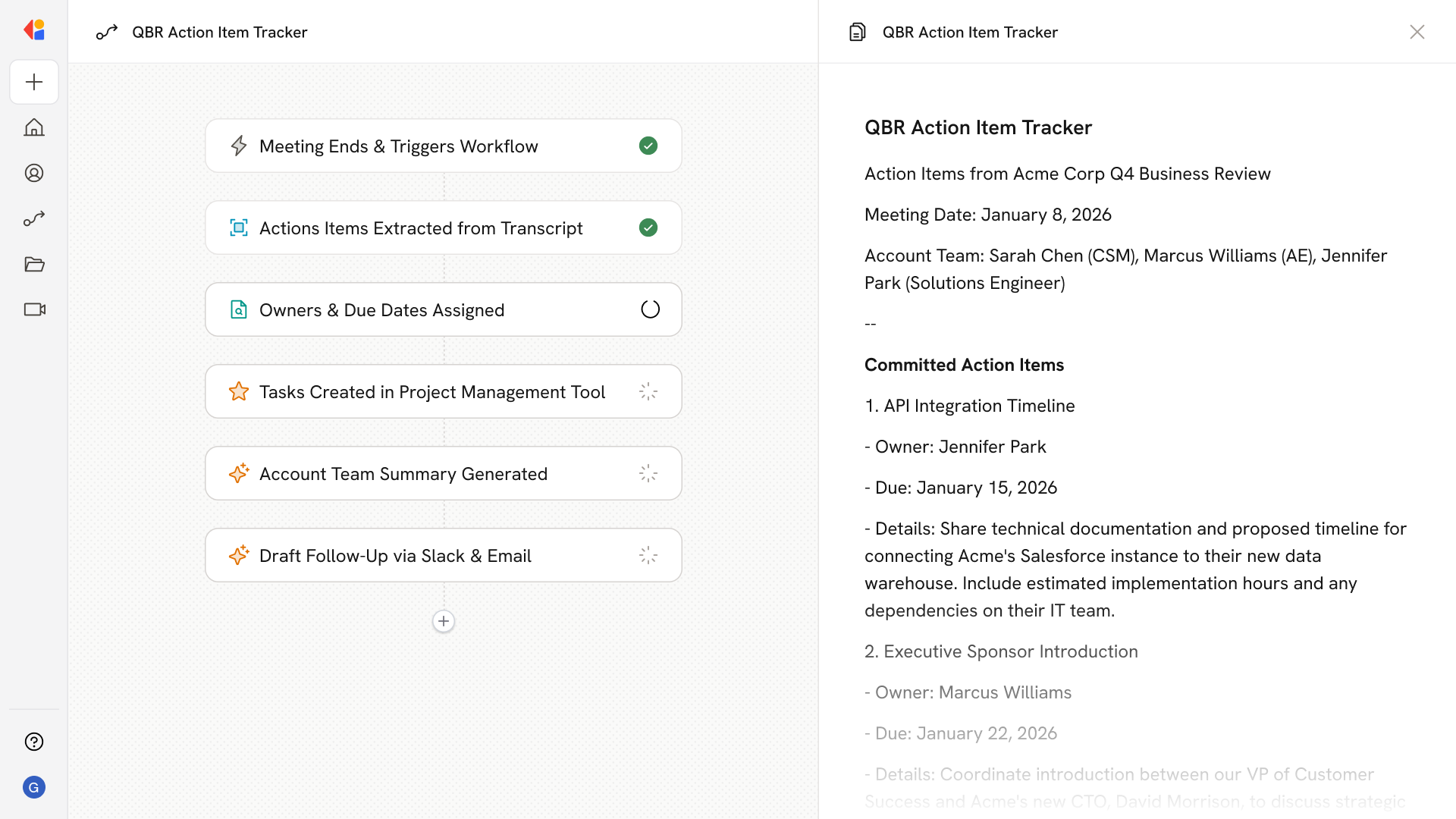
What does this mean?
Ensures seamless task execution and accountability, enhancing cross-departmental collaboration and reducing the risk of missed deadlines. Transcribe and capture cross-functional tasks from meetings, automatically assigning owners and due dates, and integrating them into project management tools and CRMs.Workflow steps
1
Trigger on meeting end
The Workflow activates automatically when an operations call concludes, using the Meeting Ended trigger to capture the full conversation.
2
Transcribe and analyze the meeting
Cassidy transcribes the call and identifies cross-functional tasks, owners, and due dates from the discussion.
3
Structure action items
The Workflow extracts each task into a structured format—including task description, assigned owner, department, and deadline—ready for distribution.
4
Route to project management tools
Cassidy automatically creates tasks in your project management system (like Jira or Asana) with the correct assignees and due dates attached.
5
Update CRM records
Relevant action items are logged to your CRM via integration, linking tasks to the appropriate accounts or contacts for full visibility across teams.
6
Notify stakeholders
The Workflow sends a summary of action items to relevant team members via Slack or email, so everyone knows their responsibilities and deadlines without digging through notes.
Related
Build and configure an Agent
Create a custom Agent with tailored instructions and Knowledge Base access.
Set up your Knowledge Base
Add your company documents so Agents can reference them.