

What does this mean?
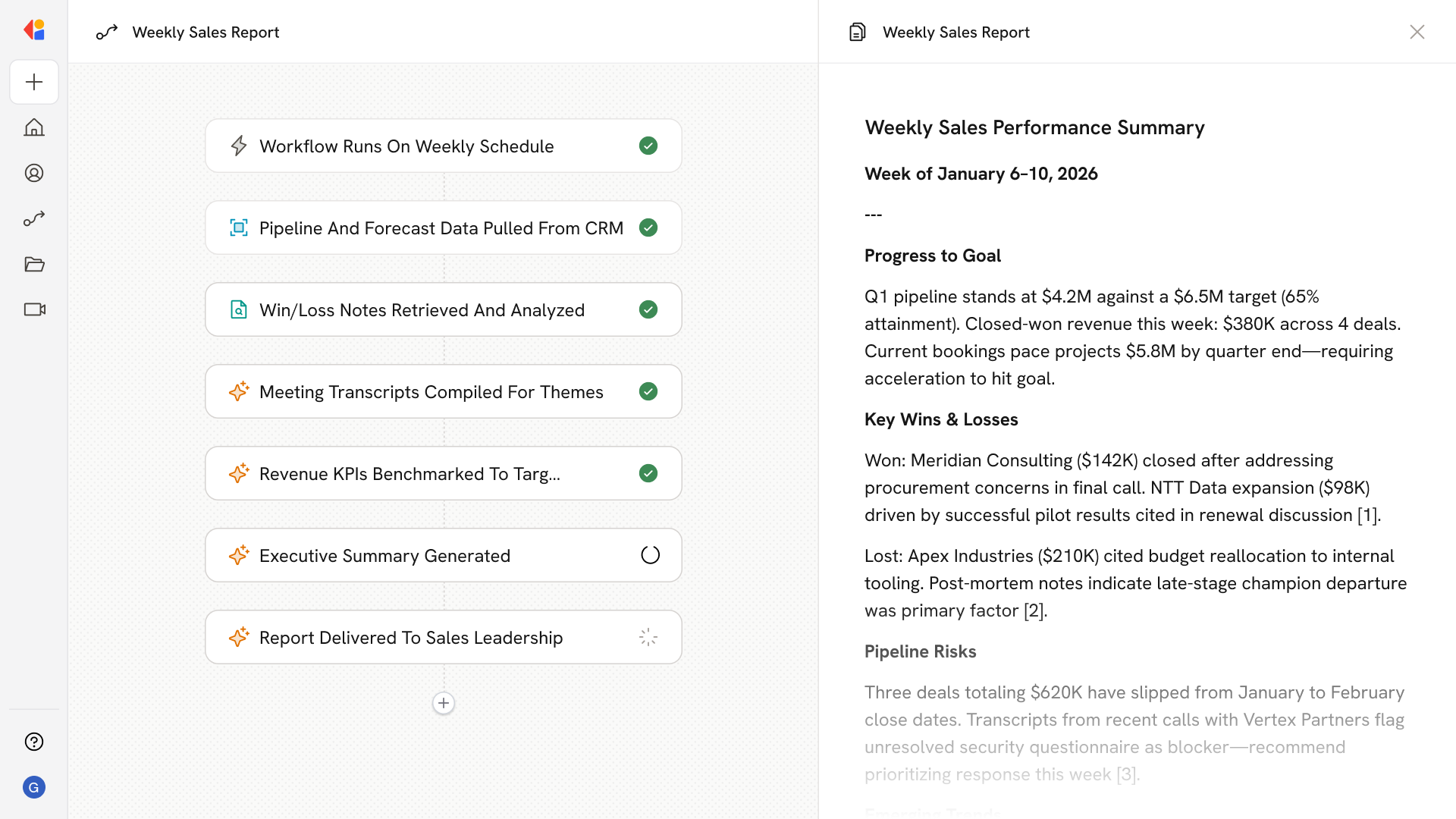
Leaders get a single, trustworthy view to review performance, spot risks early, and make faster coaching and coverage decisions without chasing data. Compiles a weekly summary by pulling CRM pipeline and forecast, closed-won/lost notes, Meetings transcripts, and revenue KPIs, then produces a source-linked report highlighting progress to goal, risks, and key trends for sales leaders.Workflow steps
1
Scheduled weekly trigger
The Workflow runs automatically on a set schedule—typically weekly—so sales leaders receive a consistent, up-to-date summary without lifting a finger.
2
Pull CRM pipeline and forecast data
Cassidy connects to your CRM (Salesforce, HubSpot, or similar) to pull current pipeline status, deal stages, and forecast numbers, capturing where every
opportunity stands.
3
Gather closed-won and closed-lost notes
The Workflow retrieves recent win/loss data along with associated notes, surfacing patterns in what’s driving deals across the finish line—or stalling them out.
4
Compile meeting transcripts
Cassidy pulls relevant call and meeting transcripts, extracting key themes, customer objections, and potential risks flagged during sales conversations.
5
Retrieve revenue KPIs
The Workflow pulls performance metrics—quota attainment, bookings pace, average deal size—from connected systems to benchmark progress against targets.
6
Generate executive summary
Cassidy synthesizes all gathered data into a single, source-linked report highlighting progress to goal, emerging risks, and key trends—grounded in your business context.
7
Deliver report to sales leadership
The finished summary is sent directly to leaders via email, Slack, or Microsoft Teams, giving them a unified view to review performance, spot risks early, and make faster coaching and coverage decisions.
Related
Build and configure an Agent
Create a custom Agent with tailored instructions and Knowledge Base access.
Set up your Knowledge Base
Add your company documents so Agents can reference them.