

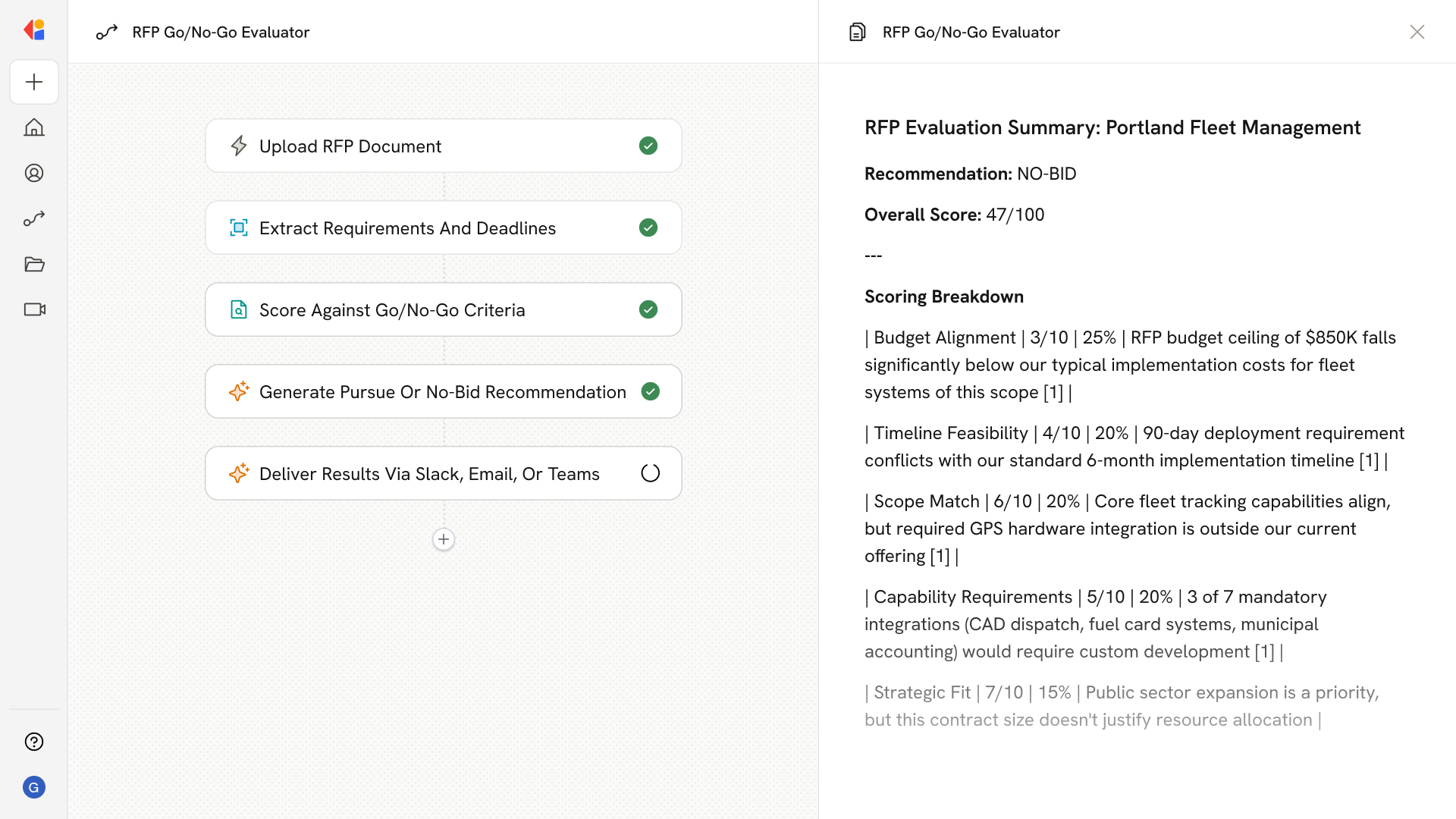
What does this mean?
Teams make faster, consistent bid decisions, focus effort on high‑probability opportunities, and avoid time spent sifting through low‑fit RFPs. Ingests new RFP documents, applies your company’s custom go/no‑go rubric for fit, budget, timeline, scope, and required capabilities, and outputs a pursue/no‑bid recommendation with a scored breakdown and cited reasons—no portal access required.Workflow steps
1
Ingest new RFP document
The Workflow activates when a new RFP document is uploaded or received—whether from Google Drive, SharePoint, or uploaded manually.
2
Extract RFP requirements
Cassidy parses the document to pull out key details: scope of work, budget parameters, timeline expectations, required capabilities, compliance requirements, and submission deadlines.
3
Score against your go/no-go rubric
The Workflow applies your company’s custom evaluation criteria—assessing fit, budget alignment, timeline feasibility, scope match, and capability requirements—and assigns scores to each category.
4
Generate pursue/no-bid recommendation
Based on the scored breakdown, Cassidy produces a clear recommendation with cited reasons pulled directly from the RFP, explaining why the opportunity does or doesn’t meet your thresholds.
5
Deliver results for review
The scored breakdown and recommendation are sent to your team—via email, Slack, or Microsoft Teams—so decision-makers can quickly review and act without needing to access any external portal.
Related
Build and configure an Agent
Create a custom Agent with tailored instructions and Knowledge Base access.
Set up your Knowledge Base
Add your company documents so Agents can reference them.