

What does this mean?
Boosts support efficiency by ensuring quick attention to critical issues, improving customer satisfaction, and facilitating better communication between support and engineering for timely resolutions. Gathers and analyzes bug reports from ticketing systems, prioritizing and escalating them based on severity, impact on customers, and urgency.Workflow steps
1
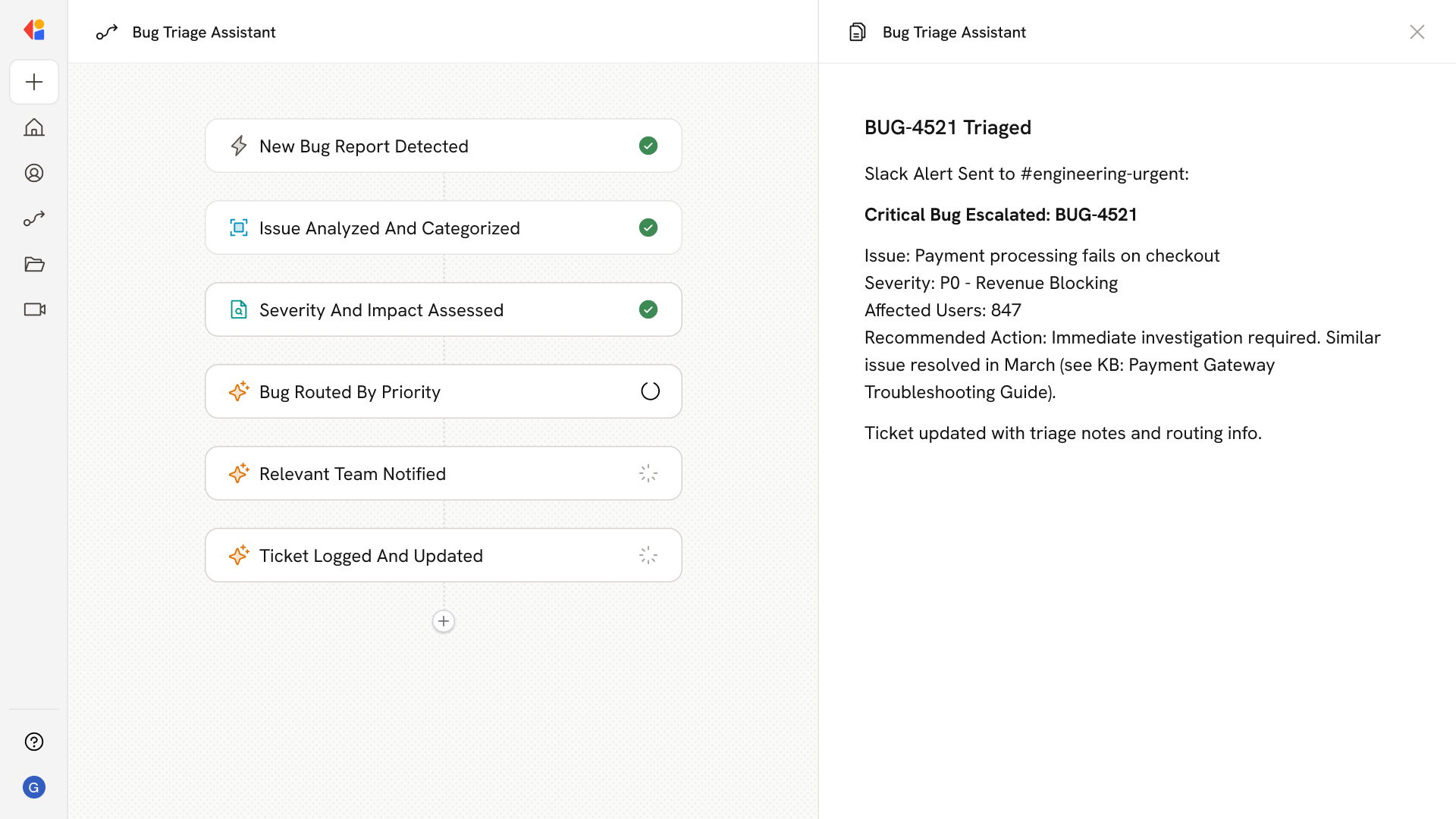
Trigger on new bug report
The Workflow activates automatically when a new bug report is submitted to your ticketing system—whether from Zendesk, Jira, or another connected helpdesk.
2
Analyze and categorize the issue
Cassidy reviews the bug report details, pulling context from your Knowledge Base and systems like Jira to understand product areas, known issues, and historical patterns.
3
Assess severity and impact
The Workflow evaluates the bug’s severity based on factors like customer impact, affected functionality, and urgency—assigning a priority level that aligns with your team’s triage criteria.
4
Route based on priority
The Workflow directs the bug to the appropriate queue: critical issues get escalated immediately to engineering, while lower-priority bugs are organized for standard review.
5
Notify the right team
Cassidy sends an alert to the relevant team via Slack or Microsoft Teams, including a summary of the issue, priority level, and recommended next steps—keeping support and engineering in sync.
6
Log and update the ticket
The Workflow updates the original ticket with triage notes, priority tags, and routing information, ensuring full visibility and a clear audit trail for follow-up.
Related
Build and configure an Agent
Create a custom Agent with tailored instructions and Knowledge Base access.
Set up your Knowledge Base
Add your company documents so Agents can reference them.