

Prerequisites:
- An Agent created in Cassidy
- An API key (or the ability to create one)
1
Navigate to your Agent
Go to Agents and select the Agent you want to deploy via API. Click Edit to open the Agent settings.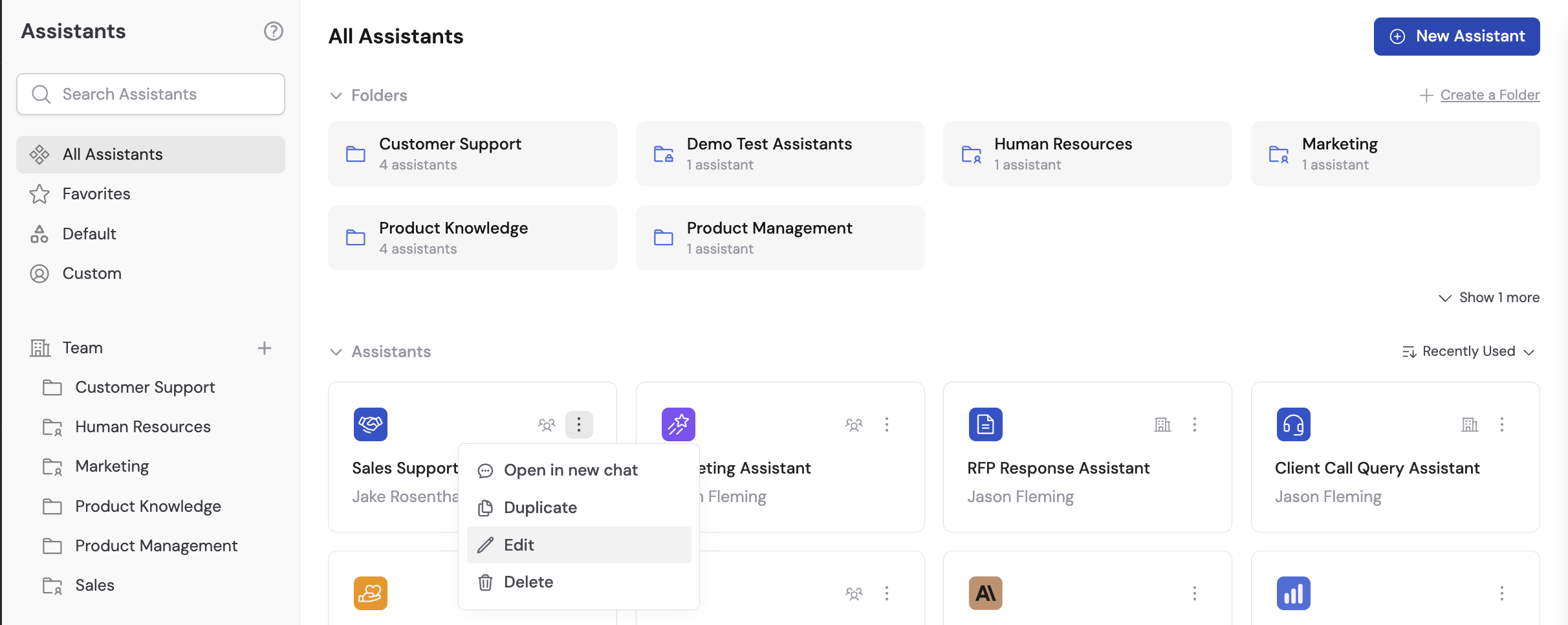
2
Open the Deployments tab
Navigate to the Deployments tab and select Deploy via API.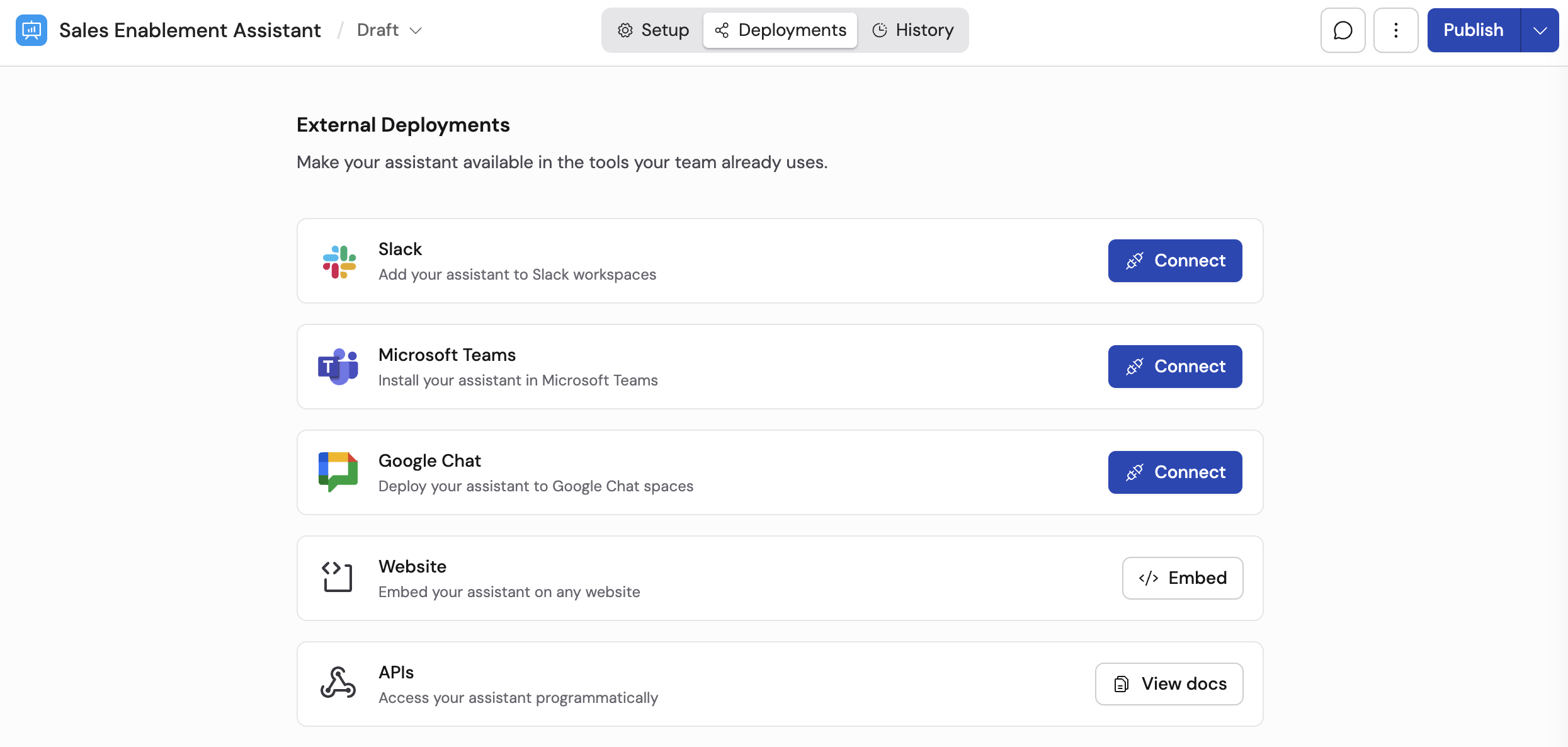
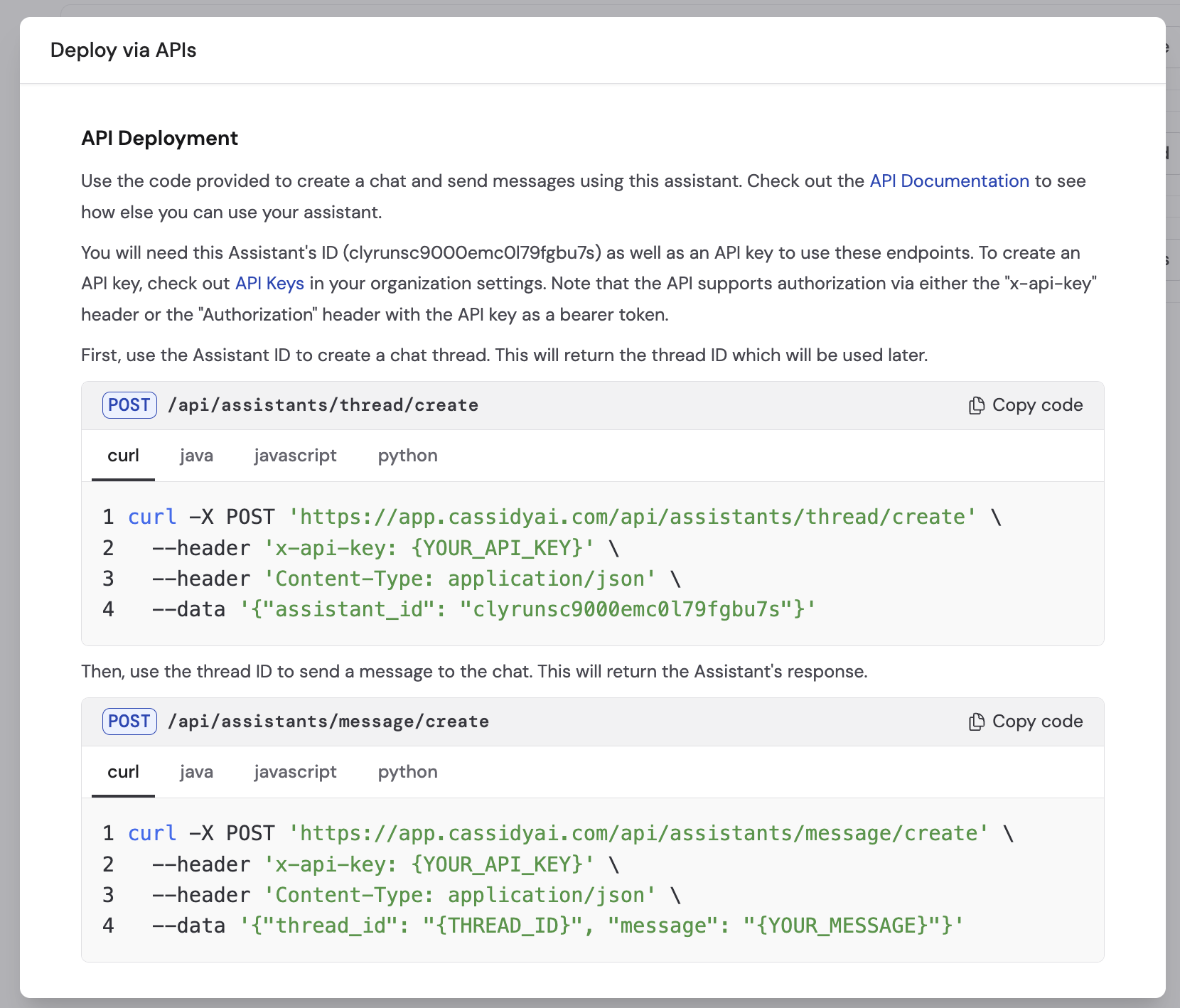
3
Open Organization Settings
Click the API Keys link in the instructions. To navigate manually, open
your account menu and select Organization Settings.
4
Navigate to the API Keys tab
In the Organization Settings window, go to the API Keys tab.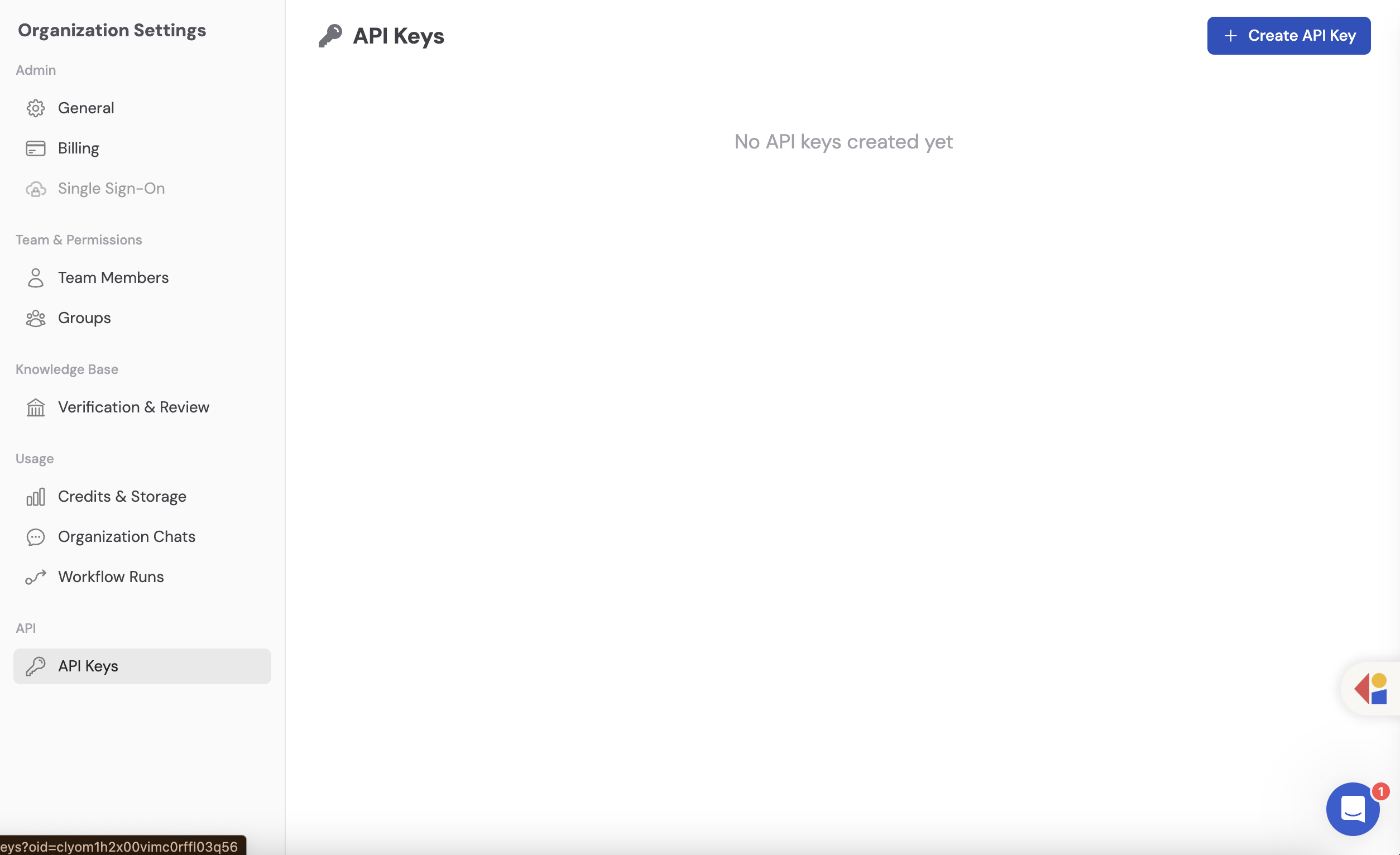
5
Create an API key
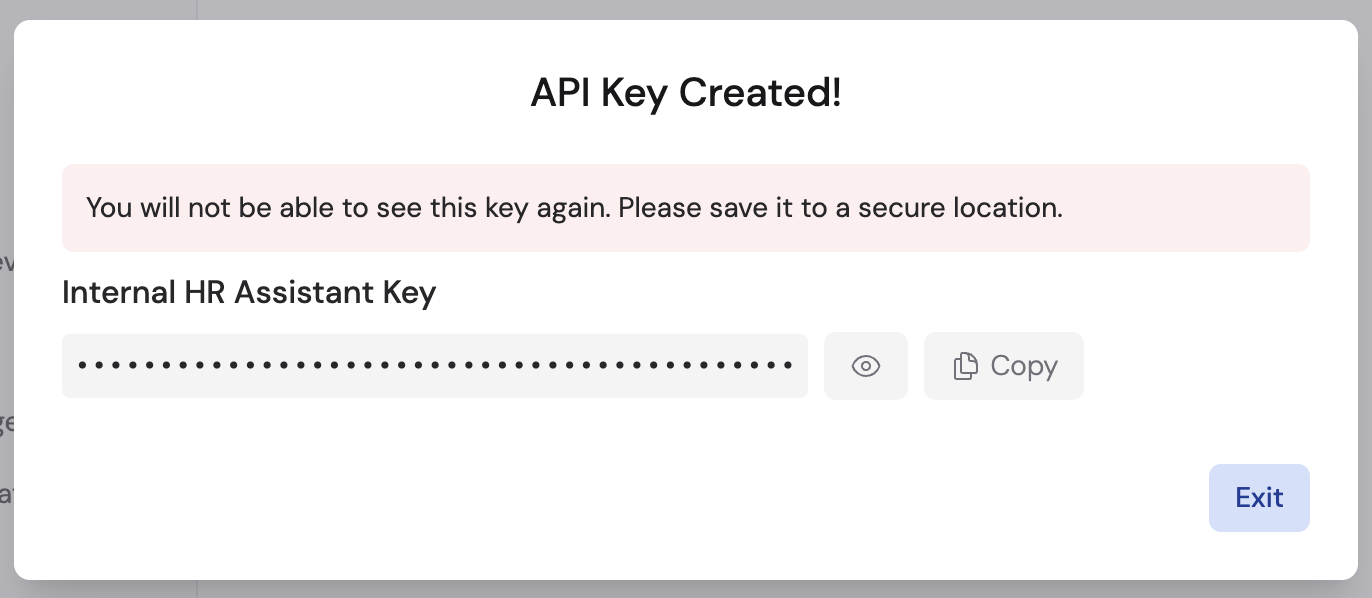
Click + Create API Key, enter a name for the key, and click Save. Click the eye icon to reveal the key, then copy it and save it to a secure location. Click Exit when finished.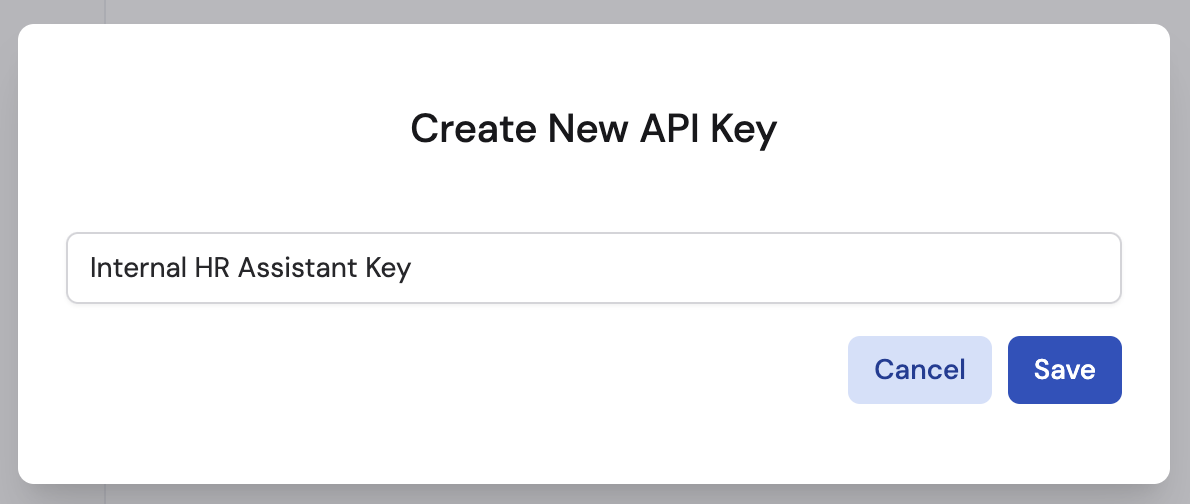
6
Use the sample code
Return to the Deploy via API tab in your Agent’s settings. Follow the sample code provided to create conversation threads and send messages programmatically.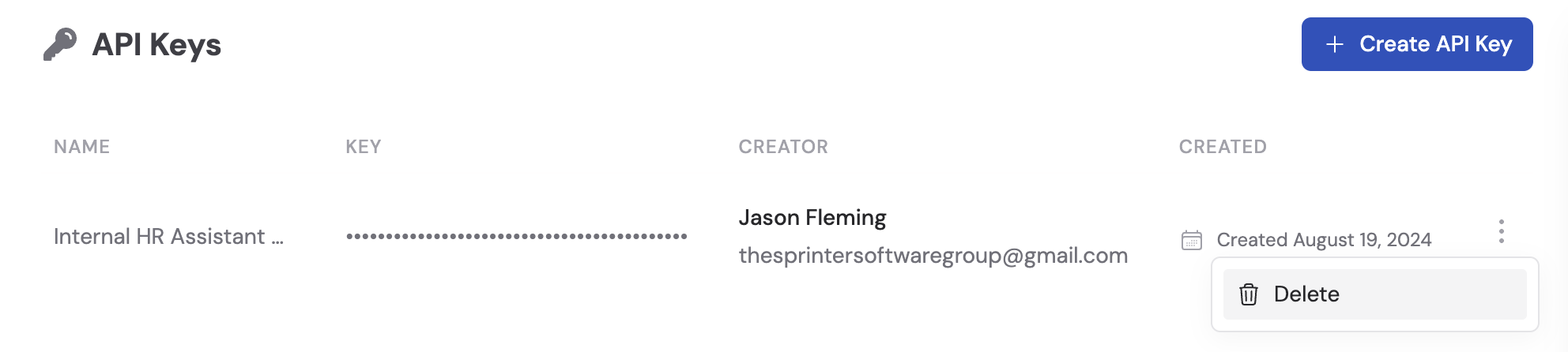
API basics
The Cassidy API uses threads and messages to manage conversations:- Create a thread — start a new conversation with the Agent
- Send a message — add a user message to the thread
- Receive a response — the Agent processes the message and returns a reply
Next steps
Agents overview
Learn more about creating and configuring Agents.
Deploy via email
Deploy your Agent to a dedicated email address.
Deploy via embed
Embed your Agent on a website without writing code.