

Enable Browser Use
1
Select your Agent
Go to Agents, find the Agent you want to configure, click the ⋯ menu, and select Edit.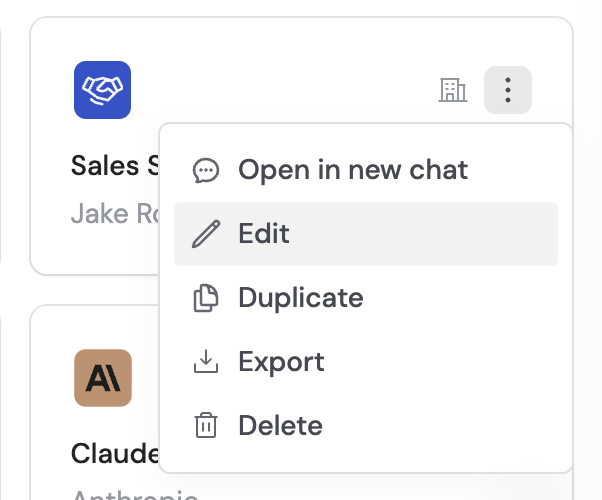
2
Add the capability
In the Setup tab, scroll to Capabilities, click + Add, and select Browser Use.
3
Publish your Agent
Click Publish to make the capability available.
How to use it
1
Start a chat
Open a chat and select an Agent that has Browser Use enabled.
2
Send your request
Type a message that requires interactive web browsing — for example, “Search SAM.gov for active contract opportunities related to cybersecurity.”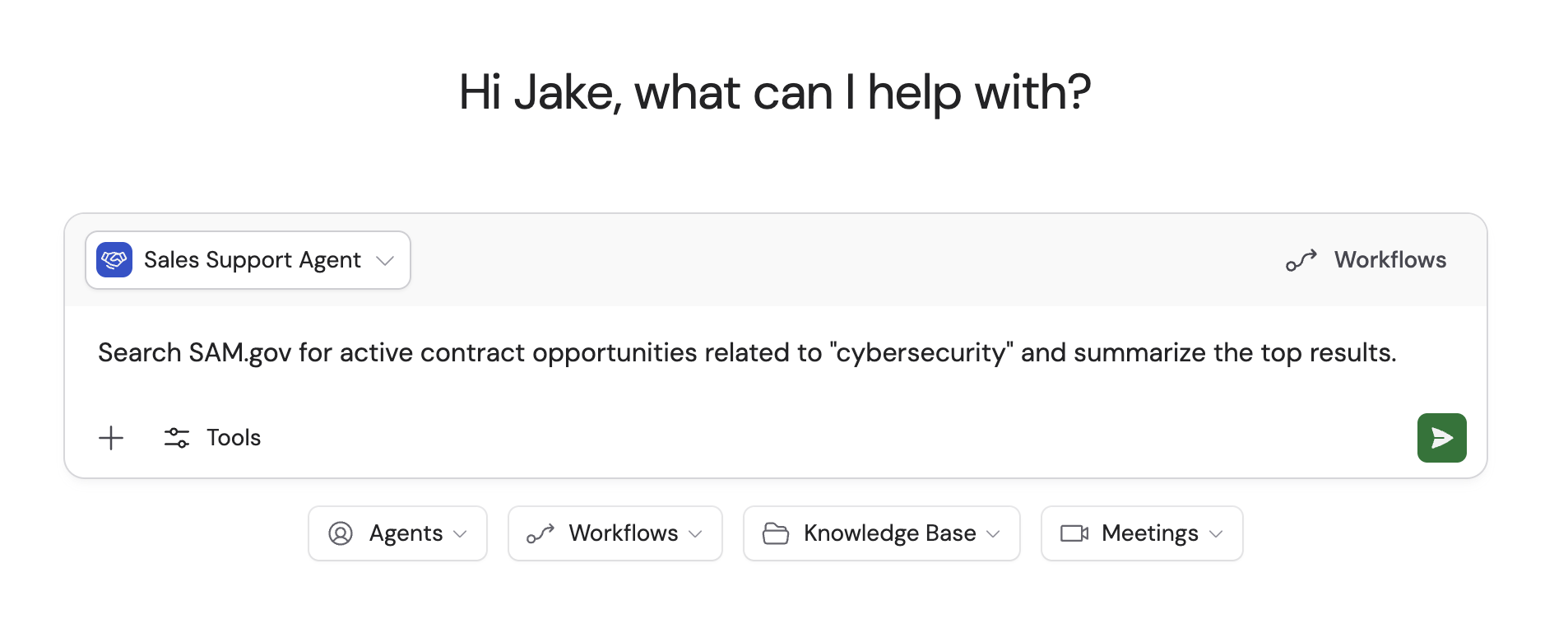
3
Watch the Agent work
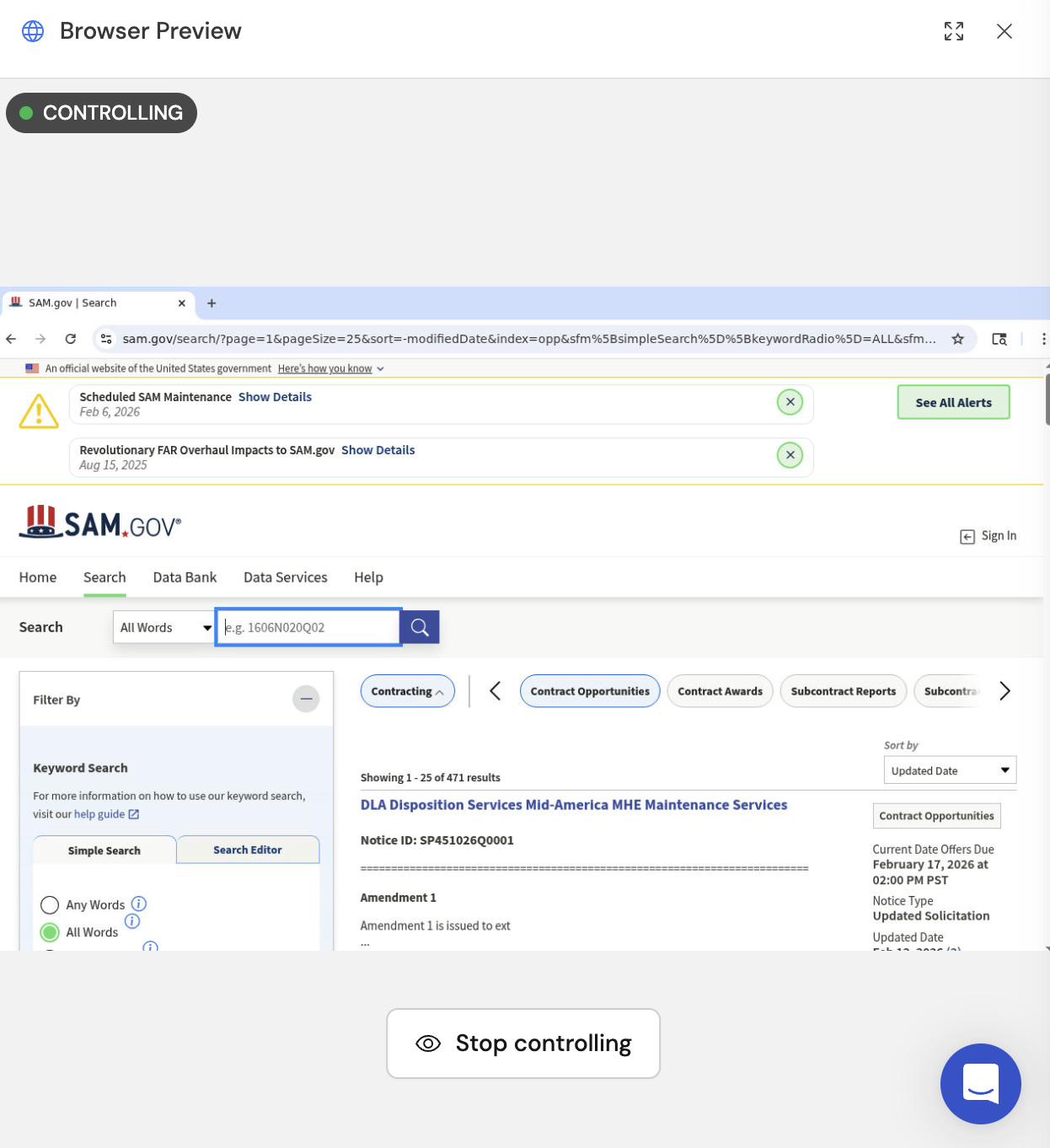
The Agent opens a live browser session and shows real-time status updates as it navigates, clicks, and extracts data. Click the status dropdown to expand the list of steps, then click the latest step to open a side-by-side browser preview.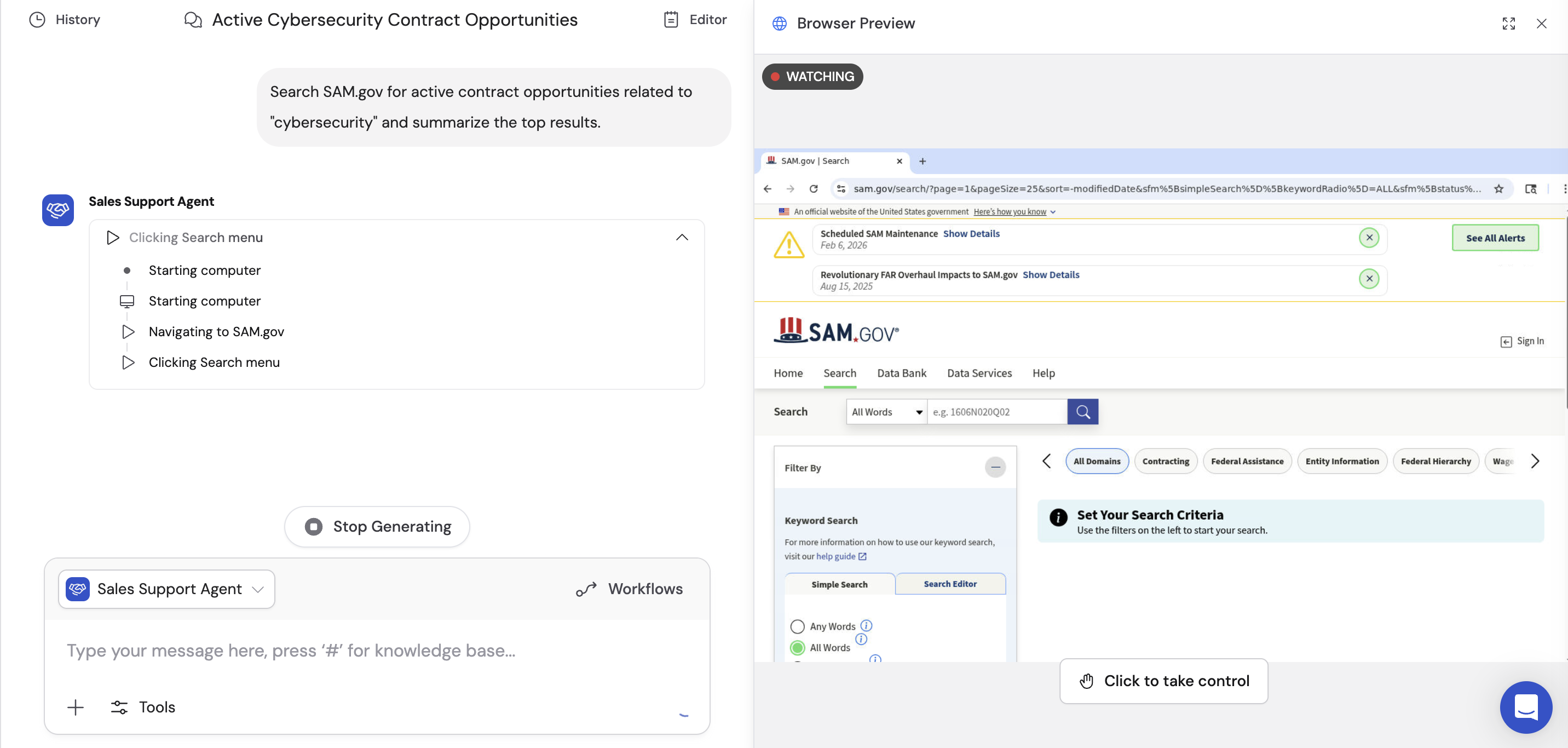
4
Review browser steps
When the Agent finishes, click the Finished analyzing dropdown to see the full sequence of actions it performed.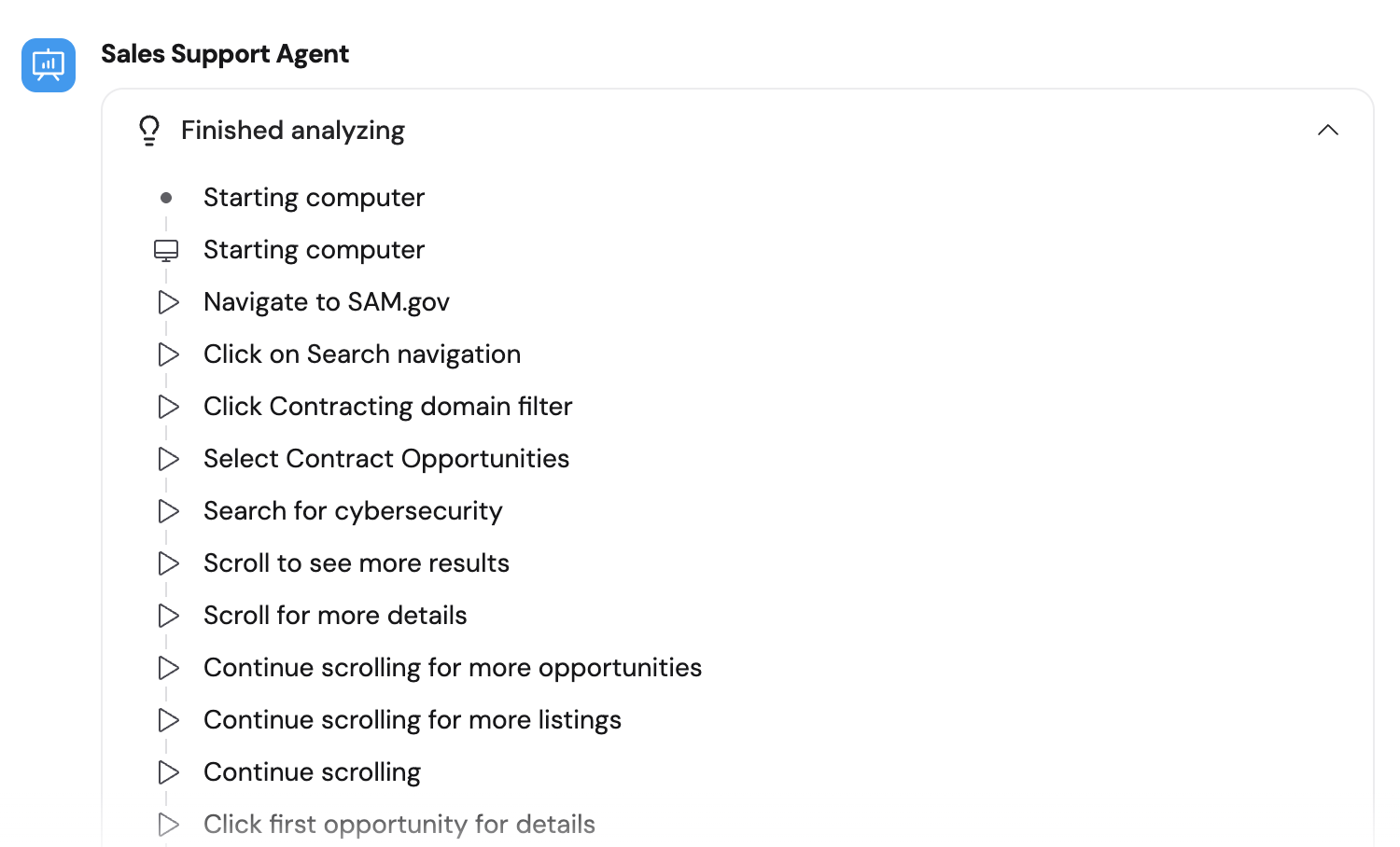
5
Browse screenshots
Click any individual step to see a screenshot of what the browser looked like at that point. Use the Previous and Next buttons to navigate between steps, with a step counter (e.g. “1 / 14”) showing your position.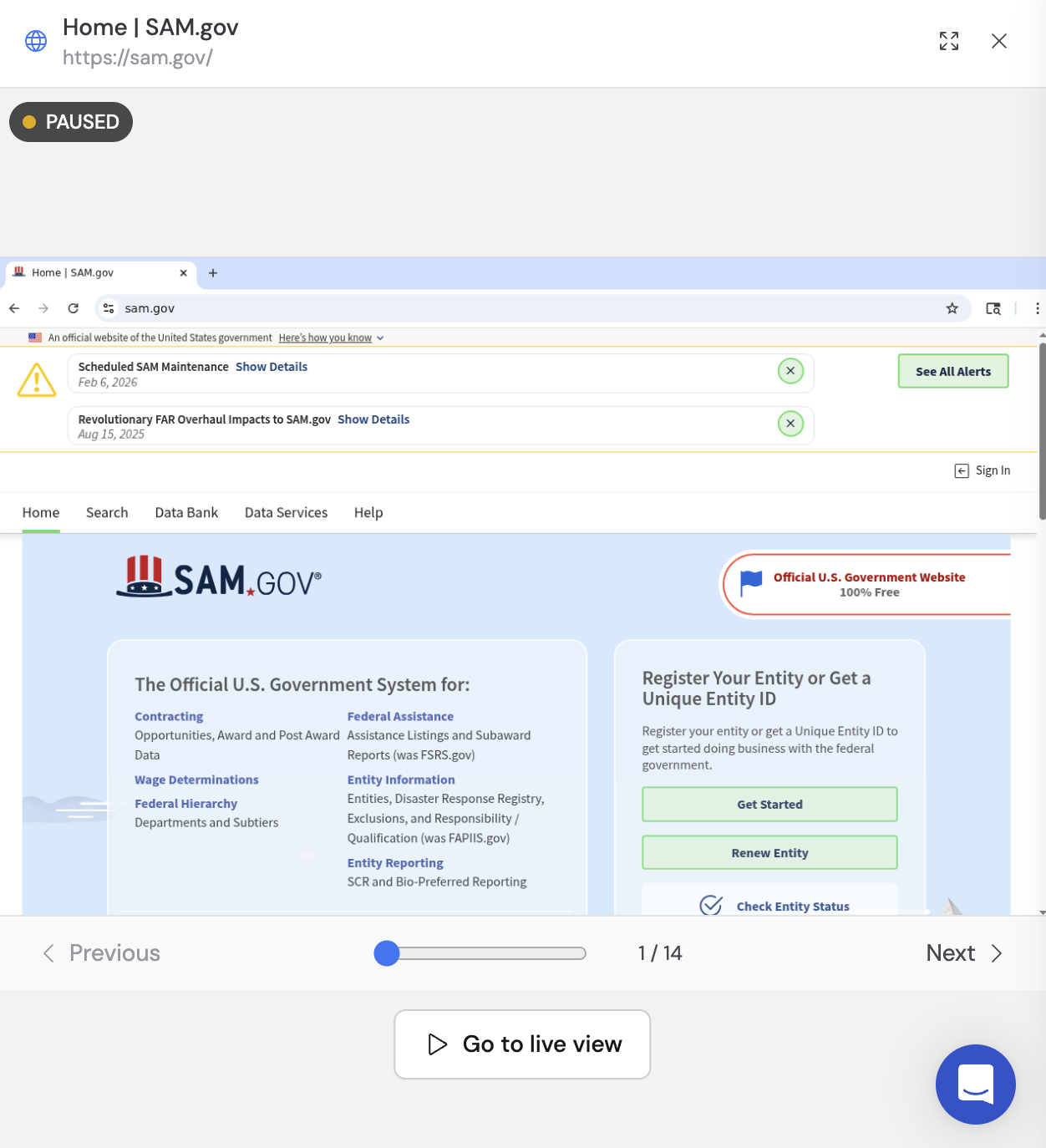
Use cases
- Government portals — Search SAM.gov, SEC filings, or other public databases.
- Vendor and supplier platforms — Look up pricing, availability, or order status on supplier websites.
- Dynamic search interfaces — Navigate search UIs that require filling in forms and clicking through results.
- Form submission — Fill out and submit web forms on behalf of your team.
- Competitive intelligence — Browse competitor websites to gather pricing, feature, or positioning data.
Browser Use vs. Web Search
Next steps
Web Search
Search the internet for real-time information without a full browser.
Deep Research
Run multi-step research combining web search and Knowledge Base.