

Connect your account
- Open a SharePoint trigger or action in the Workflow builder.
- Click Connect.
- Sign in with Microsoft.
- Click Accept to grant access.
Available triggers
Available actions
Filter and sort SharePoint list values
Use Get List Values when you want a Workflow to retrieve only the SharePoint list rows you need or return rows in a specific order. For example, you can retrieve open requests sorted by due date.1
Select a SharePoint list
Add the Get List Values Action, then select your SharePoint site and
list.
2
Add an optional filter
Under Filter, select a column, choose a comparison, and enter the value
to match. The value can include variables from earlier Workflow steps.
3
Choose an optional sort order
Under Order By, select a column and choose Ascending or
Descending.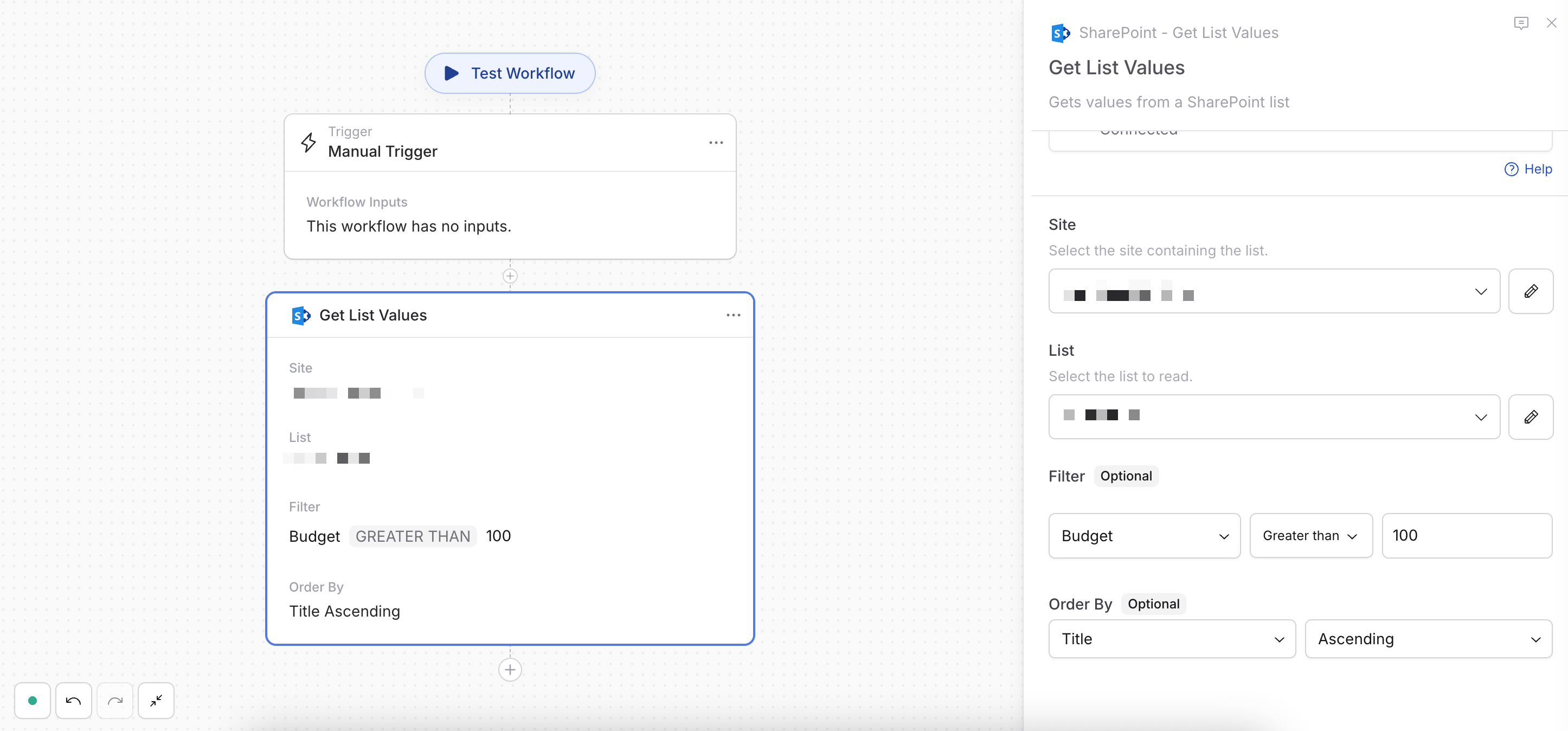
4
Test the Action
Test the Action to confirm that SharePoint returns the expected rows and
order.
- Text and choice columns: Equals, not equals, and starts with
- Number, currency, and date columns: Equals, not equals, greater than, greater than or equal to, less than, and less than or equal to
- Yes/No columns: Equals and not equals
SharePoint may require frequently filtered or sorted columns to be indexed. If
the query cannot be applied, try another column or ask your SharePoint
administrator to index the selected column.