

Smartsheet Workflow actions and triggers require a paid Cassidy plan.
Connect your account
1
Open a Smartsheet trigger or action
Open a Smartsheet trigger or action in the Workflow builder.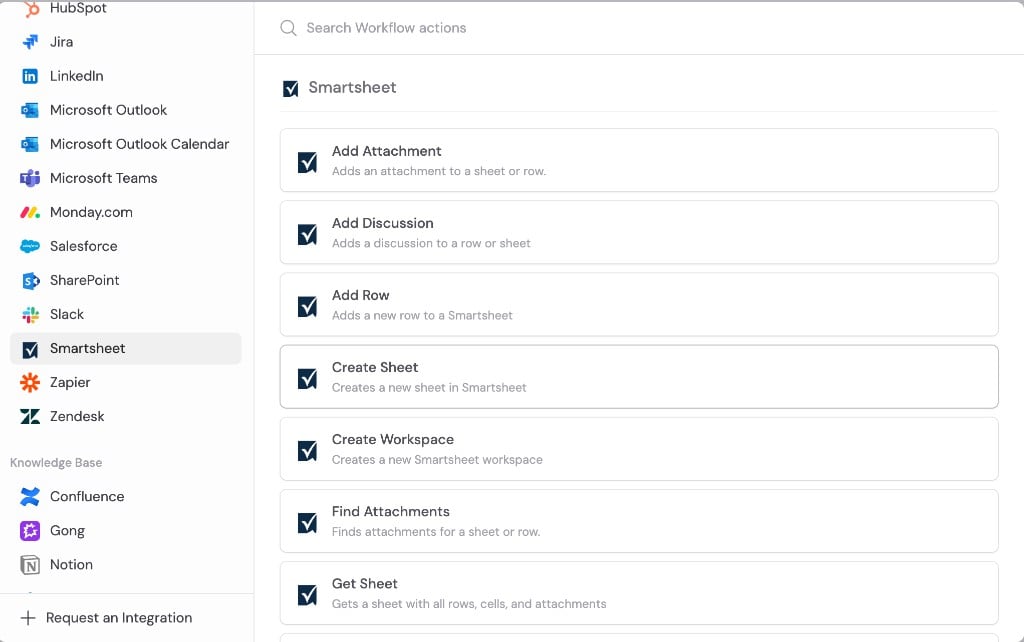
2
Click Connect
Click Connect.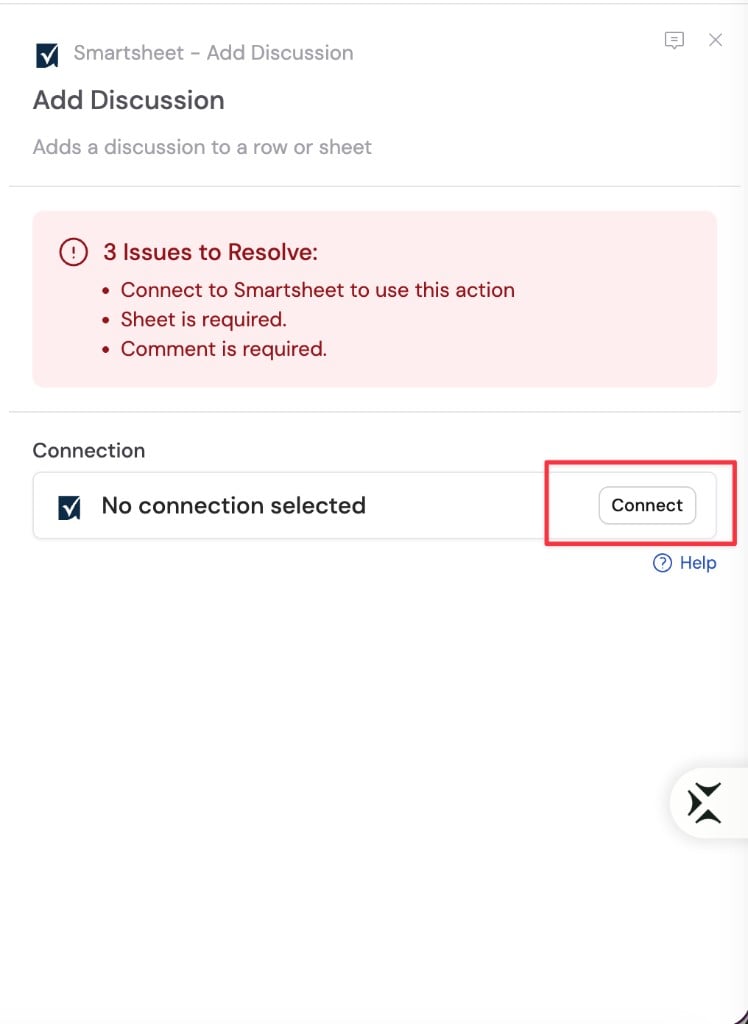
3
Sign in to Smartsheet
Sign in with your Smartsheet account and review the requested permissions.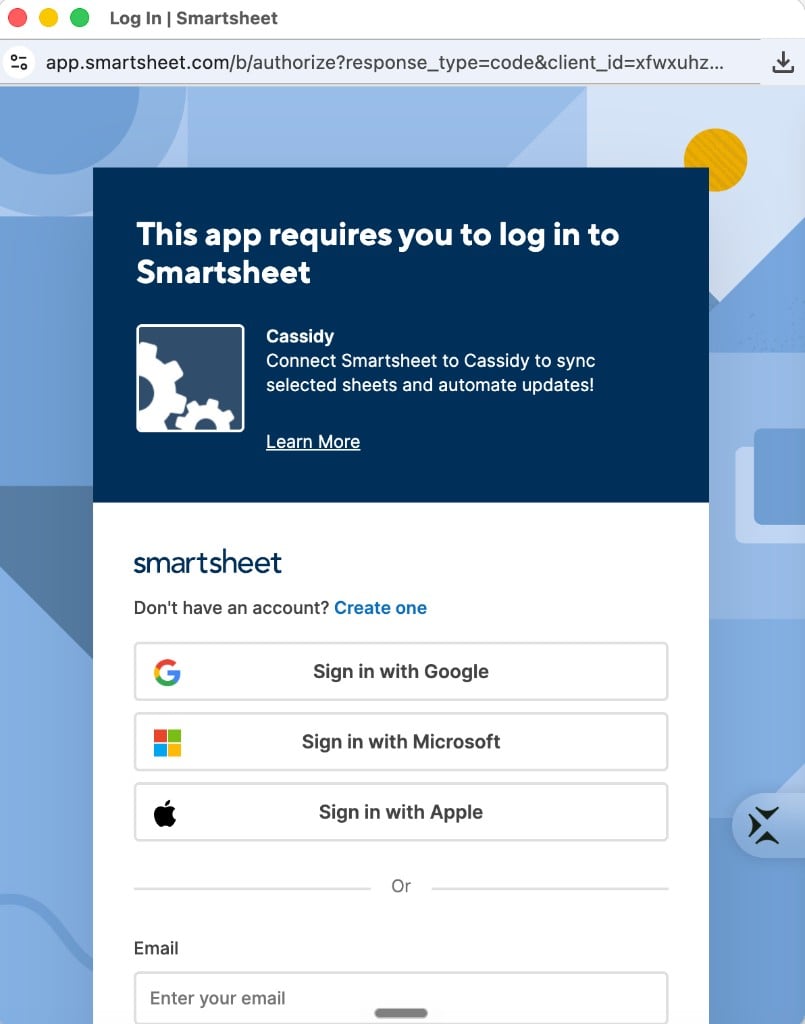
4
Confirm the connection
Return to Cassidy and confirm your Smartsheet account is connected. You can now select sheets, rows, and columns in triggers and actions.
Triggers
New row
Starts a Workflow when a new row is added to a sheet. Configuration
Output variables
Row updated
Starts a Workflow when a row is updated on a sheet. Configuration
Output variables
New comment
Starts a Workflow when a new comment is added to a sheet. Configuration
Output variables
New attachment
Starts a Workflow when a new attachment is added to a sheet or row. Configuration
Output variables
Actions
Get sheet
Retrieves a sheet by ID, including all rows with cell values and attachment metadata. Configuration
Output variables
Each row in Rows includes:
Add row
Adds a new row to a sheet with the column values you specify. Configuration
Output variables
Update row
Updates a single column value on an existing row. Configuration
Output variables
Move row
Moves a row from one sheet to another. Configuration
Output variables
Create sheet
Creates a new sheet in Smartsheet. Configuration
Output variables
Create workspace
Creates a new workspace in Smartsheet. Configuration
Output variables
Add discussion
Adds a discussion (comment) to a sheet or row. Configuration
Output variables
Add attachment
Adds an attachment to a sheet or row. Attach a file from a previous step or link to a URL. Configuration
Output variables
Find attachments
Finds all attachments on a sheet or row. Configuration
Output variables
Next steps
Workflows overview
Learn how to build, test, and publish Workflows in Cassidy.
Test triggers
Load recent Smartsheet events to verify your trigger configuration before
publishing.
Smartsheet overview
Learn what you can do with Smartsheet in Cassidy.