Use Monday.com as both a trigger and a destination in your Workflows . Start a Workflow when items, subitems, or updates change on a board, then use Monday.com actions to create boards, manage structure, and update work automatically.
Monday.com Workflow actions and triggers require a paid Cassidy plan.
Connect your account
Open a Monday.com trigger or action
Click Connect
Click Connect .
Install the Cassidy app in Monday.com if prompted
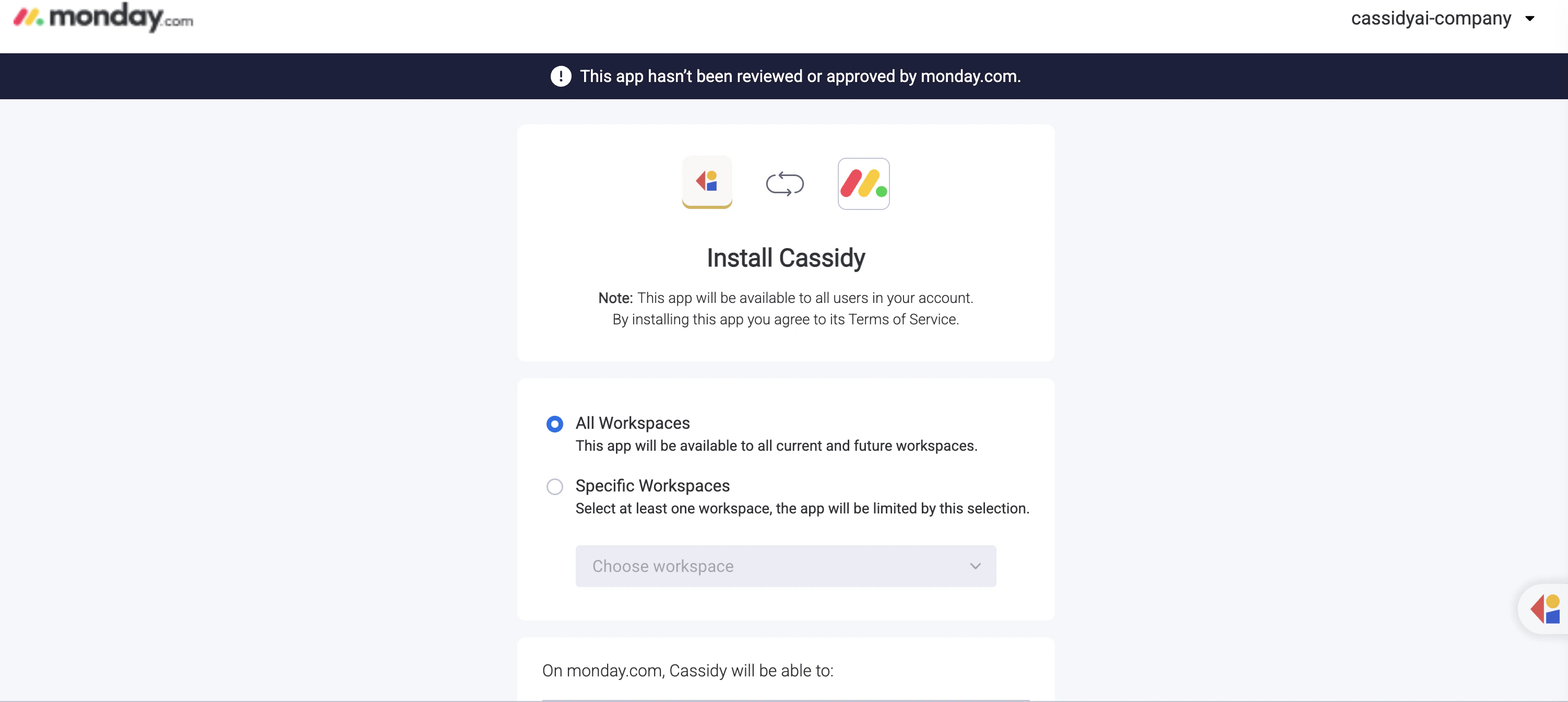
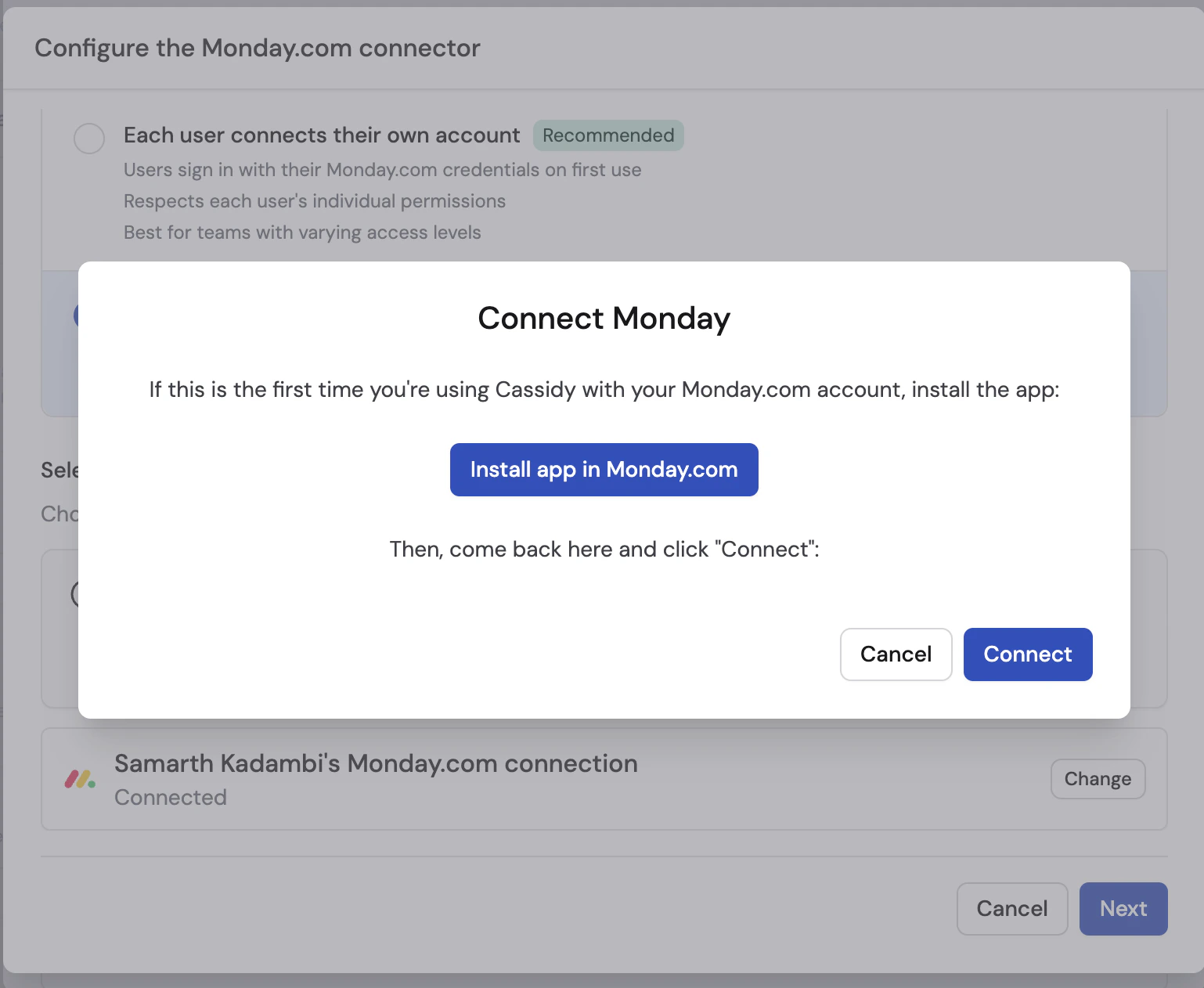
If this is your first Monday.com connection in Cassidy, click Install app in Monday.com and complete the install in Monday.com.
Complete the app install in Monday.com
On the Monday.com page, choose whether to install the app for All Workspaces or only Specific Workspaces , then click Install . If Monday.com shows a banner saying the app has not been reviewed or approved by monday.com, that is expected during this setup flow.
Authorize Cassidy
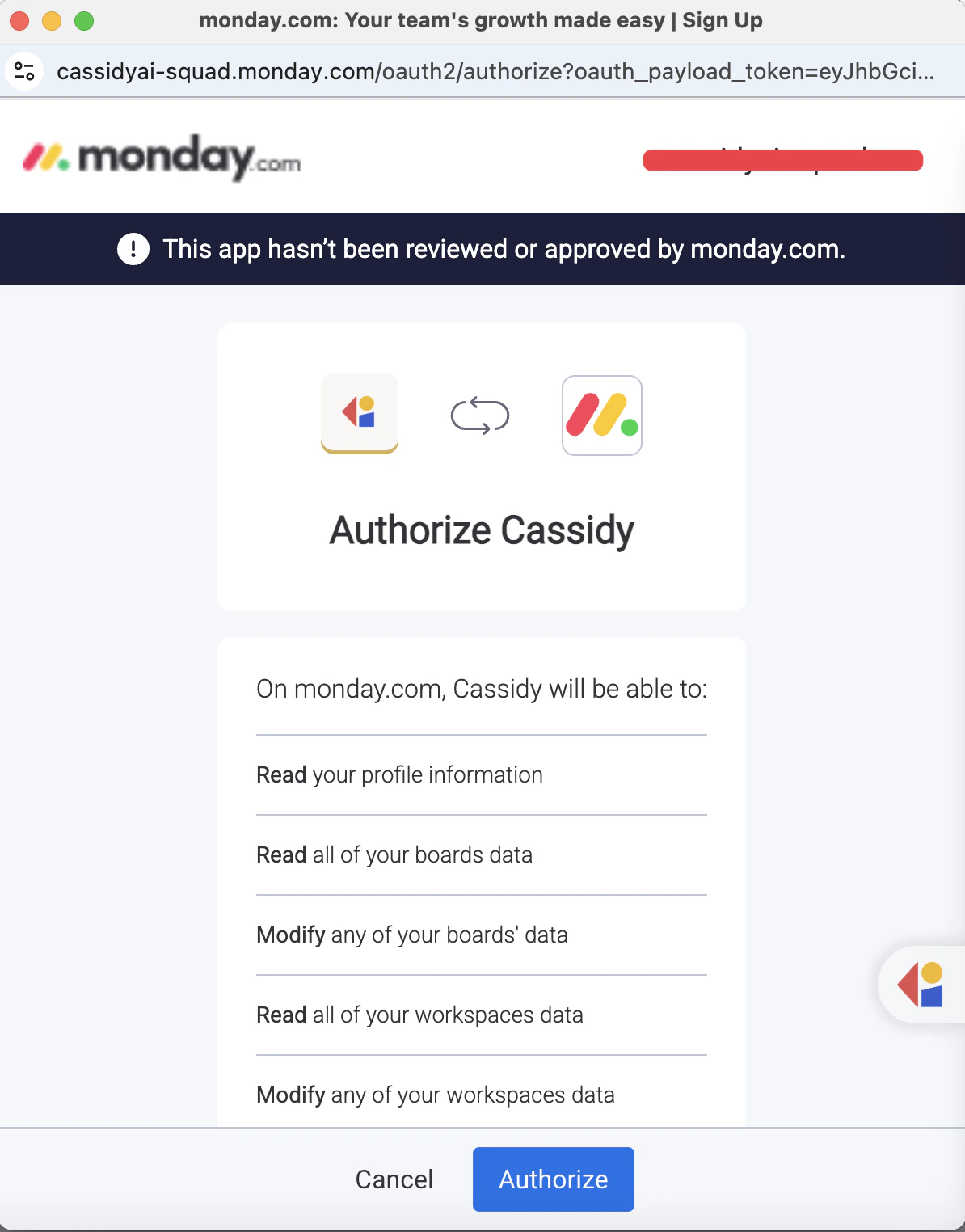
Return to Cassidy, click Connect in the modal, then review the requested permissions and click Authorize .
Triggers
Item created
Starts a Workflow when a new item is created on a board.
Configuration
Field Description Board The Monday.com board to watch
Output variables
Variable Description Item ID The unique identifier of the created item Item Name The name of the created item Board ID The ID of the board containing the item User ID The ID of the user who created the item Group ID The ID of the group containing the item Group Name The name of the group containing the item Created At Timestamp when the item was created
Item updated
Starts a Workflow when a column value changes on an item.
Configuration
Field Description Board The Monday.com board to watch Watched columns (Optional) One or more columns to watch. Leave empty to trigger on any column change.
Output variables
Variable Description Item ID The unique identifier of the changed item Item Name The name of the changed item Board ID The ID of the board containing the item Column ID The ID of the changed column Column Title The display name of the changed column Column Type The type of the changed column New Value The updated value Previous Value The value before the change User ID The ID of the user who made the change Group ID The ID of the group containing the item Changed At Timestamp when the change happened
Item deleted
Starts a Workflow when an item is deleted from a board.
Configuration
Field Description Board The Monday.com board to watch
Output variables
Variable Description Item ID The unique identifier of the deleted item Item Name The name of the deleted item Board ID The ID of the board that contained the item User ID The ID of the user who deleted the item Group ID The ID of the group that contained the item Deleted At Timestamp when the item was deleted
Subitem created
Starts a Workflow when a new subitem is created on a board.
Configuration
Field Description Board The Monday.com board to watch Parent item (Optional) Limit the trigger to subitems created under one specific parent item
Output variables
Variable Description Subitem ID The unique identifier of the created subitem Subitem Name The name of the created subitem Board ID The ID of the board containing the subitem User ID The ID of the user who created the subitem Group ID The ID of the group containing the subitem Group Name The name of the group containing the subitem Created At Timestamp when the subitem was created Parent Item ID The ID of the parent item Parent Item Board ID The ID of the parent item’s board
Update created
Starts a Workflow when a new update or reply is posted on an item.
Configuration
Field Description Board The Monday.com board to watch
Output variables
Variable Description Update ID The unique identifier of the created update Update Body The plain-text body of the update Item ID The ID of the item the update was posted on Board ID The ID of the board containing the item User ID The ID of the user who created the update Reply ID The reply ID, if the update was posted as a reply Created At Timestamp when the update was created
Actions
Get items
Retrieves items from a board, including group details, attachments, and column values.
Configuration
Field Description Board The board to retrieve items from Limit (Optional) Maximum number of items to return
Output variables
Variable Description Items List of items with item details, attachments, and column values Total Count The number of items returned Board Name The name of the board
Get item
Retrieves one item by ID, including its board details, attachments, and column values.
Configuration
Field Description Item ID The item to retrieve Board (Optional) The board containing the item
Output variables
Variable Description Item ID The unique identifier of the item Item Name The name of the item Board ID The ID of the board containing the item Board Name The name of the board containing the item Group ID The ID of the group containing the item Group Name The name of the group containing the item Created At Timestamp when the item was created Updated At Timestamp when the item was last updated Item URL Direct link to the item in Monday.com Attachments Files attached to the item Column Values All column values on the item
Get groups
Retrieves all groups on a board.
Configuration
Field Description Board The board to retrieve groups from
Output variables
Variable Description Groups List of groups with each group’s ID and title
Create board
Creates a new board in Monday.com.
Configuration
Field Description Board name The name for the new board Board kind The board visibility. Options are public, private, and share Workspace ID (Optional) The workspace where the board should be createdFolder ID (Optional) The folder where the board should be createdTemplate ID (Optional) A board template to copy
Output variables
Variable Description Board ID The unique identifier of the created board Board Name The name of the created board Board Kind The visibility type of the board State The current board state Permissions The board permission level
Create group
Creates a new group in a board.
Configuration
Field Description Board The board where the group should be created Group name The name for the new group
Output variables
Variable Description Group ID The unique identifier of the created group Group Name The name of the created group
Delete group
Deletes a group from a board.
This action cannot be undone. Deleting a group removes it from the board in Monday.com.
Configuration
Field Description Board The board containing the group Group The group to delete
Output variables
Variable Description Group ID The unique identifier of the deleted group
Create column
Creates a new column on a board.
Configuration
Field Description Board The board where the column should be created Column title The display name of the new column Column type The type of column to create, such as text, status, numbers, or date Description (Optional) A description for the columnAfter column (Optional) The column after which the new column should be inserted
Output variables
Variable Description Column ID The unique identifier of the created column Column Title The title of the created column Column Type The type of the created column Description The column description
Create item
Creates a new item on a board.
Configuration
Field Description Board The board where the item should be created Item name The name of the new item Group (Optional) The group where the item should be createdColumn values (Optional) Values to set on the item. You can map individual columns or pass JSON dynamically.
Output variables
Variable Description Item ID The unique identifier of the created item Item Name The name of the created item Board ID The ID of the board containing the item Group ID The ID of the group containing the item Created At Timestamp when the item was created Item URL Direct link to the item in Monday.com
Update item
Updates one column value on an existing item.
Configuration
Field Description Board The board containing the item Item The item to update Column The column to update Value The new value to set
Output variables
Variable Description Item ID The ID of the updated item Item Name The name of the updated item Success Whether the update completed successfully
Create update
Posts an update or reply on an item.
Configuration
Field Description Board The board containing the item Item The item to post on Update body The message to post Parent update ID (Optional) If provided, Cassidy posts the message as a reply
Output variables
Variable Description Update ID The unique identifier of the created update Update Body The content of the update Created At Timestamp when the update was created Creator ID The ID of the user who created the update Creator Name The name of the user who created the update
Delete item
Permanently deletes an item from a board.
This action cannot be undone. The item will be permanently deleted from Monday.com.
Configuration
Field Description Board The board containing the item Item The item to delete
Output variables
Variable Description Item ID The unique identifier of the deleted item
Next steps
Workflows overview Learn how to build, test, and publish Workflows in Cassidy.
Monday.com Agent Connector Let Agents read and manage boards, items, groups, and updates during conversations.