

Set up the Asana Connector
1
Navigate to your Agent
Go to Agents and select the Agent you want to configure.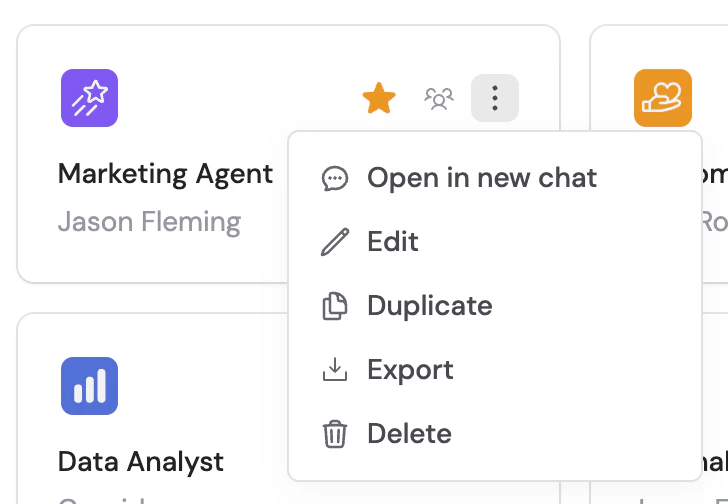
2
Open the Connectors section
Click the Setup tab and scroll to the Connectors section.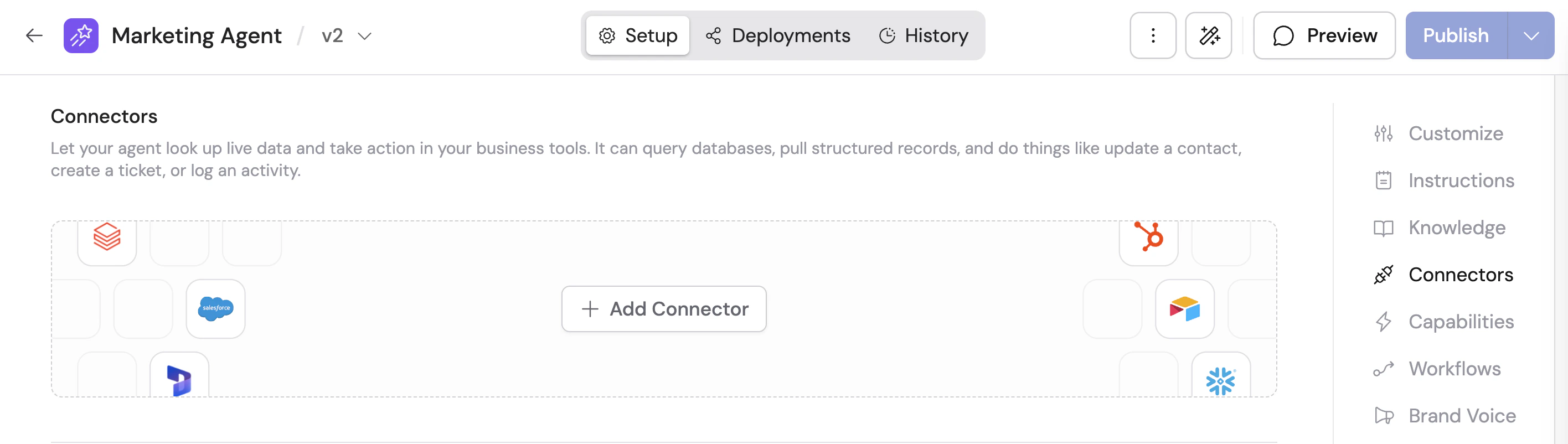
3
Add the Asana Connector
Click + Add Connector and select Asana.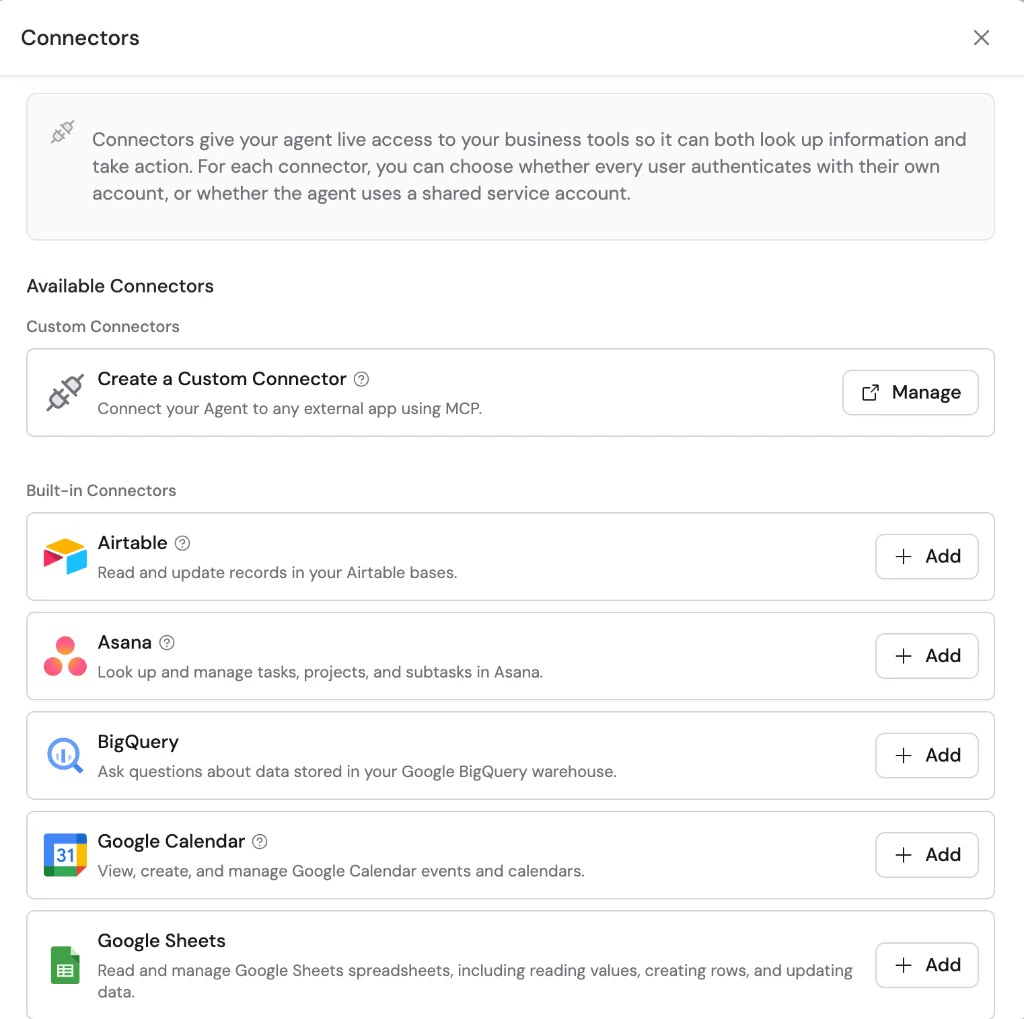
4
Choose a connection method
Select how users will authenticate: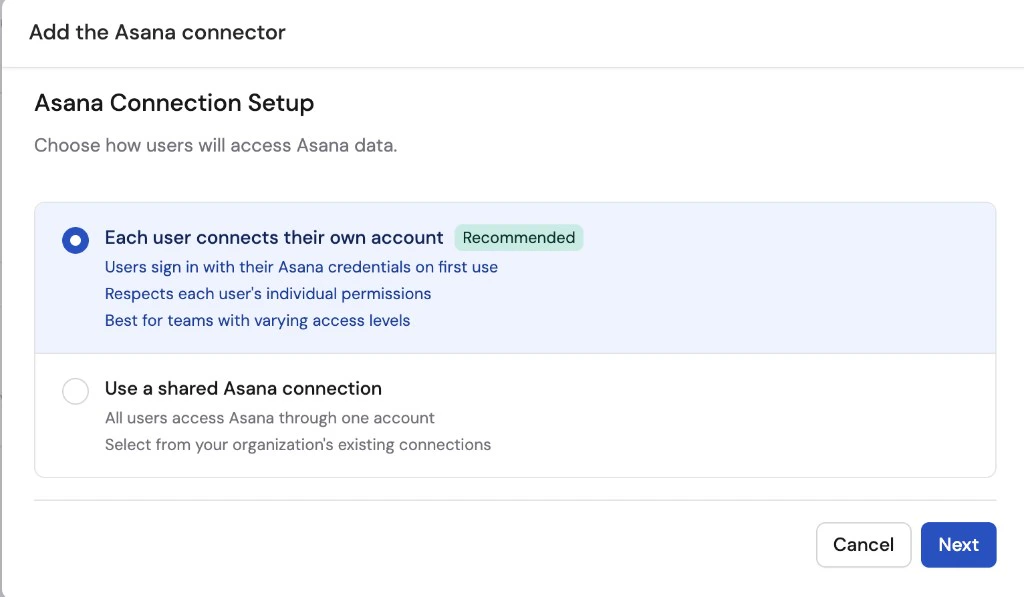
- Each user connects their own account (recommended) — each user signs in with their own Asana credentials the first time they use the Connector
- Use a shared Asana connection — all users access Asana through one shared account
5
Set up the connection
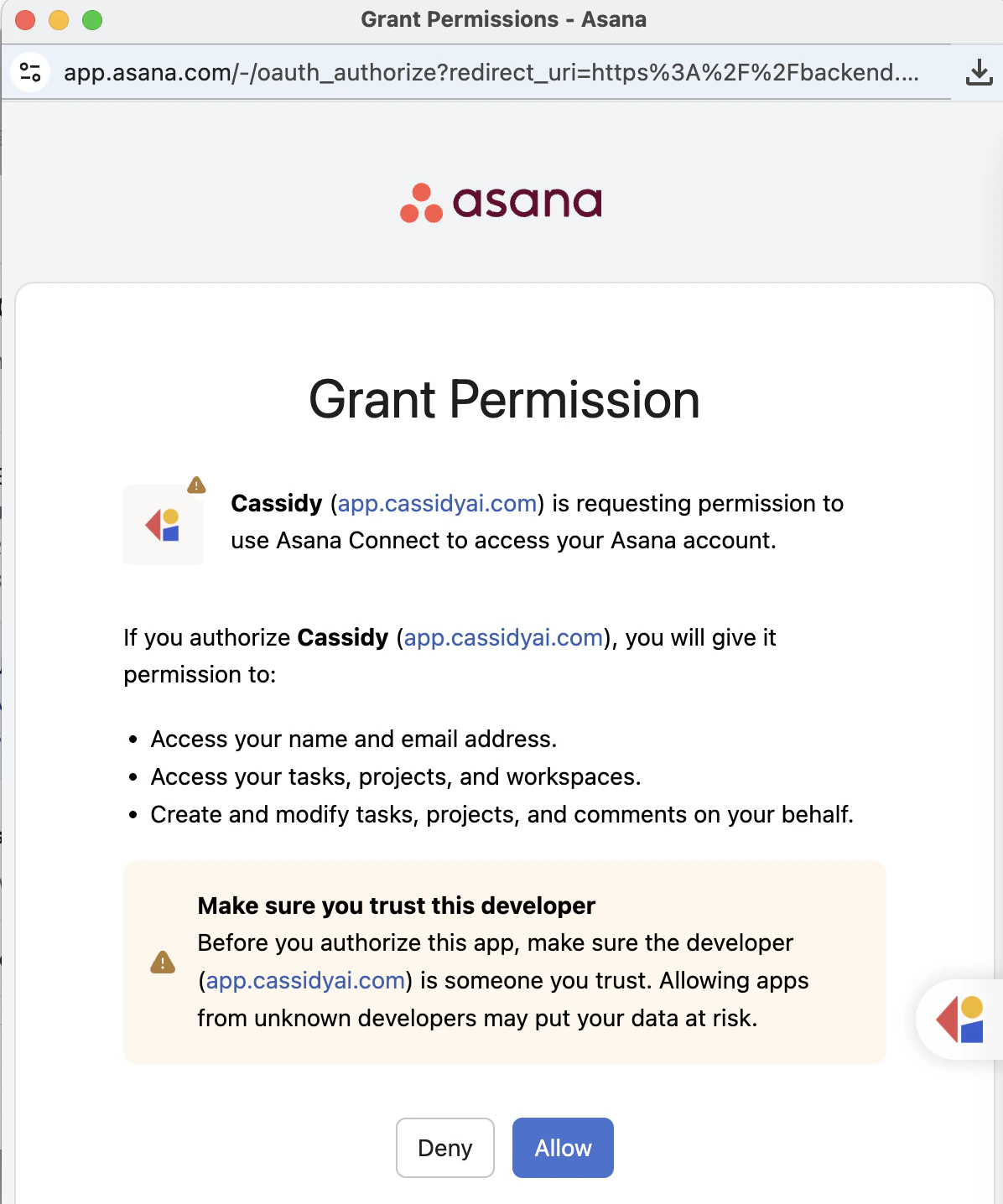
If using a shared connection, select an existing Asana connection from your organization or click Set up shared connection and sign in to authorize access.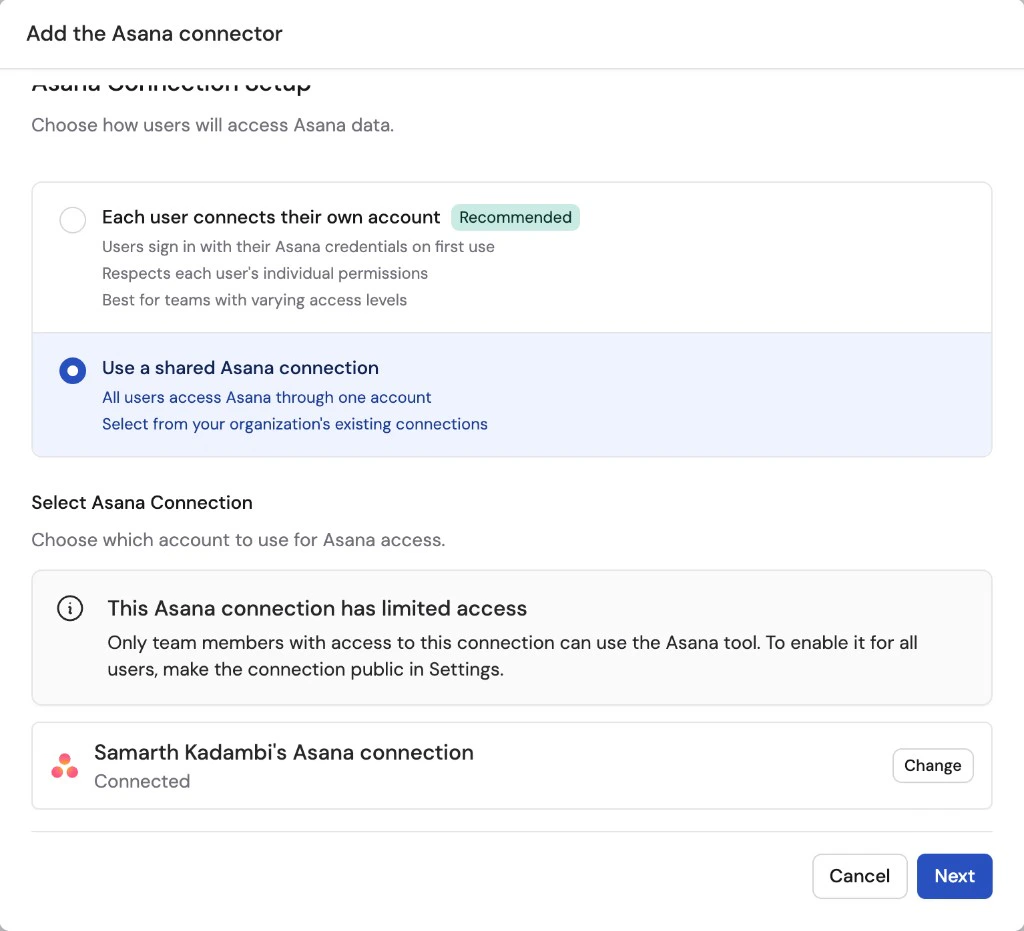
6
Configure action permissions
Set the permission level for each action the Agent can perform:
- Always allow — The Agent performs the action automatically when needed
- Ask every time — The Agent asks the user before taking the action
- Disabled — The Agent cannot perform the action
- View Data — Read-only actions like getting tasks, searching the workspace, and reading project details. Default: Always allow.
- Create & Modify — Actions like creating tasks, updating tasks, adding comments, and creating subtasks. Default: Disabled.
- Remove Data — Actions that delete data from Asana. Default: Disabled.
7
Add the Connector
Click Add connector.
Connect Asana for yourself
To use Asana in any chat, not just with this Agent, open Customize → Connectors, find Asana, and click Connect. See Add a Connector for yourself.Monitor Asana actions
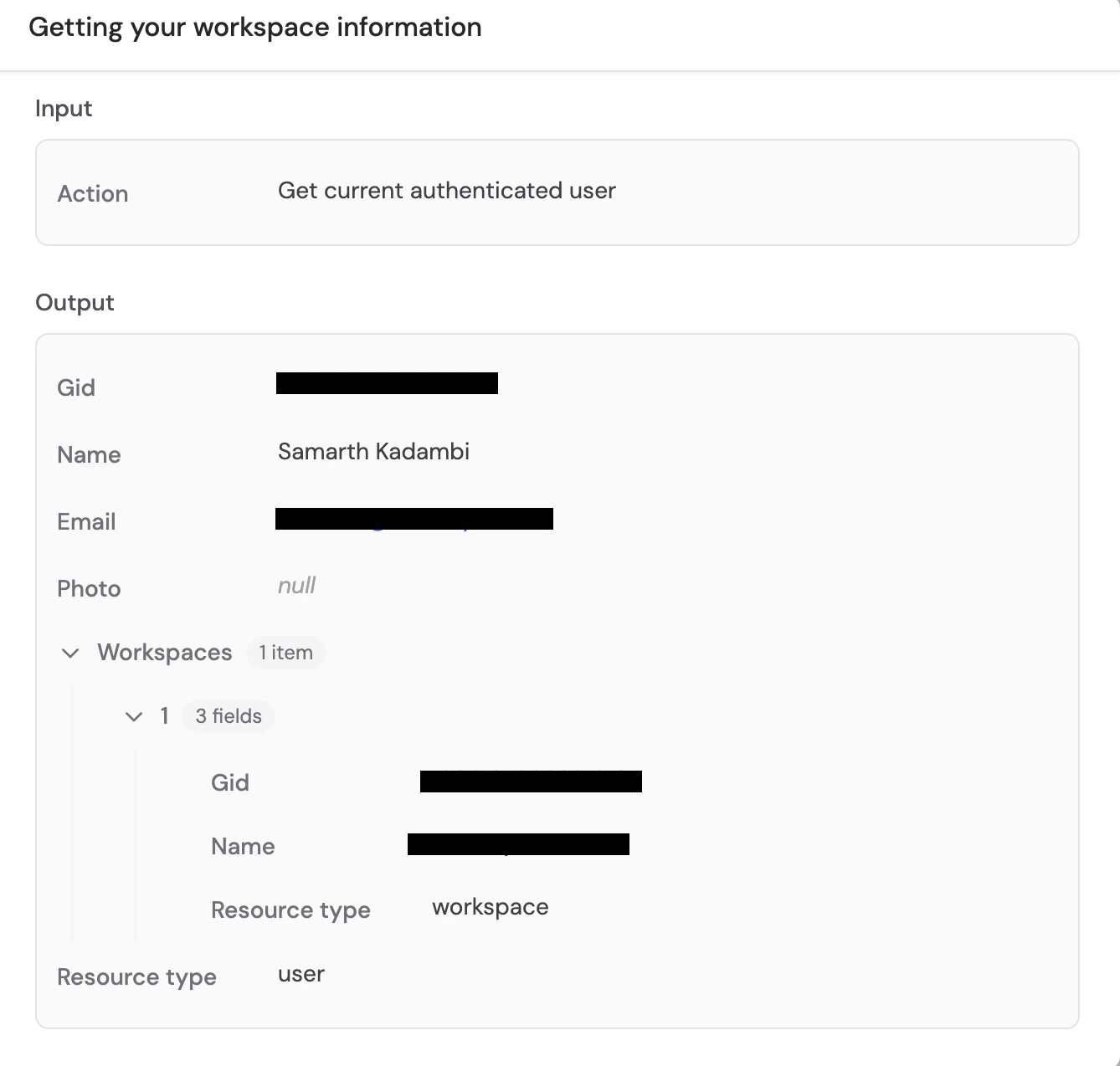
When an Agent uses the Asana Connector, expand the action in the response to see its input, result, and approval status.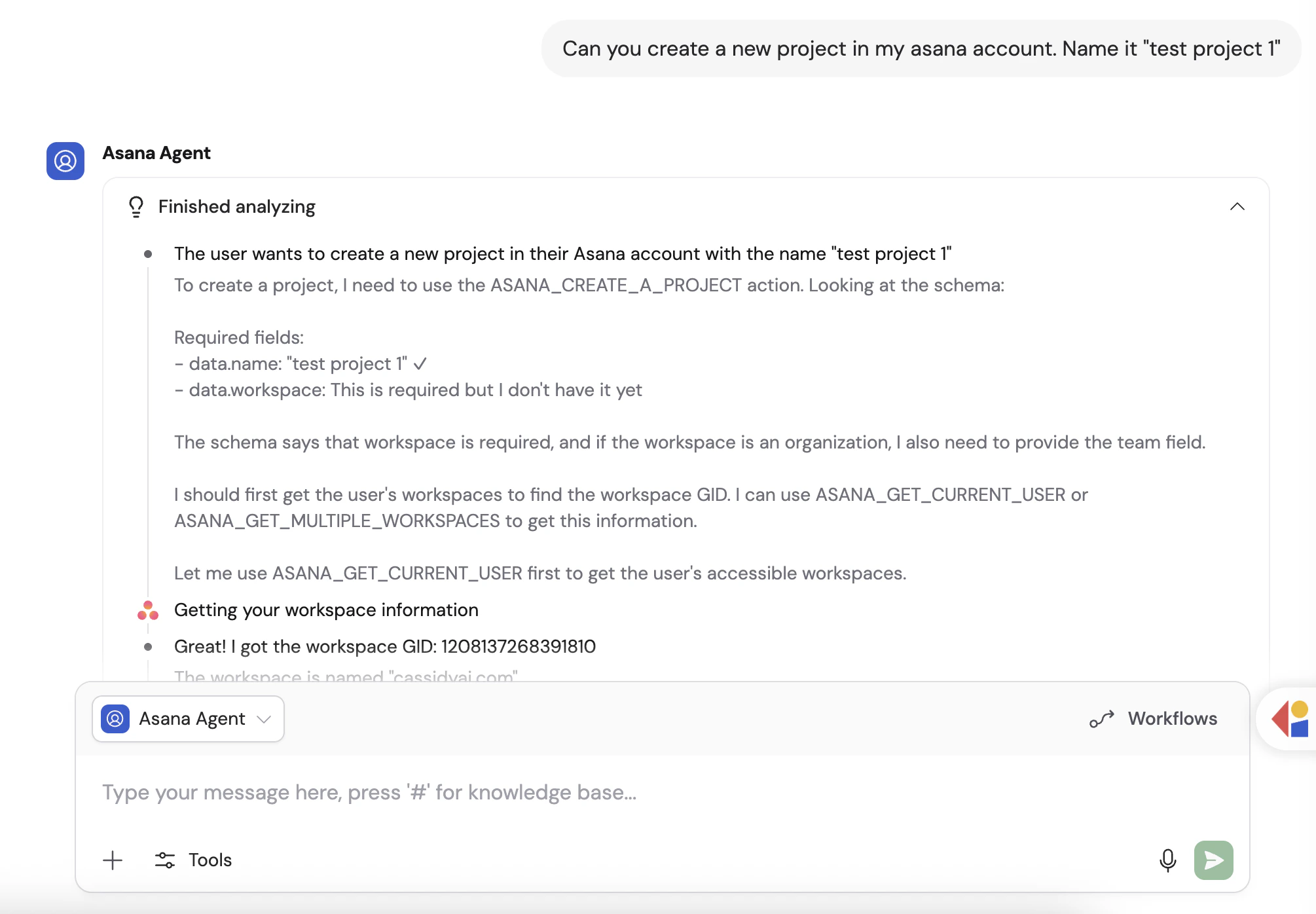
What the Agent can do
Once connected, your Agent can help with Asana tasks including:- Looking up tasks by name or searching across your workspace
- Reading task details, due dates, and assignees
- Getting all tasks in a project
- Creating new tasks and subtasks
- Updating existing tasks
- Adding comments to tasks
- Adding followers to tasks
- Reading time tracking entries
- Deleting tasks
Data security
Asana data is accessed in real time and is not copied or stored in Cassidy. The Agent only queries Asana when needed to answer a question or complete a task.Next steps
Connectors overview
Learn about all available Agent Connectors and how they work.
Browse integrations
See every integration available in Cassidy.