

Data retention is an Enterprise-only feature. Contact our sales team to learn more about upgrading to Enterprise access.
Set a retention policy
1
Open the Workflow editor
Navigate to the Workflow you want to configure and click Edit in the top-right corner.
2
Access data retention settings
Click the … menu, then under Advanced, select Data Retention.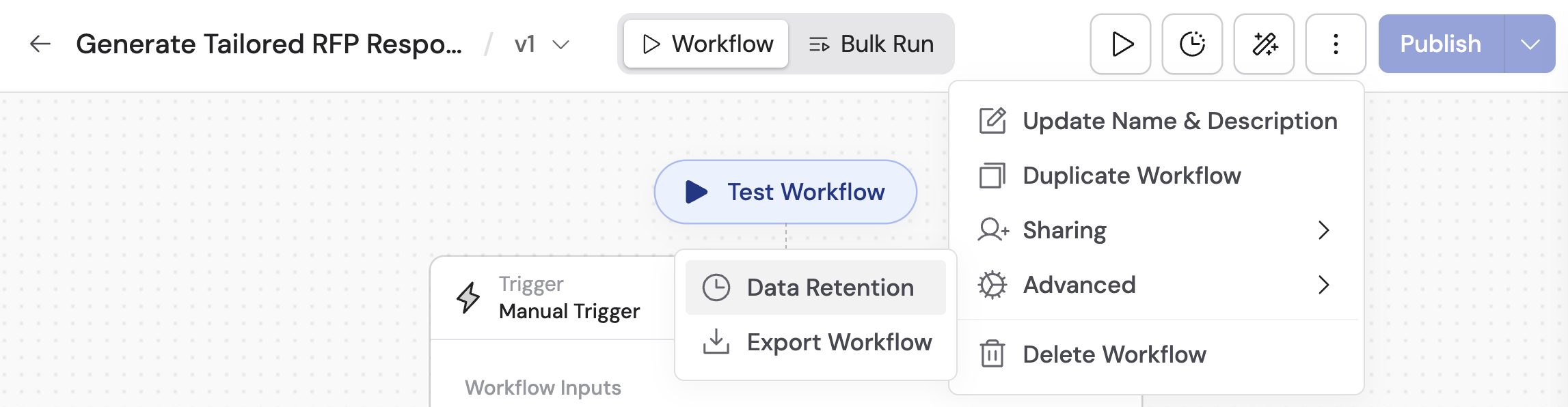
3
Choose a retention type
Select from the available options:
- Forever — run history is retained indefinitely, or until you manually delete it.
- Custom — specify a retention period based on your needs.
4
Configure a custom period
If you selected Custom, enter the retention duration (e.g., 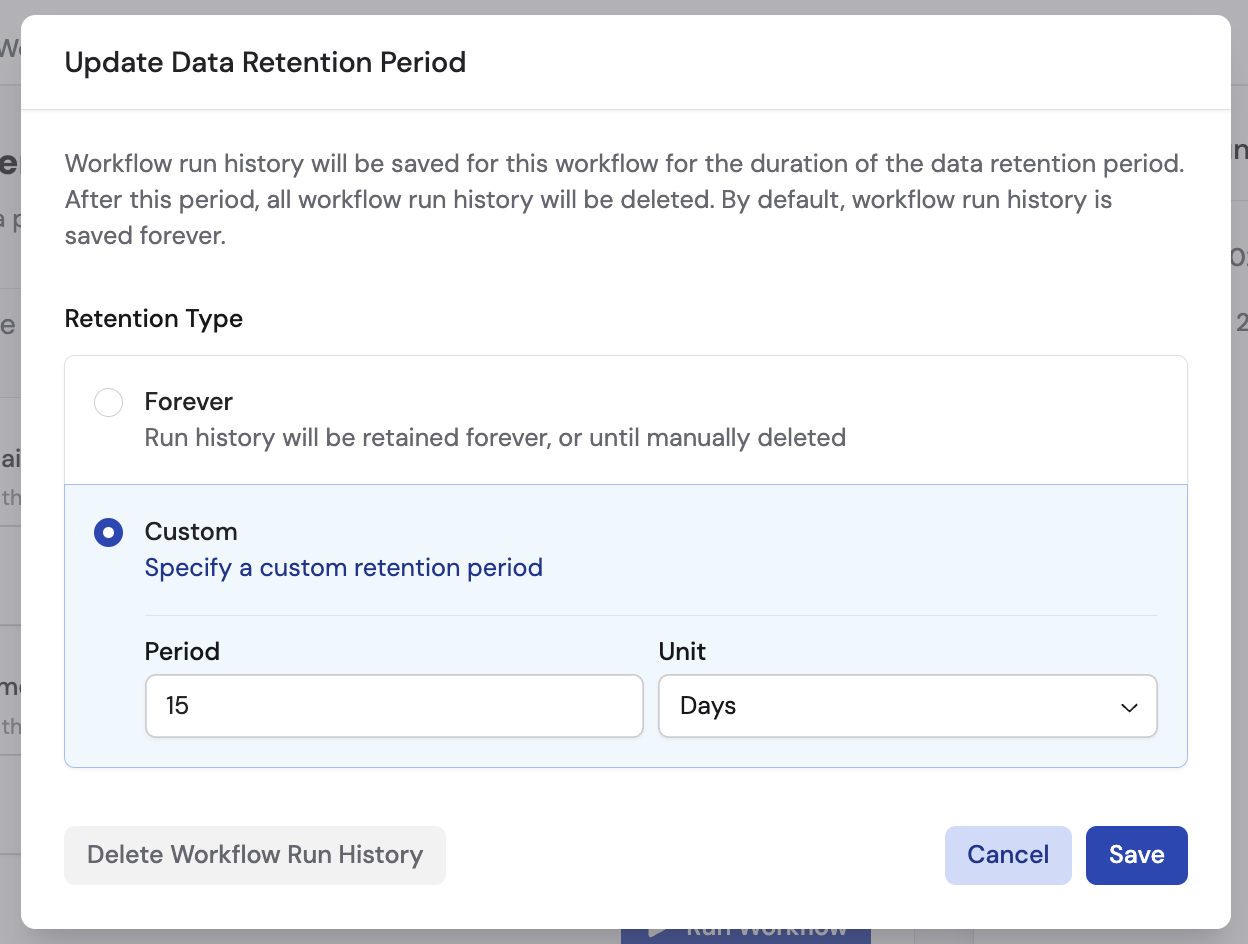
15) and select the unit from the dropdown: Hours, Days, Weeks, Months, or Years.5
Save
Click Save to apply the retention settings. Cassidy will automatically delete run history older than the configured period.
Manually delete run history
You can delete all existing run history for a Workflow at any time, regardless of the retention setting.1
Open data retention settings
Follow the steps above to navigate to the Data Retention settings for your Workflow.
2
Delete run history
Click Delete Workflow Run History, then click Delete again to confirm.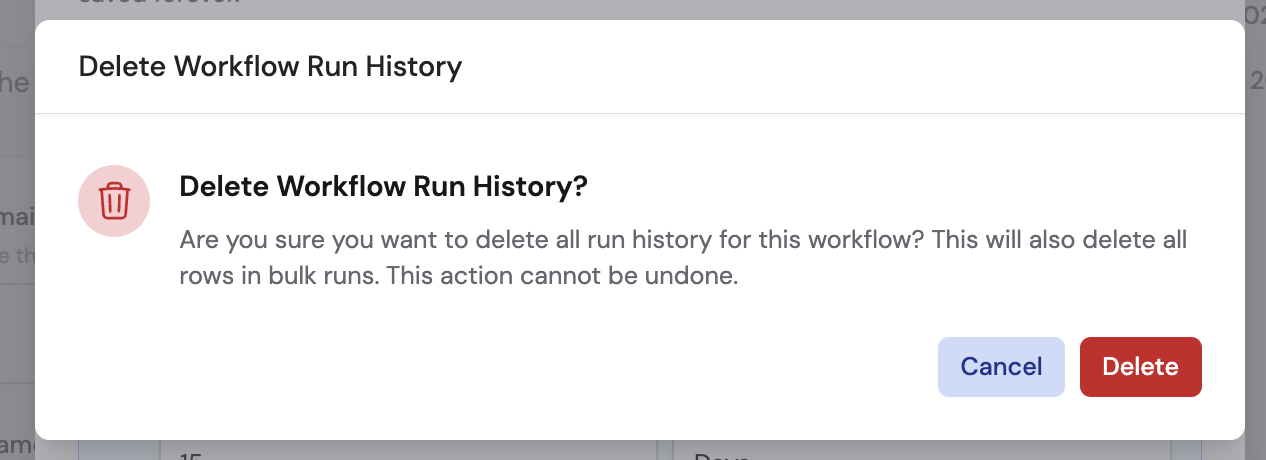
Next steps
Share and deploy
Manage Workflow permissions, folders, and external deployment.
Enterprise security features
Learn about SSO, SAML, RBAC, and other enterprise controls.